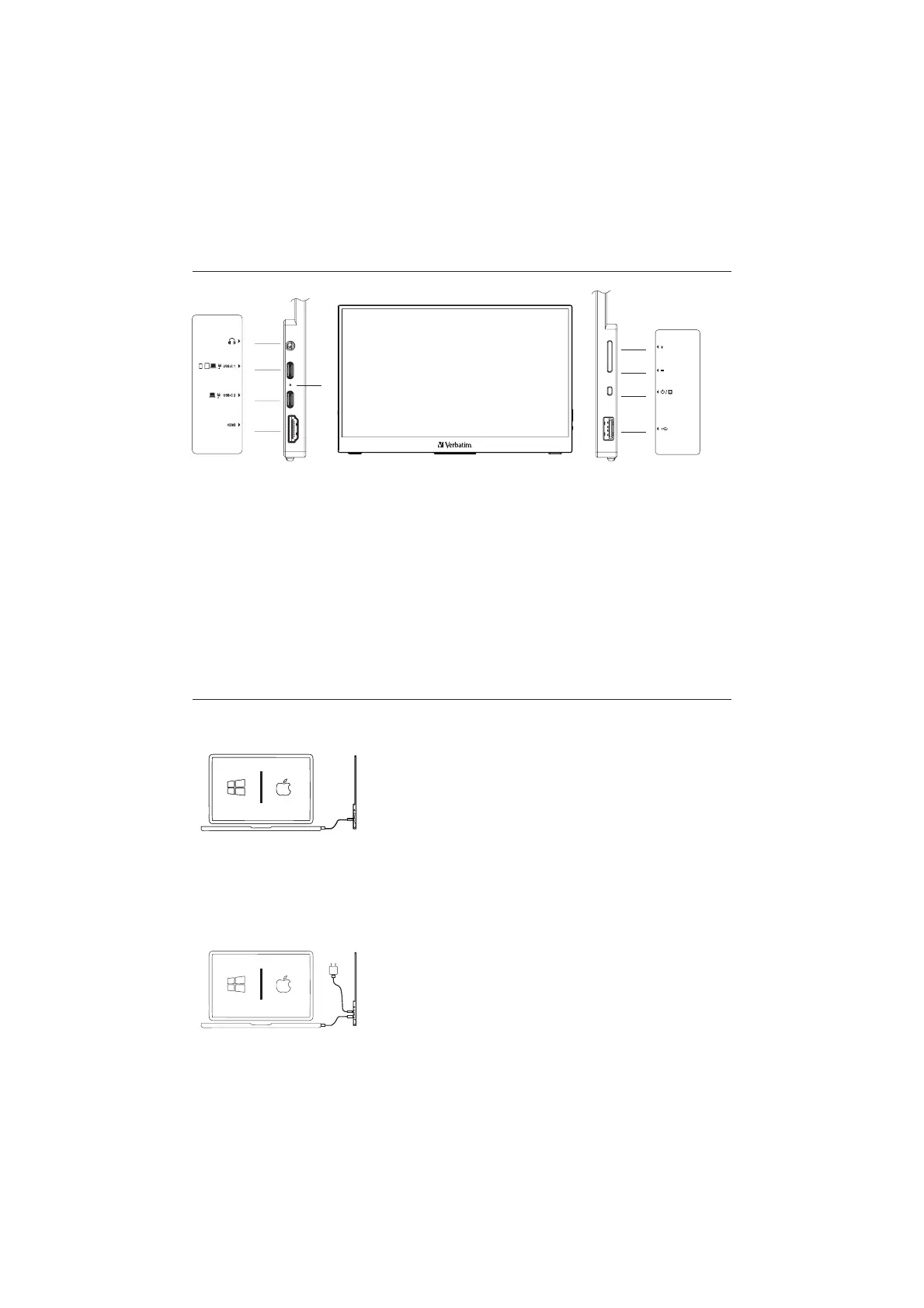
How it works
1. HDMI port
2. USB-C2 port (computers / power supply)
3. USB-C1 port (computers / phones / tablets / power supply)
4. Headphone socket (jack)
5. LED indicator light
6. USB-A 2.0 port
7. Power / Menu button
8. - Button
9. + Button
How to connect
1. Laptop or PC with USB-C
1. Connect the USB-C cable to the USB-C2 port on the monitor and the USB-C port of
your computer.
Optional: If power is not sufficient using USB-C2 port on the display, switch to USB-C1 which
is designed for low power devices or attach the included power supply.
4
3
2
1
5
9
8
7
6


 To Next Page