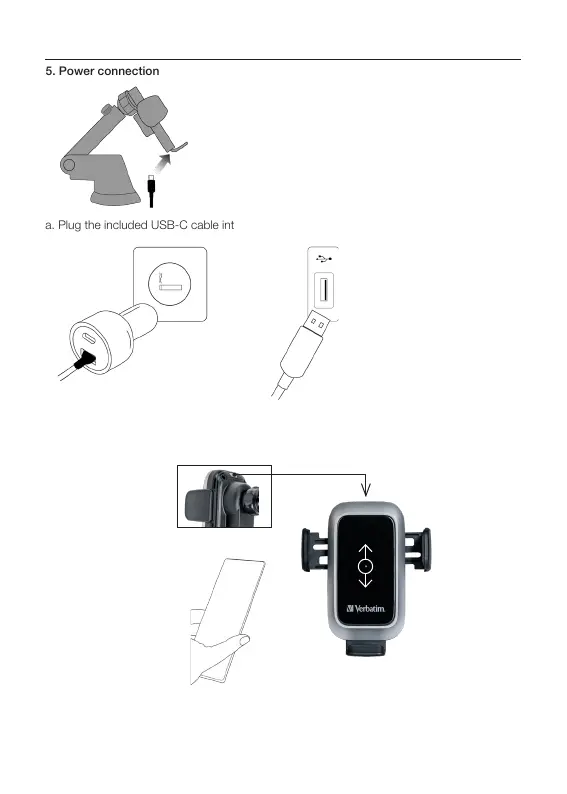
5. Power connection
a. Plug the included USB-C cable into the wireless car charger port.
For fast charging you need a QC 3.0 adapter (not included) or a QC 3.0 capable USB-A
charging port in your car. If using an adapter connect it to the lighter plug (1) and connect
the USB-A end of the cable to the adapter. If a USB-A charging port (2) is available you
can use it directly.
(1)
(2)
Touch the button in the top back and place your phone in the car charger, the charger will
start auto aligning by moving the coil of the charger up and down to find the best charging
position. Charging will start automatically when the best spot is found (if supported by the
phone), the auto aligning process might take some time.
b.
c.
Power connection
5
6



 To Next Page