Vantage 5000 1.0v-11.2016
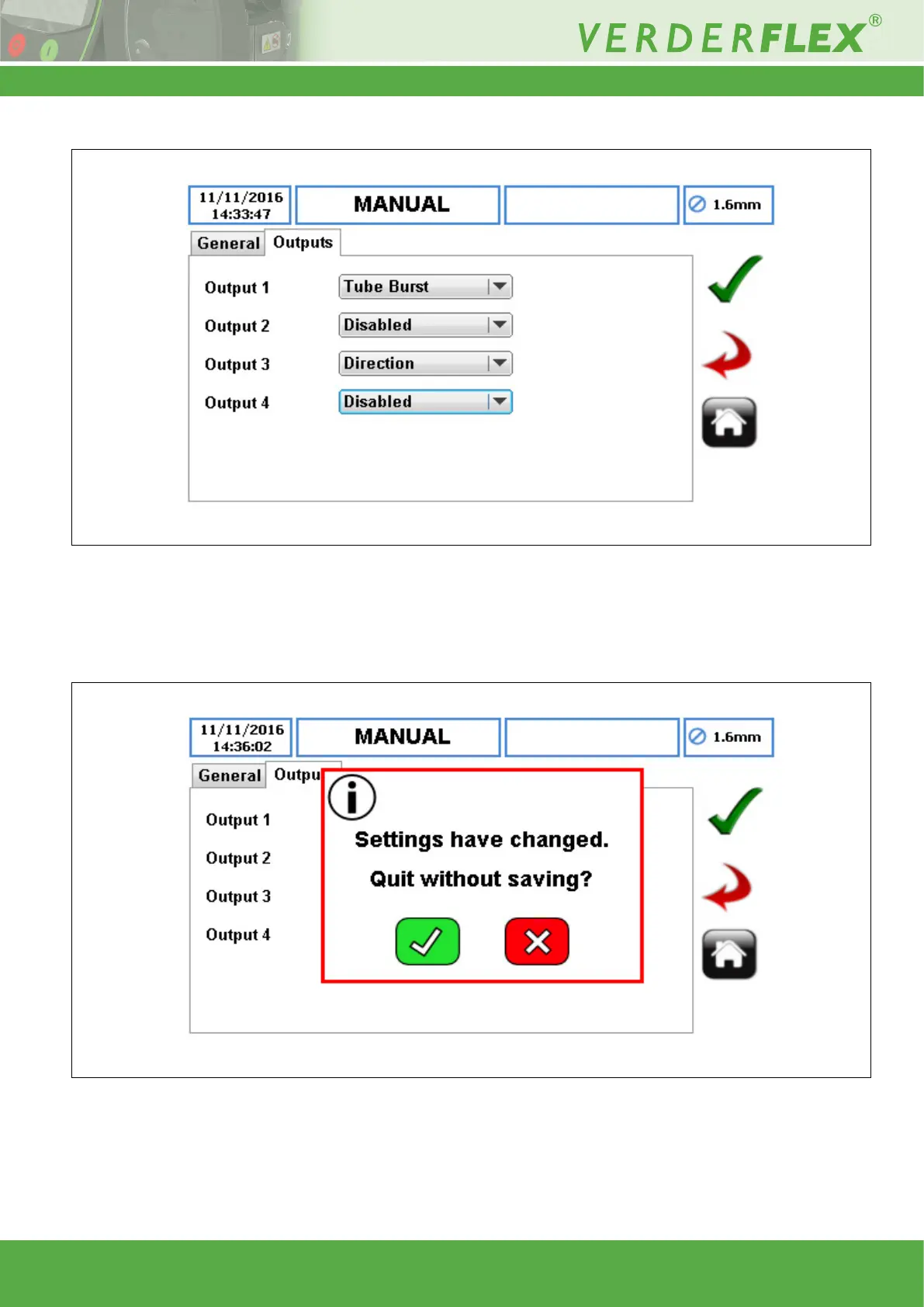
A typical application for settings is shown below:
From this image it can be seen that Output 1 is set to reect the status of the tube burst detection sensor and Output 3 is set
to reect the state of the direction control. For settings to be saved in the Vantage 5000 the green ‘Tick’ must be touched when
exiting the menu. If the ‘Home’ button is pressed then a warning message will appear on the screen as shown below:
Note that certain output activity may be overridden if the unit is set for ‘25 WAY D-Sub’ mode rather than ‘HMI’ where active
remote input signals override the manual control of the Vantage 5000.
Figure 7 Typical Application Set Up
Figure 8 Home exit warning screen
6 | Page



 To Previous Page