6
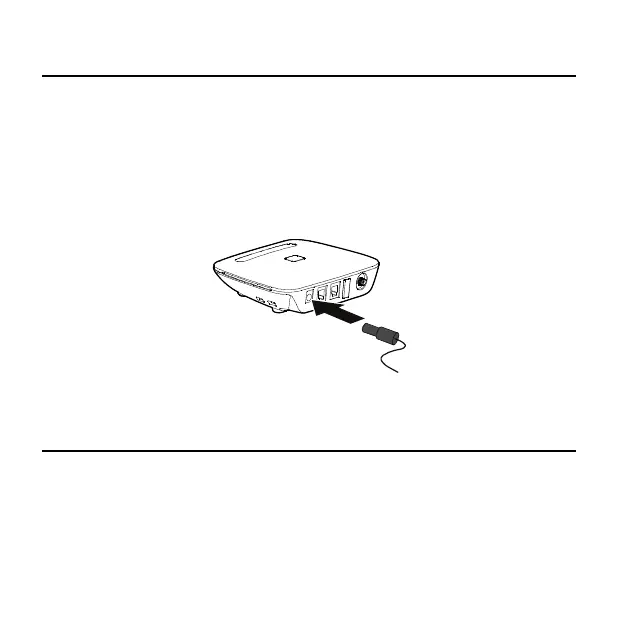
7B7BInstalling the Power Adapter
Under normal usage, the device relies on the external power adapter for its power supply.
Insert the power adapter into the DC input port, and plug the unit into an AC wall outlet.
Note:
Back up battery power will only be used during power failure or if the external
power adapter is not in use.
8B8BConnecting the Device to a Telephone
The device provides two telephone ports. The ports use the same telephone number.
Plug one end of a telephone cable (RJ11) into a telephone port and the other end into the
back of a home telephone or home telephone base unit.


 To Next Page