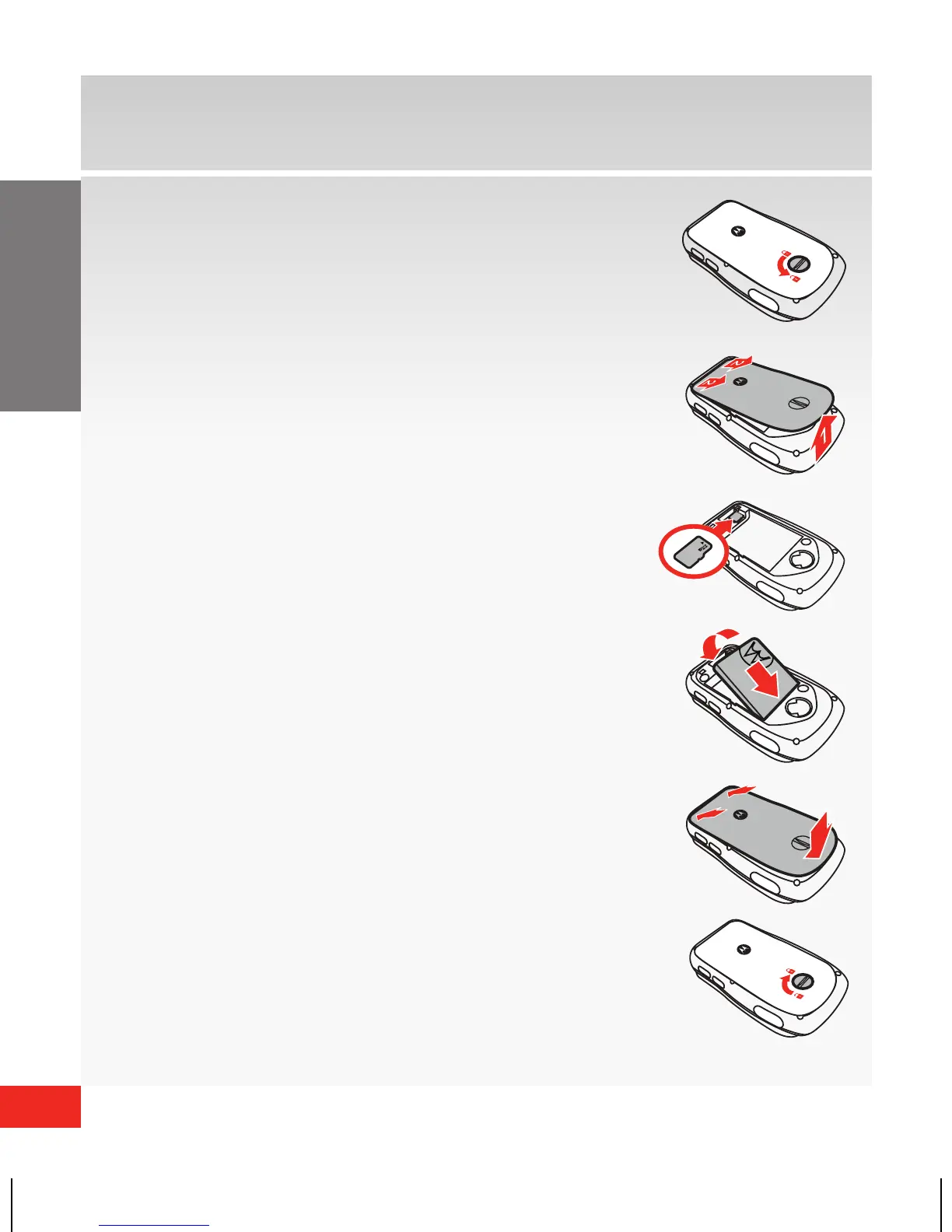
Installing the battery
1. Rotate the locking screw a half turn
to the left.
2. Lift the bottom end of the cover,
then pull the cover down and off the
phone.
3. Insert the optional microSD card.
4. With the gold contacts facing down
and at the lower end of the battery,
insert the battery, lower end first,
and push it completely into place.
5. Lower the bottom end of the battery
cover onto the phone, then snap the
cover into place.
6. Rotate the locking screw a half turn to
the right to lock the cover.














 To Next Page