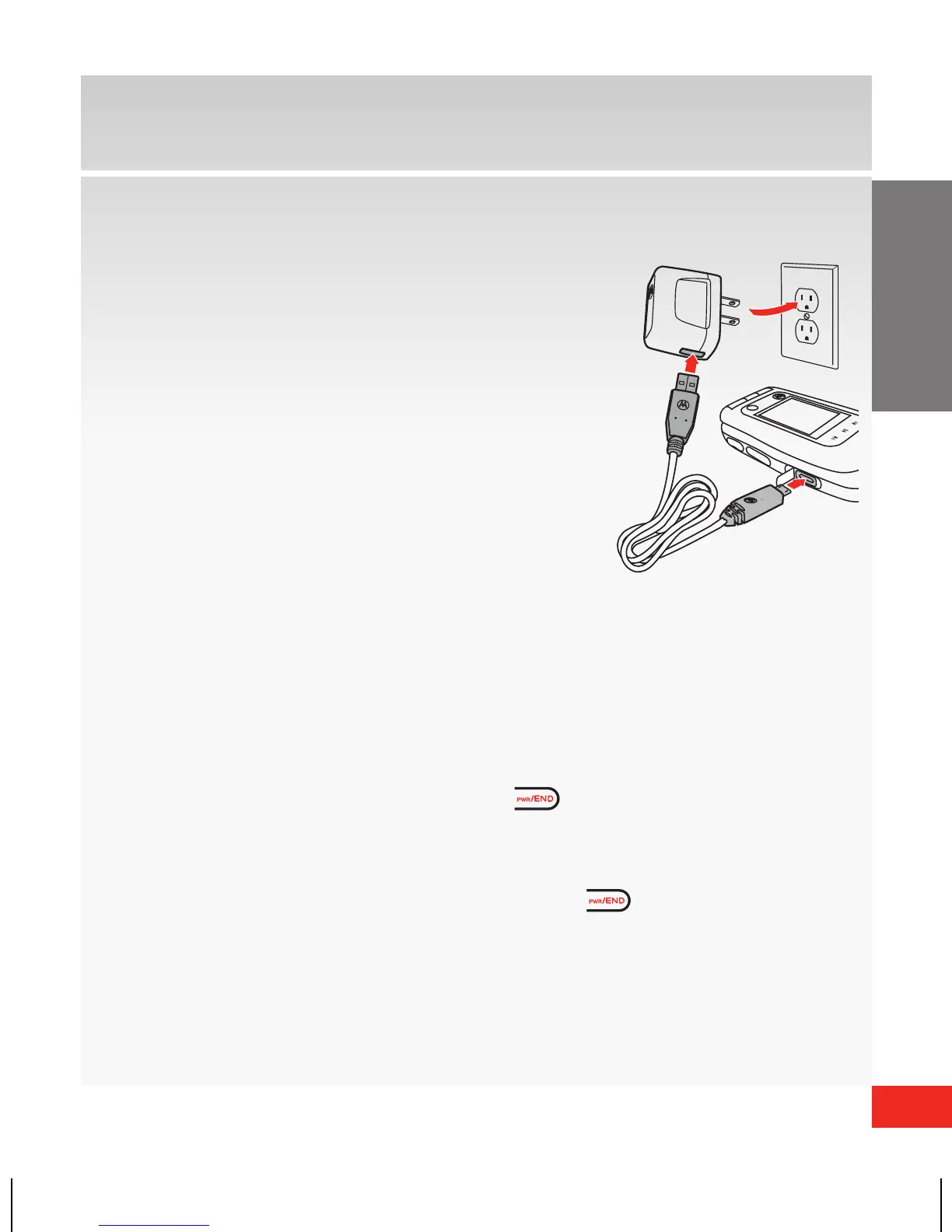
Charging the battery
1. Connect the USB cable end adapter
to the Wall/USB charger head.
2. Lift up Micro USB Port cover on the
phone and insert the adapter cable
end into Micro USB charging port.
3. Connect the Wall/USB charger head
to an AC wall outlet.
4. Disconnect the Wall/USB charger
from the phone and AC outlet
when your phone displays Charge Complete.
Powering your wireless device on for the first time
It’s important to fully charge the battery before turning
on your wireless device. To power your phone on, press
and hold the Power/End Key (
) for a few
seconds.
WARNING! Please use only an approved charging accessory to charge your phone.
Improper handling of the charging port, as well as the use of an incompatible Wall/USB
charger, may cause damage to your phone and void the warranty.














 To Next Page