GETTING TO KNOW YOUR FIOS
BUSINESS WI-FI EXTENDER
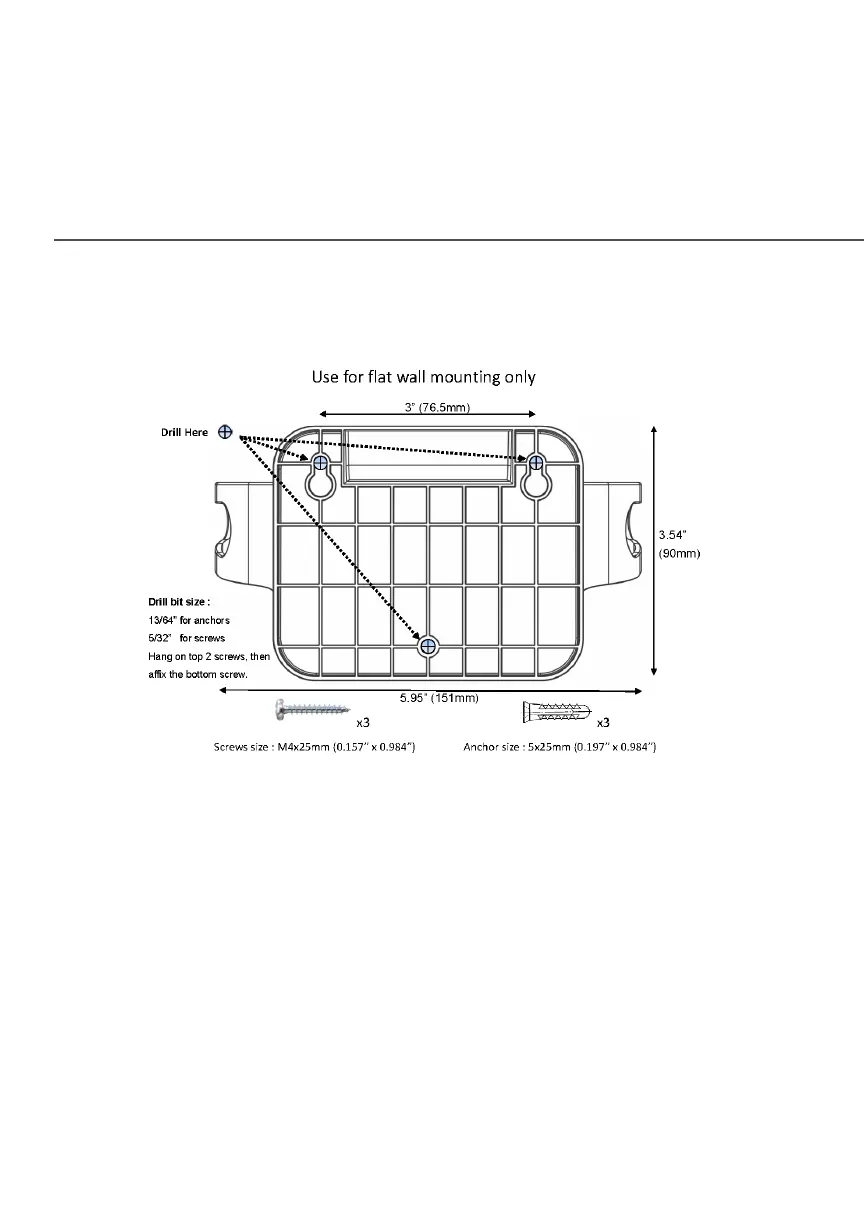
2. Mark the mounting holes using the template sheet as shown
below.
3. Drive two screws into the wall. Leave the screws extended
about 0.2 inches from the wall.
4. Verify the screws are positioned correctly by placing the wall
bracket on the screws. Then remove the wall bracket from
the wall.



 To Next Page