Installation
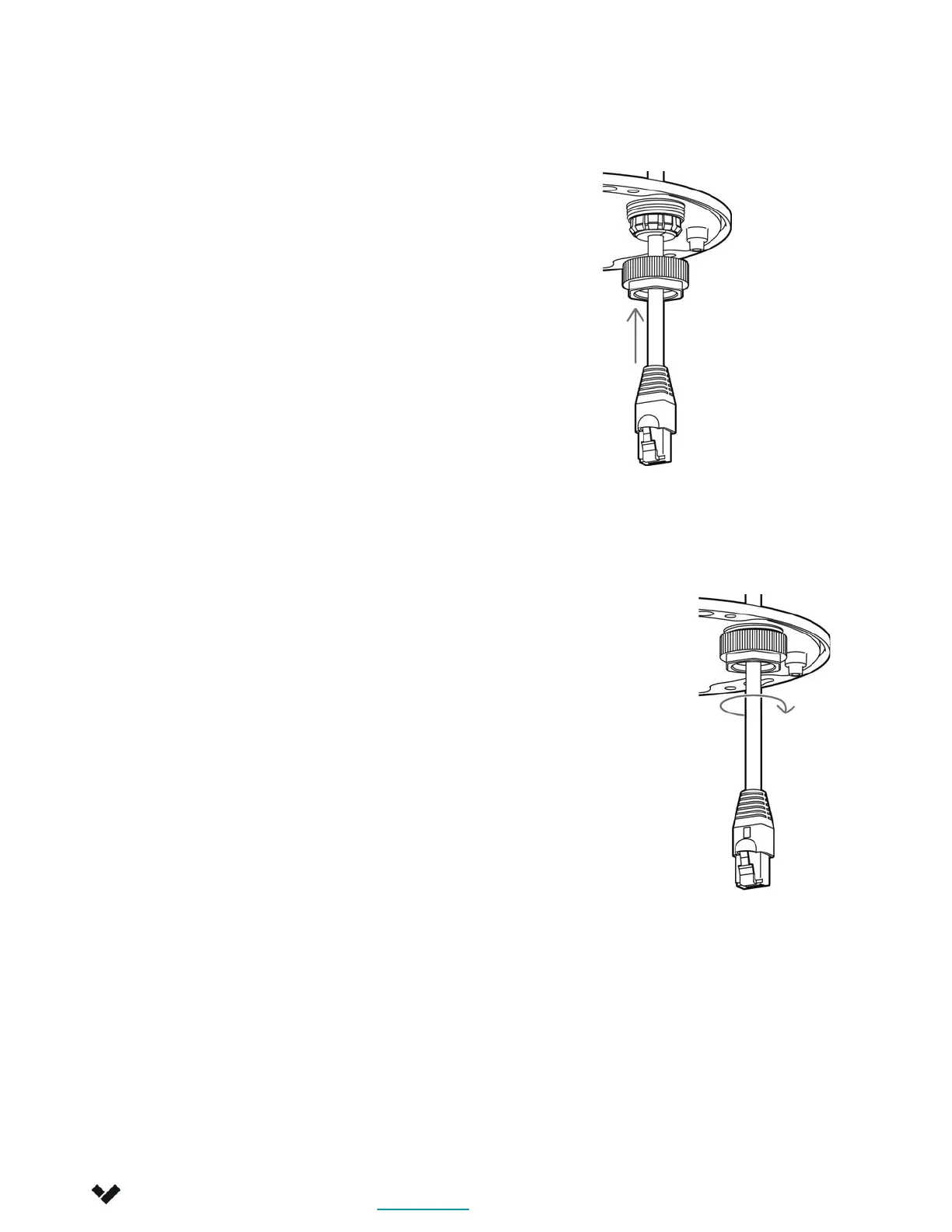
Cable Gland Assembly 2/2
Verkada Inc. 405 E 4th Ave, San Mateo, CA 94401
Verkada Inc. 405 E 4th Ave, San Mateo, CA 94401
sales@verkada.com
All specifications are subject to change without notice
Copyright © Verkada Inc. All rights reserved.
4. Gently tighten down the metal nut by hand.
You should still be able to move the cable
back and forth through the gland, but have
enough resistance for it to remain in place.
For detailed installation instructions, visit
www.verkada.com/support
3. Place the metal nut over the
rubber seal and engage the
threads on the pass-through.
6



 To Next Page