Installation
Assembly 2/2
Note
An orange LED on the camera’s Ethernet port will indicate that it is powered and
booting up. A green LED on the Ethernet port will indicate the camera is active.
Verkada Inc. 405 E 4th Ave, San Mateo, CA 94401
Verkada Inc. 405 E 4th Ave, San Mateo, CA 94401
sales@verkada.com
All specifications are subject to change without notice
Copyright © Verkada Inc. All rights reserved.
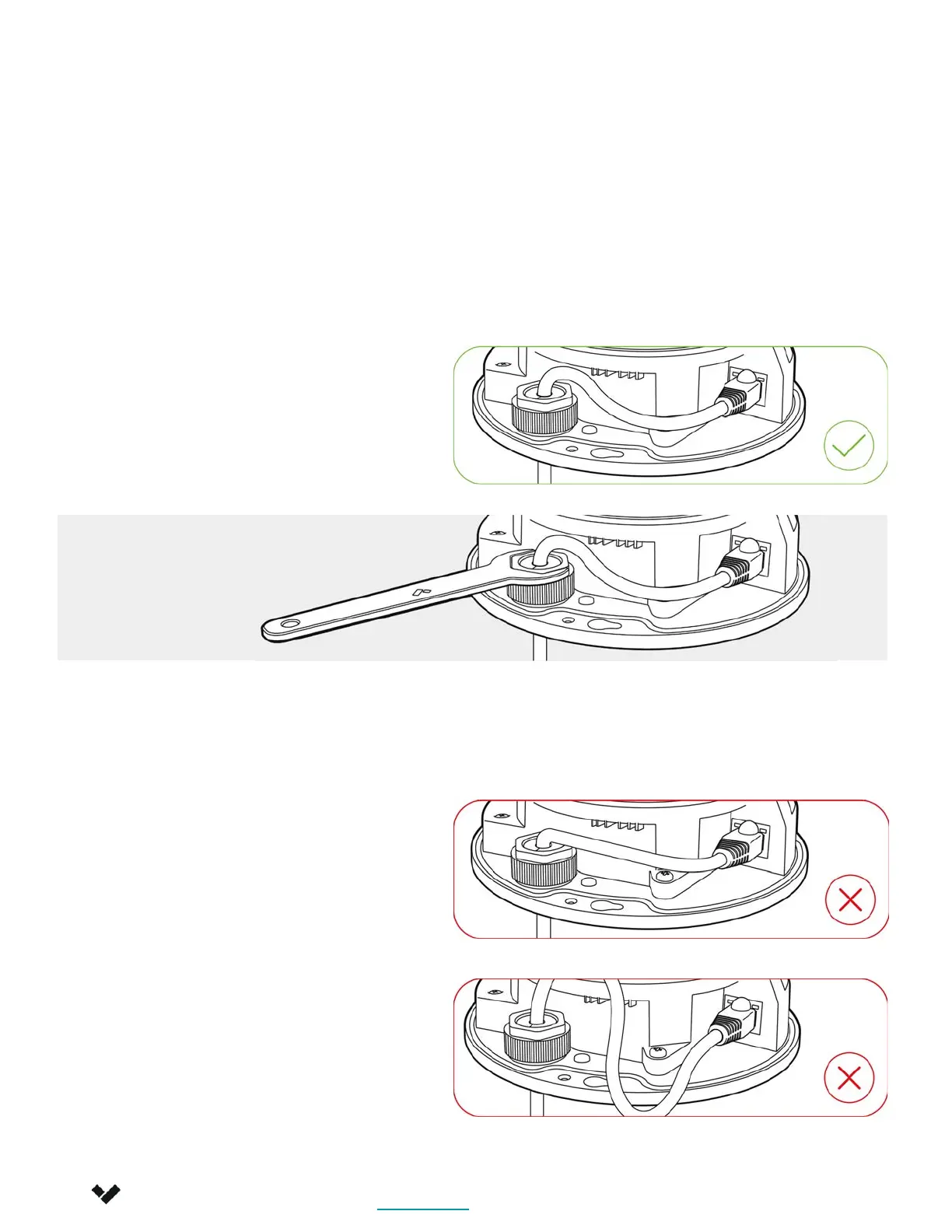
Gently pull the cable through the
through-hole so it has some
slack, but will not interfere with
the top cover.
Pulling the Ethernet cable too
tight will strain the cable which
may impact data performance.
Too much slack in the Ethernet
cable may create top cover
installation issues.
Firmly tighten using the provided Cable gland wrench.
8



 To Next Page