EasyManua.ls Logo

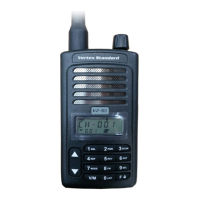
Vertex Standard VZ-30-G6-4 - User Manual

Vertex Standard VZ-30-G6-4
32 pages
Print Icon
To Next Page IconTo Next Page
Loading...
<@燨燥-燫燩
User Guide
Frequency:400-470MHz
FCC ID:2ADPVVZ-30-G6-4
Two Way Raido

Questions and Answers

  • B
    Brandon LopezAug 3, 2025
    How to fix Vertex Standard VZ-30-G6-4 Two-Way Radio when it has no power?
    • E
      Edward OconnellAug 3, 2025
      If your Vertex Standard Two-Way Radio has no power, the battery pack may be dead. Try to recharge or replace the battery pack. Alternatively, the battery pack may not be installed correctly. Remove the battery pack and install it again.
  • C
    Carlos WatkinsAug 10, 2025
    What to do if I cannot talk to or hear other members in my group using Vertex Standard Two-Way Radio?
    • W
      William WarrenAug 10, 2025
      To communicate effectively with your group using the Vertex Standard Two-Way Radio, ensure that you are using the same frequency and CTCSS/DCS settings as other members. If the problem persists, the other group members may be too far away, so make sure you are within range of the other transceivers.
  • U
    urobinsonAug 18, 2025
    What to do if other voices are present on the channel of my Vertex Standard VZ-30-G6-4 Two-Way Radio?
    • E
      Erin HeathAug 18, 2025
      If you are hearing voices other than your group members on the channel of your Vertex Standard Two-Way Radio, try changing the CTCSS/DCS setting. Remember to change the tone on all transceivers in your group.
  • W
    warekarenAug 26, 2025
    Why does the battery power of my Vertex Standard VZ-30-G6-4 Two-Way Radio die shortly after charging?
    • E
      elizabeth48Aug 26, 2025
      If the battery power of your Vertex Standard Two-Way Radio dies shortly after charging, it means the battery pack life is finished. Replace the battery pack with a new one.

Summary

Safety and General Information

Transmit and Receive Procedure

Procedure for transmitting and receiving to control RF exposure and ensure compliance with limits.

Portable Radio Operation and EME Exposure

Electromagnetic Interference and Compatibility

Medical Device Precautions

Safety and General Use While Driving

Operational Warnings

Air Bag and Explosive Atmosphere Warnings

Warnings regarding radio placement in vehicles with airbags and in potentially explosive atmospheres.

Antenna and Battery Cautions

Battery Charger Safety Instructions

Unpacking and Checking Equipment

Supplied Accessories

List of items included in the radio package, such as radio, antenna, battery, and accessories.

Preparation

Charging the Battery Pack

Instructions on how to charge the battery pack, including initial charging and battery characteristics.

Attaching;Removing the Antenna

Getting Acquainted

Radio Orientation and Controls

Identification of the radio's physical parts and controls through diagrams and labels.

Power and Volume Controls

Tuning and Antenna Usage

Programmable Key Functions

LED Indicator Status

Basic Operation

Power On;Off and Volume Adjustment

Steps for turning the radio on/off and adjusting the volume level.

Channel Selection

How to select a desired channel using the tuning control and what happens with non-programmed channels.

Transmitting and Receiving

Advanced Operations

Channel Annunciation and Startup Tone

How the radio announces channel numbers and the function of the startup tone.

Keypad Beeper and Battery Save

Features for keypad beeping and battery power saving to extend usage time.

Low Battery Alert Function

Squelch Level Adjustment

Busy Channel Lock Out and Time-Out Timer

Squelch Tail Elimination and Talk Around

Scramble and Calling Back Features

Receive-Only Mode and VOX Function

Scan Functionality

Troubleshooting Guide

No Power Issues

Solutions for the radio not powering on, including battery checks and installation.

Battery Power Issues

Solutions for battery power diminishing quickly after charging, suggesting battery replacement.

Communication Problems

Troubleshooting steps for inability to talk or hear group members, checking frequency and range.

Unwanted Channel Voices

How to resolve issues with hearing voices other than group members by adjusting CTCSS/DCS settings.

Safety Training Information

RF Exposure and Occupational Use

Information on RF energy generation, occupational use classification, and compliance with exposure limits.

Electromagnetic Interference and Operational Restrictions

Guidance on avoiding interference and operational restrictions in sensitive areas like hospitals and aircraft.

Occupational;Controlled Use Guidelines

Details on controlled use environments, exposure limits, and required separation distances for body-worn operations.

Vertex Standard VZ-30-G6-4 Specifications

General IconGeneral
BrandVertex Standard
ModelVZ-30-G6-4
CategoryTwo-Way Radio
LanguageEnglish

Related product manuals