PAGE 8
4. OPERATION
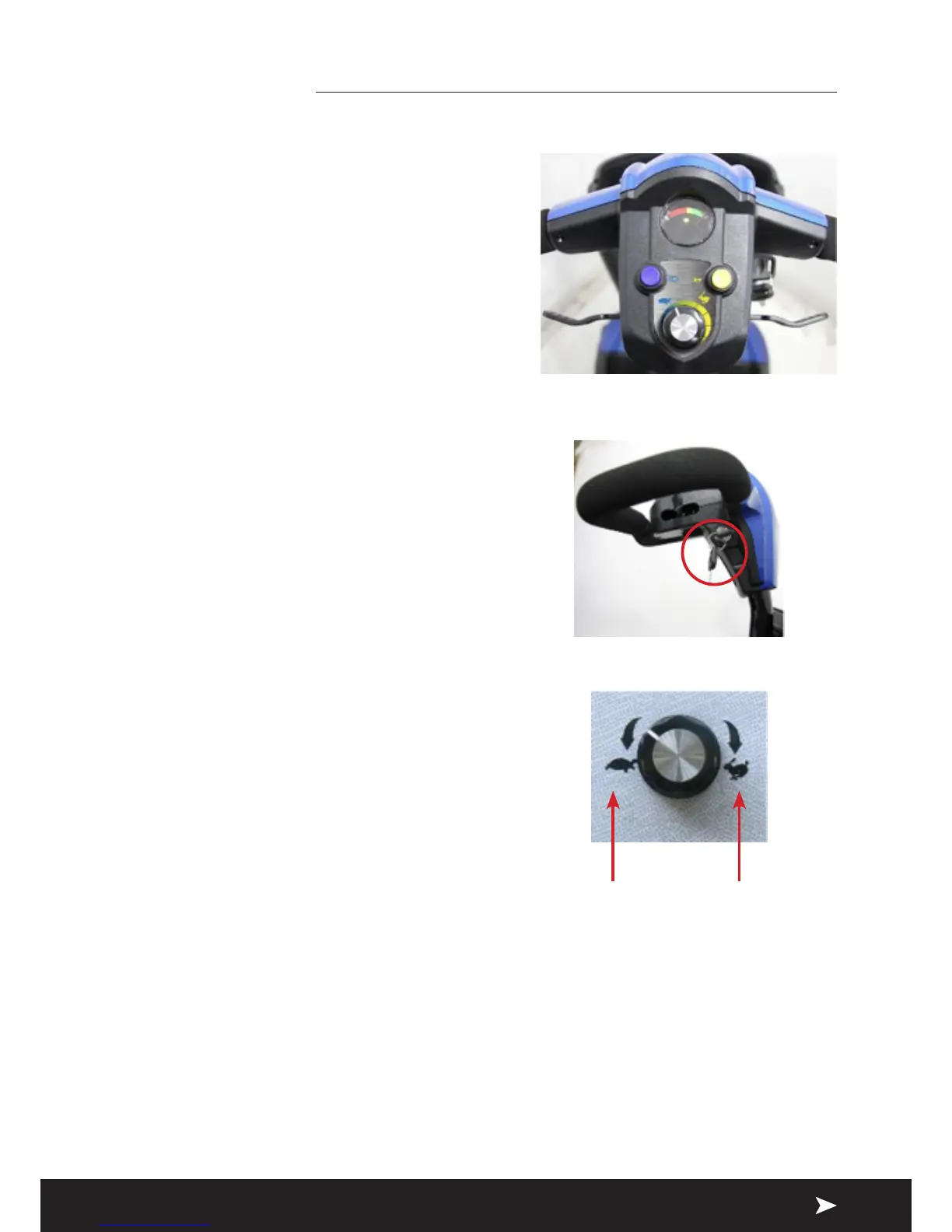
4.1 CONTROL PANEL
1. Battery Level Indicator
2. Speed Dial
3. Horn
4. Wigwag Paddle
5. Headlight button
4.2 HOW TO OPERATE YOUR SCOOTER
Turn the key to power ON or OFF
(ON) : Power is turned on
(OFF) : Power is turned o
Speed Dial
Press the slowest or fastest setting to
determine the maximum speed of the
scooter.
Forward, Reverse, and Braking
» Pull the speed control lever backwards
with your right ngers and the vehicle
will move forward.
» Pull the speed control lever backwards
with your left ngers and the vehicle
will move backward.
» The horn will beep when the vehicle is
in reverse.
» Release the speed control lever freely
while either going forward or reverse,
and the electromagnetic brake in
the motor will be activated, and the
vehicle will stop.
1
2
35
4
Slowest setting Fastest setting


 To Next Page