PWC – 450
PureWaterCooler
Copyright 2011 Vertex Water Products
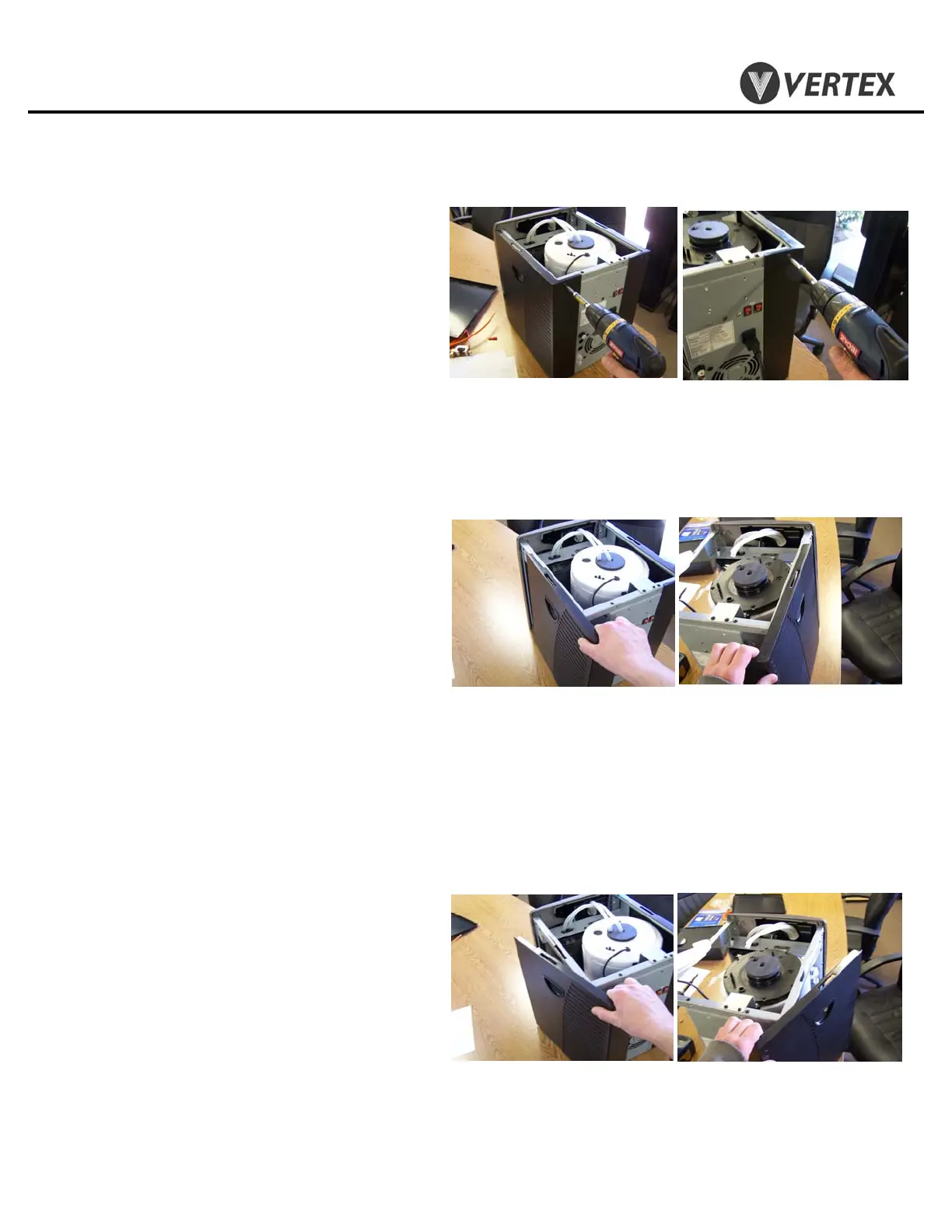
3.5 Remove (2) screws on back of cooler side
cover.
3.6 Slide side cover back about half way off
until tab in side cover lines up with slot in
cooler frame.
3.7 Once slot and tab are lined up, pull side
cover away from cooler.
3.8 Reinstall side panels in reverse order
3. Top Cover/Side Panel Removal
Cont.


 To Next Page
 Loading...