From here you can alter the video settings, DSPS settings and view your vehicles location from the Live
view screen.
Modifying DSPS settings without 4G connectivity
If your vehicle is not equipped with 4G telemetry the settings for DSPS can only be modified by attaching an
HDMI monitor and keyboard to the DSPS board computer. The login credentials will have been provided to
you via e-mail. To modify the settings of DSPS you will need to alter the following file: /etc/dsps/dsps.conf.
To alter this file you can can type:
$ sudo nano /etc/dsps/dsps.conf
The file will contain all DSPS and DSPS video settings. After modifying the file you can save your changes
and exit the editor by typing CTRL-X, then answering Y to save and hit enter on the filename.
At your next reboot your settings should be applied.
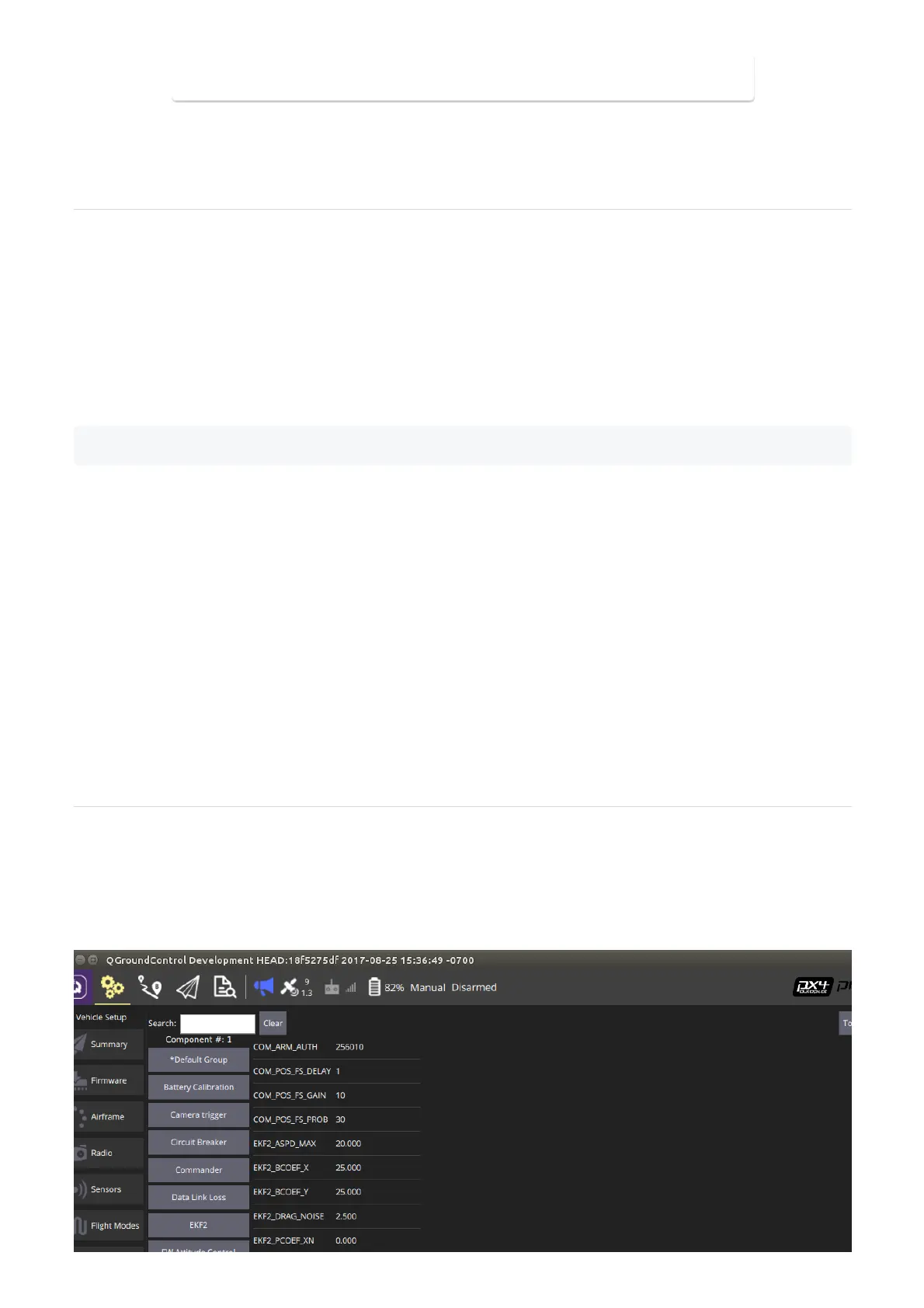
From the Ground Control Station the vehicle parameters can be modified. Some parameters may need to be
adjusted for a specific situation or payload. To access the vehicles parameters you will need to switch the
vehicle on and establish a connection between the Ground Control Station and the vehicle.
To modify parameters select the settings icon from QGroundControl and then select the Parameters tab.


 To Next Page
 Loading...
