Throughout the mission, both the telemetry data and the vehicle should be monitored. This task can be
performed by a single operator, but it is recommended to perform this task with one operator and an
observer. The observer should continue to watch the vehicle and its surroundings and alert the operator of
any problems or nearby traffic.
Note: It is highly recommended to practice the following exercise in the simulator several times before
operating the vehicle.
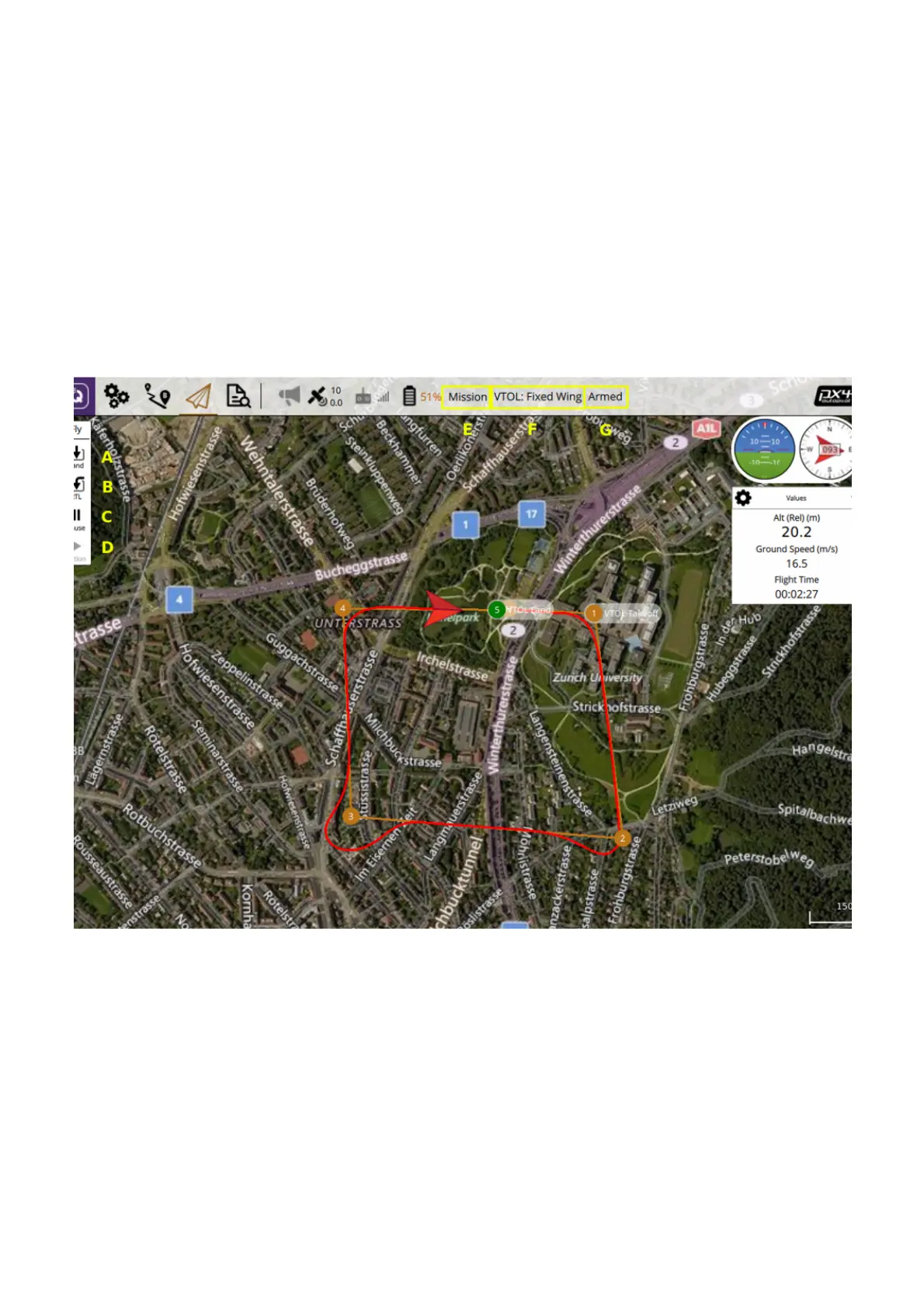
From the flight screen, and when the vehicle is armed, the following key functions are available:
LAND (A): Land immediately. The vehicle will land at its current location. If the vehicle is in Fixed Wing
mode the vehicle will transition back to quadcopter mode first. This button is called "Take off" while on the
ground.
RTL (B): Return To Launch, the vehicle will return to its takeoff point in a straight line from its current location
on its current altitude. If the current altitude is lower then the Return Home altitude in the it
will climb to this altitude. If the vehicle is flying in Quadcopter mode it will return and land in this mode. If the
vehicle is in Fixed Wing mode it will return as Fixed Wing, perform a back transition when reaching the
takeoff location and land in quadcopter mode. An RTL should not be performed at high altitude, the vehicle
should be commanded to fly to a lower altitude (around 30m above ground) as fixed wing, and lined up so
that the vehicle must fly into the wind before RTL should be commanded. Note: using RTL is a last resort.
Safety settings


 To Next Page
 Loading...
