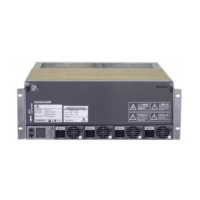
What to do if Vertiv Tech Power Supply shows an environmental high temperature alarm?
D
Dr. David GrantAug 16, 2025
If the Vertiv Tech Power Supply displays an environmental high temperature alarm, there might be several reasons. First, check and reset the high-temperature alarm point of the temperature sensors on the front door, as the setpoint might be unreasonable. Also, verify whether the maximum actual heating load exceeds the rated value, indicating an overload. Ensure the fan air breaker is closed, allowing the fan to run normally. If these steps don't resolve the issue, the fan or the AC refrigeration output might be faulty, in which case you should call the customer service hotline of Vertiv: 4008876510. Finally, ensure all closed doors are completely closed.
C
Chelsey DickersonAug 19, 2025
How to fix high temperature alarm on Vertiv Tech SmartCabinet?
T
thillSep 12, 2025
If your Vertiv Tech Power Supply is showing a high temperature alarm, it could be due to an unreasonable high temperature setpoint. Reset the setpoint of the high temperature alarm. Another potential cause is use in overload. Check the actual thermal power of the equipment in the cabinet.
S
Samantha JensenAug 21, 2025
What to do if Vertiv Tech SmartCabinet shows a PDU over-load alarm?
A
Angel HernandezAug 22, 2025
If the Vertiv Tech Power Supply shows a PDU over-load alarm, it could be because the PDU exceeds the load setpoint. Check the actual load power of the single PDU. Alternatively, the power distribution or the PDU output might have a short circuit. Check and clear up the risk of short circuit.
J
Jacob TorresAug 25, 2025
How to troubleshoot AC high pressure alarm on Vertiv Tech SmartCabinet Power Supply?
O
owestAug 26, 2025
If your Vertiv Tech Power Supply is showing an AC high pressure alarm, it may be due to insufficient condensing airflow. Remove any debris from the coil and air inlet, and flush the condenser fin. Another possible cause is the condenser fan not operating. Check that the cable connections of the outdoor unit are tight and that the condensate pressure sensor works normally.
Y
ymcculloughAug 28, 2025
Why Vertiv Tech SmartCabinet Power Supply shows a low pressure alarm?
K
Kyle SharpAug 28, 2025
A low pressure alarm on your Vertiv Tech Power Supply can be caused by several factors. One common reason is refrigerant leakage. Check for any leaks and recharge the refrigerant if necessary. If the outdoor ambient temperature is too low, call the customer service hotline of Vertiv. Also, if the outdoor unit fan is running at full speed upon low outdoor ambient temperature, check that the L1 is connected with L in the fan speed controller and that the condensate pressure sensor is connected with the fan speed controller tightly.
J
Johnathan LeonAug 31, 2025
How to resolve temperature unbalance in Vertiv Tech SmartCabinet Power Supply?
E
eric96Aug 31, 2025
If you're experiencing temperature unbalance with your Vertiv Tech Power Supply, start by checking whether any equipment or cables obstruct the closed aisle. Also, the user equipment may be installed unevenly. Refer to this manual, adjust the cabinet loads until they are balanced. Another potential cause is large fluctuations in the actual loads in short term. View whether the large fluctuation exists in the actual loads.
Q
qhamptonSep 3, 2025
What to do if the fan cannot start on Vertiv Tech SmartCabinet?
W
William MartinSep 3, 2025
If the fan on your Vertiv Tech Power Supply cannot start, first check whether the fan MCB is closed, as the fan might not be running normally. If the issue persists, the fan may be faulty, and you should call the customer service hotline of Vertiv.
L
Linda JohnsonSep 6, 2025
What should I do if Vertiv Tech SmartCabinet has a water leakage detective belt sensor alarm?
V
Vanessa RodriguezSep 6, 2025
If your Vertiv Tech Power Supply is showing a water leakage detective belt sensor alarm, it could be due to water in the detection belt area. Check the leaking place in the computer room. Another possible cause is AC condensate water leakage. Check that the connection of the condensate water pipes is reliable.
T
Tracy HuffSep 9, 2025
How to fix door sensor alarm on Vertiv Tech Power Supply?
T
Tanya RichardsonSep 9, 2025
If your Vertiv Tech Power Supply is displaying a door sensor alarm, first ensure that all closed doors are completely closed. If the alarm persists, the door sensor may not be installed well or could be damaged. Readjust the installation clearance or call the customer service hotline of Vertiv.
P
Paul RodriguezSep 12, 2025
How to troubleshoot low temperature alarm on Vertiv Tech Power Supply?
J
Jeffrey RichardSep 12, 2025
If your Vertiv Tech Power Supply is showing a low temperature alarm, it is possible that the low temperature setpoint is unreasonable. Reset the setpoint of low temperature alarm.
Lists and briefly describes the main menu items available on the MSC intelligent monitoring unit's web interface, such as Cabinet Data and Alarm Management.


 To Next Page
 General