136
Accessories
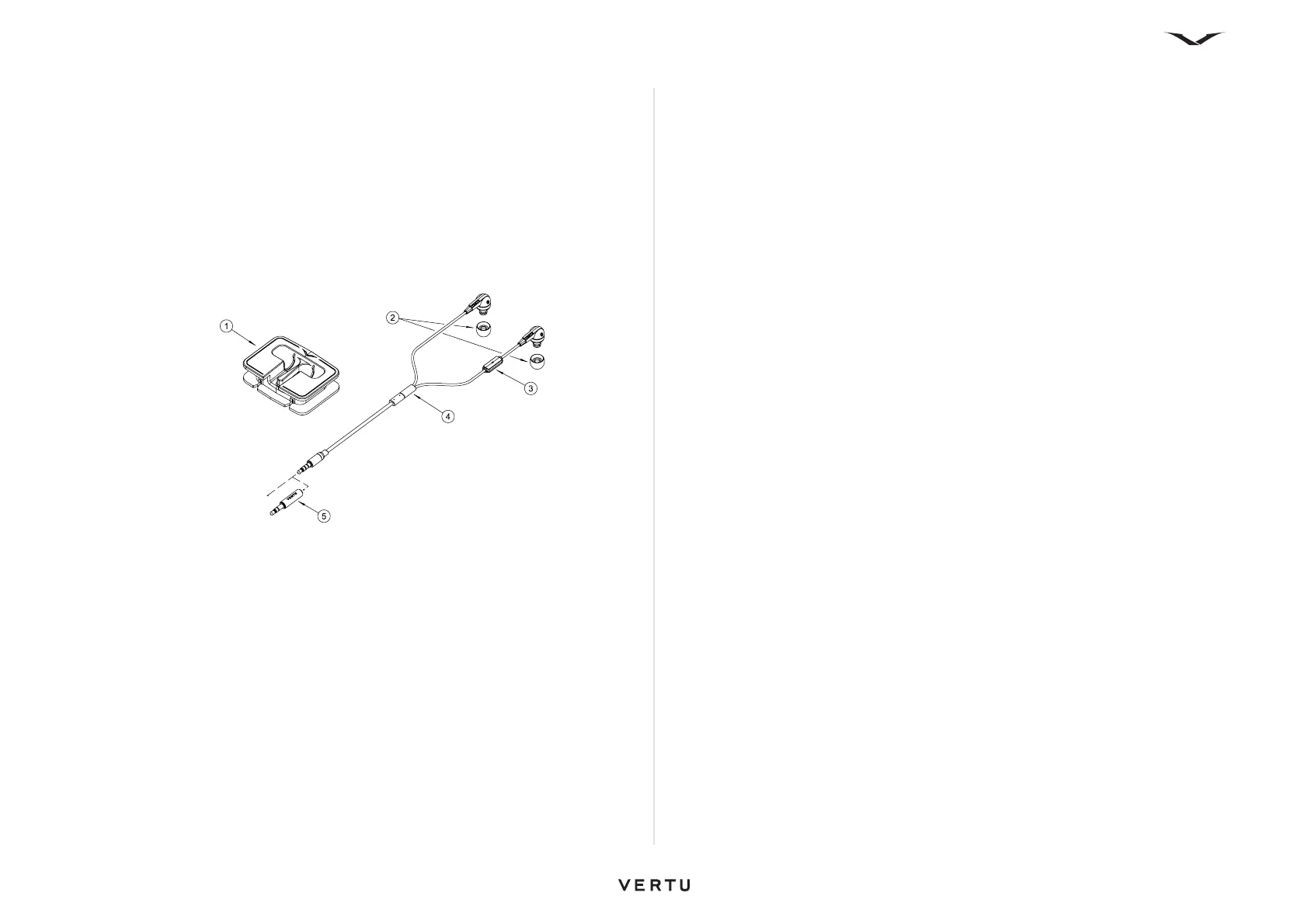
Vertu Wired Headset
Your Constellation Quest phone comes with a stereo headset. The Vertu Wired
Headset is designed for making calls and listening to music. The headset includes a
microphone.
• Volume controls are contained within the phone.
• Call handling functions are located within the phone.
• All music controls are located within the phone.
Should you use the headset with a device other than your Constellation Quest, the
3.5-mm adaptor is required.
Key
1. Cable Management
2. Ear bud covers (3 pairs: small, medium, and large)
3. Microphone
4. Vertu slider
5. 3.5-mm audio adaptor
Common accessory settings
Select Menu > Ctrl. Panel > Settings > General > Enhancement.
Accessory options include a Headset (which includes a microphone), Headphones,
a Wireless car kit, and a TV-Out facility.
With most accessories, you can do the following:
• To set which profile is activated when you attach an accessory to your phone,
select the accessory and Default profile.
• To set the device to answer phone calls automatically after five seconds when an
accessory is attached, select Automatic answer > On. If the ringing type is set to
Beep once or Silent in the selected profile, automatic answering is disabled.
• To illuminate the device while it is attached to an accessory, select Lights > On.















 To Next Page