16
Getting started
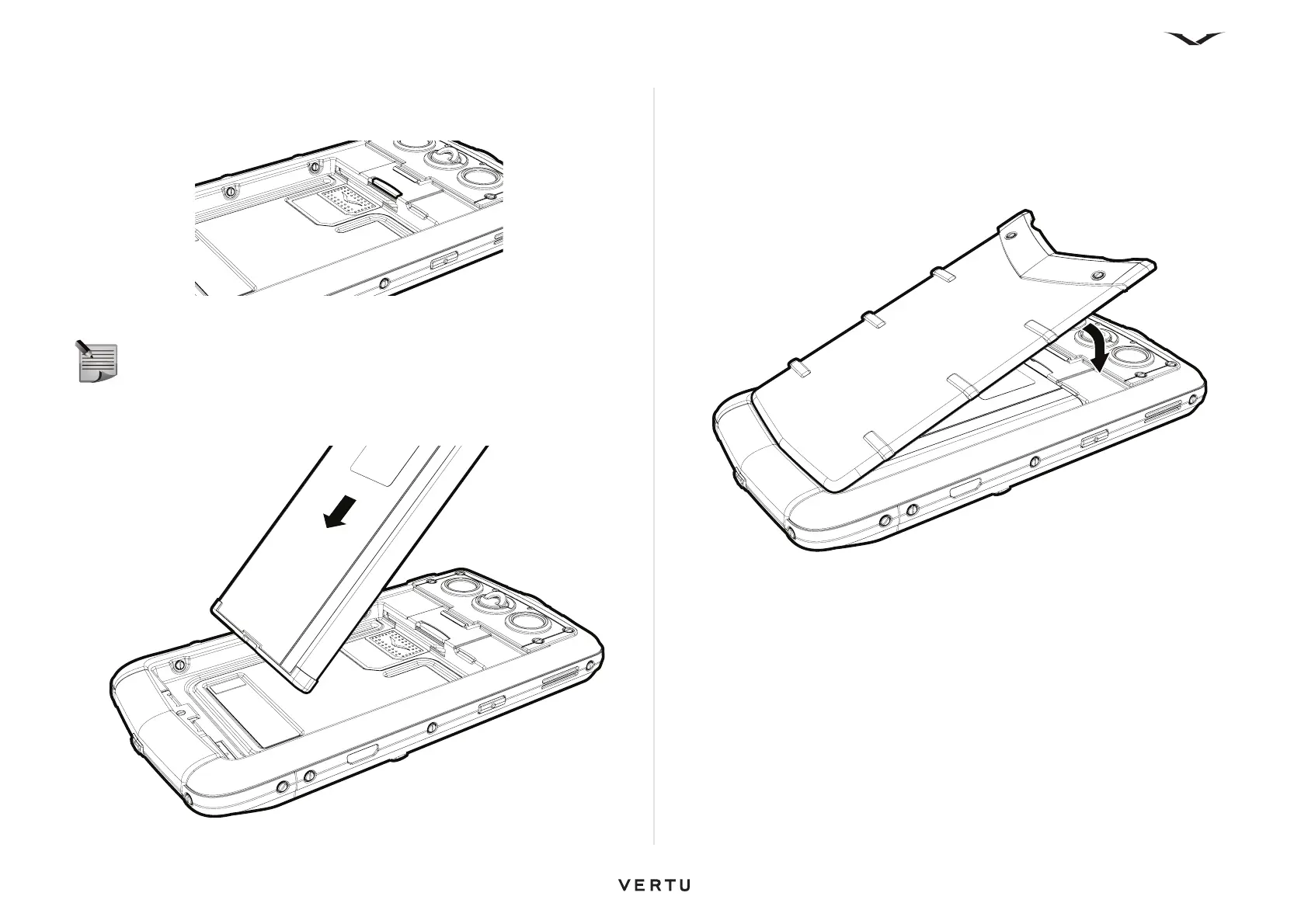
Push the card completely so that it locks into position. To retrieve the memory card,
push the card further into the slot; it will then unlock and slide out to make it easy to
remove.
Inserting the battery
Locate the battery with the three terminals facing downwards. Position the battery so
that the battery contacts align with the contacts present in the phone compartment,
then place the battery into the housing.
Replacing the back cover
Place the two tangs at the base of the back cover in their corresponding slots in the
body of the phone.
Lower the back cover into position and press gently until it clicks into place. The cover
should close tightly using only light pressure.
NOTE: Ensure that the SIM and memory card are positioned correctly
before replacing the battery.















 To Next Page