15
Getting started
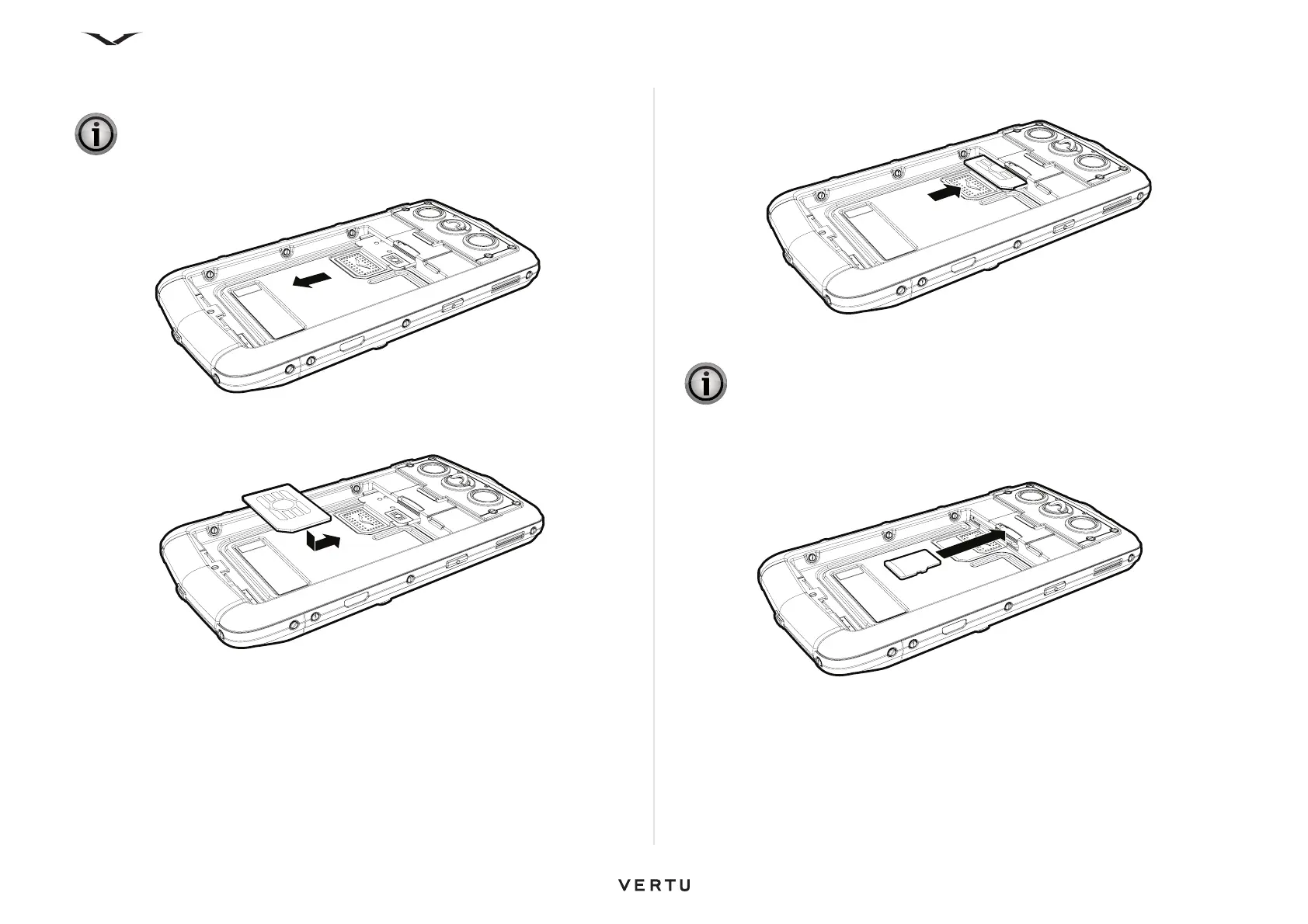
Inserting the SIM card
Slide the SIM card tray backwards.
Insert the SIM card into the SIM card tray, making sure that the beveled corner is
located at the bottom right and the gold contact area is facing upwards.
Slide the SIM card holder back into the body of the phone until it is fully inserted.
Inserting the memory card
Insert the memory card into the slot just above the SIM card tray, making sure that the
gold contacts are facing downwards. Avoid touching the contacts of the memory card.
IMPORTANT: Always switch the phone off before inserting or removing the
USIM/SIM card.
IMPORTANT: Always switch the phone off before inserting or removing a
memory card.















 To Next Page