EasyManua.ls Logo

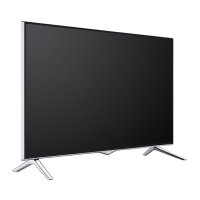
VESTEL 43FB5000 - User Manual

VESTEL 43FB5000
70 pages
Go to English
Print Icon
To Next Page IconTo Next Page
Loading...
TELEViZYON
KULLANIM KILAVUZU
OPERATING INSTRUCTIONS
SATELLITE 43FB5000 43” LED TV

Table of Contents

Questions and Answers

  • D
    David RiceAug 14, 2025
    Why my VESTEL LED TV doesn't turn on?
    • B
      Brandi RichardsonAug 14, 2025
      Your VESTEL LED TV might not be turning on because the power cable is not properly plugged into the wall. Ensure the power cable is securely connected. Alternatively, the remote controller batteries might be discharged. Try replacing them with new ones, and then press the On/Off button on the TV itself.
  • R
    Richard SmithAug 18, 2025
    What to do if my VESTEL LED TV remote control does not work?
    • K
      Krystal GregoryAug 18, 2025
      If your VESTEL LED TV remote control isn't working, start by replacing the batteries, as they may be discharged. Also, check that the batteries are inserted correctly, paying attention to the direction. Finally, make sure there is nothing blocking the path between the remote and the TV.
  • A
    Alex VanceAug 21, 2025
    Why is the image quality bad on my VESTEL LED TV?
    • L
      Lawrence BarreraAug 21, 2025
      Poor image quality on your VESTEL LED TV could be due to several reasons. Ensure you've selected the correct TV system. A low signal level can also distort the image, so check the antenna connection. If you are using manual search, verify that the frequency settings are entered correctly. Also, avoid connecting the antenna to two external devices simultaneously; disconnect one of them.
  • M
    marksjacobAug 25, 2025
    What to do if there is no display on my VESTEL LED TV?
    • F
      fullerkaraAug 25, 2025
      If your VESTEL LED TV has no display, it might not be receiving a broadcast. Ensure that you have a broadcast signal. Check that the antenna is connected correctly and that the antenna cable isn't damaged. If you're unsure about the connection, have an authorized person verify it. Also, double-check that you're pressing the correct buttons on the remote control and have selected the correct input source.
  • S
    Steven ThomasAug 27, 2025
    What to do if input options can't be selected on VESTEL LED TV?
    • J
      James McphersonAug 27, 2025
      If you can't select input options on your VESTEL LED TV, first ensure that a device is actually connected to the TV. If you've already connected a device, double-check that the AV cables and connections are correct.
  • J
    Julie HansenAug 30, 2025
    Why are the display contrast, brightness and color low on my VESTEL LED TV?
    • M
      Maria HuertaAug 31, 2025
      If the display contrast, brightness, and color appear low on your VESTEL LED TV, the display settings might be incorrect. Try adjusting the contrast, brightness, and color settings.
  • J
    Jeffrey OneillSep 3, 2025
    What to do if my VESTEL LED TV is displaying but there is no sound?
    • B
      brittanyknoxSep 3, 2025
      If your VESTEL LED TV is displaying video but has no sound, the TV might be muted. To unmute it, press the mute button or increase the volume.
  • M
    Mia LivingstonSep 6, 2025
    Why is the sound received from only one speaker on my VESTEL LED TV?
    • L
      Lucas VaughanSep 7, 2025
      If sound is only coming from one speaker on your VESTEL LED TV, the balance might be adjusted too far to one side. Check the audio menu to adjust the balance settings.
  • F
    fullerbrentSep 9, 2025
    How to resolve bad display in computer mode on VESTEL LED TV?
    • K
      Kimberly ParkerSep 10, 2025
      If the display looks bad when using computer mode on your VESTEL LED TV, the screen resolution and settings of your computer and TV might be incompatible. Try changing the resolution settings on your computer.

VESTEL 43FB5000 Specifications

General IconGeneral
Screen Size43 inches
Display TechnologyLED
Resolution1920 x 1080 (Full HD)
HDRYes
Smart TVYes
HDMI Ports3
USB Ports2
Wi-FiYes
BluetoothYes
Refresh Rate60 Hz
Audio Output20 W
Weight7.5 kg

Related product manuals