EasyManua.ls Logo

VESTEL SATELLITE 40FB5050 - User Manual

VESTEL SATELLITE 40FB5050
71 pages
Go to English
Print Icon
To Next Page IconTo Next Page
Loading...
TELEViZYON
KULLANIM KILAVUZU
OPERATING INSTRUCTIONS
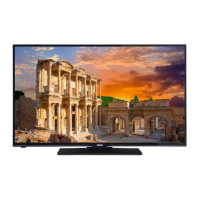
SATELLITE 40FB5050 40’’ LED TV

Table of Contents

Questions and Answers

  • E
    Erin MillsAug 15, 2025
    How to fix a VESTEL SATELLITE 40FB5050 that won't turn on?
    • L
      Lisa HerreraAug 15, 2025
      If your VESTEL LED TV doesn't turn on, first ensure the power cable is securely plugged into the wall. If it is, try replacing the remote control batteries with new ones and then press the power button on the TV itself. The power cable may be unplugged, or the remote control batteries may be discharged.
  • M
    Matthew KelleyAug 18, 2025
    What to do if my VESTEL LED TV has no display?
    • T
      Thomas HamptonAug 18, 2025
      If there is no display on your VESTEL LED TV, first ensure that your TV is receiving a broadcast signal. Then, verify that the antenna is correctly connected and that the antenna cable isn't damaged. If you're still having issues, have an authorized person check the antenna connection. Also, make sure you've selected the correct input source on your TV. The problem might be that your TV doesn't receive any broadcast, the antenna may have been connected incorrectly, the antenna cable may be damaged, incorrect connectors may be used for connecting the antenna, incorrect buttons might have been pressed on the remote control, or the correct input source might not have been selected.
  • J
    Jeffrey OrtizAug 21, 2025
    Why is my VESTEL SATELLITE 40FB5050 remote control not working?
    • L
      lhensonAug 21, 2025
      If the remote control for your VESTEL LED TV isn't working, start by replacing the batteries. Ensure that you've inserted them in the correct direction. Also, make sure there is nothing blocking the remote's signal to the TV. The battery may have been discharged, the batteries might have been inserted incorrectly, or there might be a barrier between the remote and TV.
  • K
    Katherine RichardsonAug 25, 2025
    How to improve bad image quality on VESTEL SATELLITE 40FB5050?
    • M
      Mason HallAug 25, 2025
      If you're experiencing bad image quality on your VESTEL LED TV, ensure that you've selected the correct TV system. Check the antenna connection, as a low signal level can distort the image. If performing a manual search, verify that the frequency settings are entered correctly. Also, ensure the antenna isn't connected to two external devices simultaneously; disconnect one device if it is. The problem could be that the correct TV system might not have been selected, the signal level might be low, the frequency settings of the channel might be incorrect, or the antenna is connected to two external devices simultaneously.
  • L
    leah12Aug 28, 2025
    Why can't I select input options on my VESTEL LED TV?
    • D
      Daniel HowardAug 28, 2025
      If the input options on your VESTEL LED TV can't be selected, first ensure that a device is actually connected to the TV. If a device is connected, double-check that the AV cables and connections are correct. This issue occurs when no device is connected, or the AV cables and connections are incorrect.
  • D
    debramckenzieAug 31, 2025
    How to adjust low contrast, brightness and color on VESTEL LED TV?
    • S
      sancheztammyAug 31, 2025
      If the display contrast, brightness, and color on your VESTEL LED TV appear low, adjust these settings directly on your TV. Incorrect display settings often cause this issue. Adjust contrast, brightness and colour.
  • J
    jerry89Sep 4, 2025
    What to do if my VESTEL SATELLITE 40FB5050 has display but no sound?
    • M
      Michael WallerSep 4, 2025
      If you're getting video but no sound on your VESTEL LED TV, the TV might be muted. Press the mute button or turn up the volume to resolve this. The TV might be muted.
  • M
    markholtSep 7, 2025
    Why is the display bad in computer mode on my VESTEL SATELLITE 40FB5050?
    • M
      Molly FosterSep 7, 2025
      If the display looks bad when your VESTEL LED TV is in computer mode, the screen resolution and settings of your computer and TV might be incompatible. To fix this, change the resolution settings on your computer. Screen resolution and settings of computer and TV might be incompatible.
  • D
    Daniel WilliamsSep 10, 2025
    Why is sound only coming from one speaker on my VESTEL SATELLITE 40FB5050 LED TV?
    • C
      Christopher TurnerSep 12, 2025
      If sound is only coming from one speaker on your VESTEL LED TV, check the audio menu to see if the balance is adjusted to one extreme. The balance set might be adjusted to one direction extreme.

Summary

General TV Operation

Electronic Programme Guide (EPG)

Access and use the EPG for program information.

Safety and Warnings

Important Safety Information

Crucial safety guidelines for using the television.

Product Markings

Explains symbols used on the product for safety and operational instructions.

Wall Mounting Safety

Essential safety precautions when mounting the TV on a wall.

Important Warnings

Critical warnings related to screen technology, fixed images, and high definition.

Getting Started

Power and Antenna Connections

Instructions for connecting the TV to power and antenna signals.

Specifications

Product Features

Lists the key features and capabilities of the television.

Remote Control

Connections

TV Operations

Basic Operations

Covers switching the TV on/off and the first-time installation process.

Menu Features and Functions

Troubleshooting

VESTEL SATELLITE 40FB5050 Specifications

General IconGeneral
BrandVESTEL
ModelSATELLITE 40FB5050
CategoryLED TV
LanguageEnglish

Related product manuals