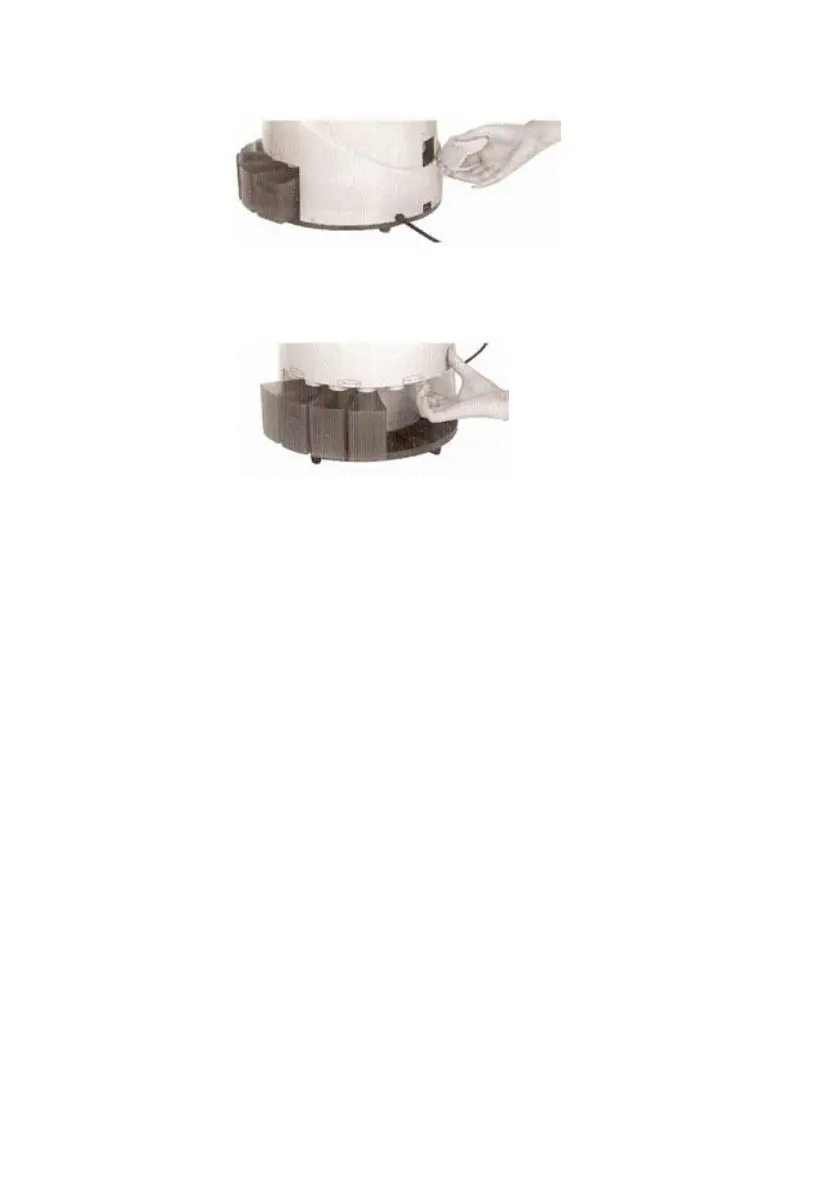
2. To remove the coin jamming, as the following pictures show, use a finger to
push up the jammed coin and let it fall out from the gap between the channels.
3.If the machine is switched on, the electron undergoes a test itself. It may result in
one of the following error messages:
EA: This Means the optical sensor is blocked: stop the machine and remove the
back cover, then turn the carry tray with your hands, by outer light you see the
glass on top left corner, then clear the dust on the glass. Because there is too
much dust on the glass and it affects the optical sensor work.


 To Next Page