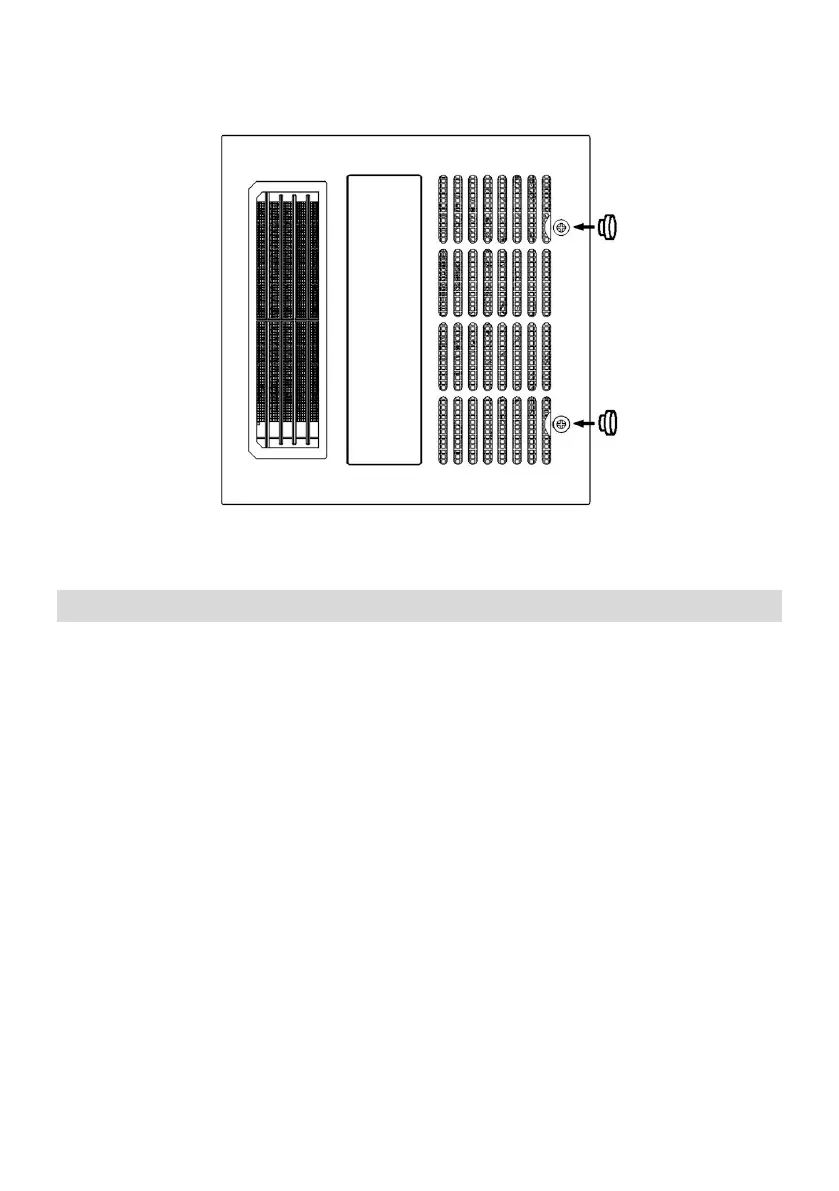
11. Press the silicon sheet plug into the two screw holes. All installations
completed. ( See the Fig.10.)
Remote Control Instructions
NOTE: Please refer description diagram.
1. Main switch:
1.1. The initial state of the "Main switch" is off by default: the power is off;
1.2. Press the "Main switch" button once: the power is turned on;
2. Light switch:
When the wall control switch is turned on, the default light is on, and the
light is on: neutral light;
3. Light color temperature adjustment ( light CT ) :
When the light is Turn on, use the "Light color temperature adjustment"
button to adjust the color temperature;
3.1. Use the "+" button on the "Light color temperature Adjustment"
button to increase the color temperature;
3.2. Use the "-" button on the "Light color temperature Adjustment"
button to reduce the color temperature;


 To Next Page