III.Operation Instruction
A、Key Instruction
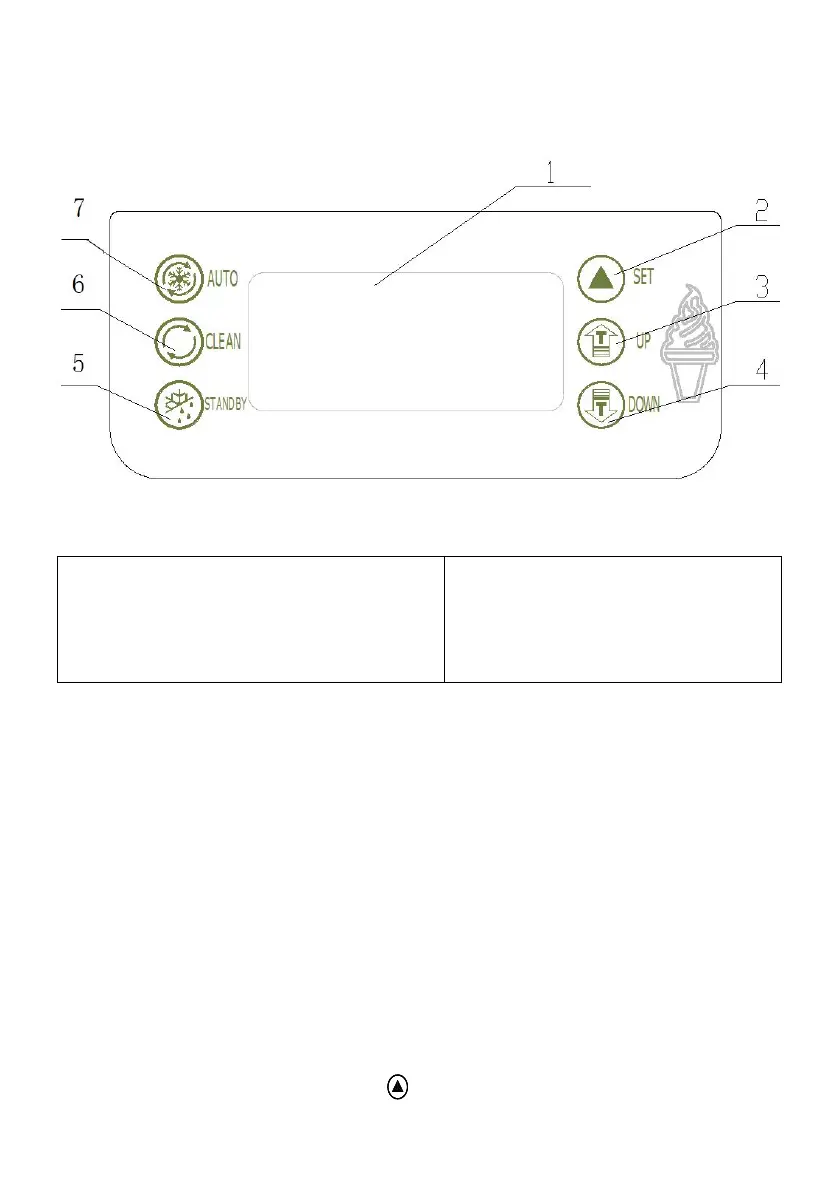
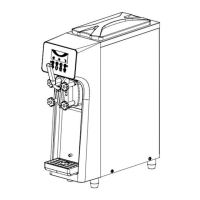
Figure.2
1.display screen
2.set key
3.adjust key(up)
4.adjust key(down)
5.standby key
6.Wash key
7.Auto key
SET KEY(UP / DOWN)
a、set hardness level:
When the machine is ready mode, press “UP” or “DOWN” key for more
than 2 seconds then the “SET” word on the displayer flashes and the
number shows the setted level of hardness. For example, if the displayer
shows “02” it means the current setting level is 2. The stiffness will increase
one level each time that the “UP” or “DOWN” key is pushed. It circulate
from “01” to “10” ( 01(soft)-02(hard)-03(harder)-------10(hardest)-01(soft))
b、set parameters:
Machine in “standby”mode, press “UP” and “DOWN” at the same time and
hold for 5 seconds,the “SET” window displays “P1” icon(Periodic
Restarting Time Seeting), Press” ”, the window will display “05”(The


 To Next Page