EasyManua.ls Logo

VEVOR SS240 - User Manual

VEVOR SS240
17 pages
Print Icon
To Next Page IconTo Next Page
Loading...
¨
¨
¨
¨
Welcome to your machine:
Welcome to your VEVOR Model SS240 ice cream machine.Be cautious and follow instructions
carefully when operating, cleaning, and servicing the machine.
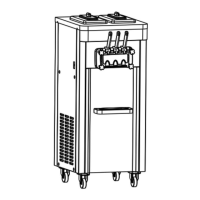
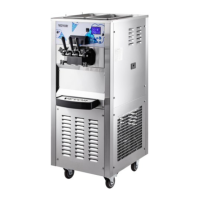
Twin twist flavor floor standing soft ice cream machine
Approved for dairy ,ice cream ,frozen yogurt and so on
Hopper refrigeration to maintain product temperature below40 (4)°F
Digital viscosity-control system to adjust and maintain product consistency
Ice Cream Machine
Operation Manual

Questions and Answers

Summary

Welcome and Overview

Machine Features

Highlights key capabilities like twin twist flavor, hopper refrigeration, and viscosity control.

Specifications and Installation

Air Cooling Requirements

Specifies minimum clearance needed for air-cooled units to ensure proper refrigeration.

Electrical Hook-Up

Details requirements for connecting the machine to a 220V-240V, 60Hz, 1 Phase power supply.

Technical Specifications

Lists equipment parameters, dimensions, weight, electrical details, and refrigeration system specs.

Installation and Setup

Initial Setup Steps

Guides through uncrating, removing securing nuts, and safely moving the machine.

Environmental and Safety Checks

Covers checking power compatibility, ensuring adequate clearance, and verifying component security.

Important Operational Information

Setup and Priming Importance

Stresses the critical nature of initial assembly and priming procedures for proper operation.

Mix Requirements

Discusses the importance of using Hygeian ice cream mix and how ingredient quality affects the product.

Critical Safety Precautions

Lists essential safety warnings to prevent injury, equipment damage, and operational cost increases.

Control Panel and Basic Operations

Control Panel Layout

Identifies the safety switch, display screen, and various control buttons on the panel.

Function;OFF Button Usage

Explains how to use the Function/OFF button to exit modes and return to STOP.

Refrigeration Button Function

Describes how to activate the main compressor for refrigeration and when the cycle completes.

Machine Operation Modes

Refrigeration and Cooling States

Details the visual indicators for refrigeration and the process of cooling the product.

Wash Mode Operation

Explains how to activate the wash mode, which primarily runs the beater motor.

Pre-Cooling and Standby Modes

Describes maintaining product temperatures below 40°F in the hopper and cylinder.

Parameter Settings and Navigation

Button Navigation

Explains the function of UP/DOWN and SHIFT buttons for value adjustment and cursor movement.

Accessing Settings Menu

Details how to enter the SETTING MENU by holding the FUNCTION/OFF button for 5 seconds.

General Parameter Adjustments

Covers adjusting pre-cooling temperature and refrigeration cycle time.

Counter Reset

Explains how to reset the counter to zero by selecting "yes" in the settings.

Advanced Features and Alerts

Alarm Records and Buzzer

Describes how to view alarm records and enable/disable the buzzer function.

Factory Defaults and Hardness

Covers restoring factory settings and adjusting the ice cream hardness level (1-20).

Mix-Low Alert and Safety Switch

Explains the mix-low alert system and the function of the safety switch for emergency stop.

Equipment Components

Component Identification

Visually identifies all included parts such as dispensing door, beater, gaskets, and tools.

Component Installation

Draw Valve and Handle Installation

Details the process of installing draw valves, their o-rings, and the handle.

Door and Drip Tray Installation

Covers installing the dispensing door gasket, door screw, and drip tray.

Internal Drip Tray Check

Guides on checking the internal drip tray for proper installation and potential leaks.

Frozen Product Operation

Pre-Operation and Wash Cycle

Outlines checks before powering on, preparing mix, and running the initial wash cycle.

Cooling and Dispensing

Explains the process from pre-cooling and refrigeration to serving ice cream by pulling the handle.

Operational Cautions

Highlights important operational considerations like ambient temperature and mix-low alarms.

Cleaning Procedures

Preparation and Initial Disassembly

Covers turning off the machine, softening product, and removing the feeding tube and handle.

Washing and Rinsing Steps

Details using water to wash the machine and flushing with clean water multiple times.

Final Cleaning and Storage

Guides on disassembling the dispensing door, cleaning all parts, and storing them properly.

Parts Specifications

Dispensing Door and Beater Details

Lists specific parts and their item numbers for the dispensing door and beater assembly.

Internal Parts Diagram

Component Identification

Identifies internal components like motors, compressors, fans, and capacitors with corresponding part numbers.

Troubleshooting Common Issues

Product Consistency and Temperature Problems

Addresses issues like product being too soft/hard and cylinder temperature problems.

Operational and Leakage Issues

Covers voltage problems, product leaks into the drip tray, and hopper freezing.

Noise and Wear Issues

Provides solutions for machine noise and the need for wearable parts replacement.

Electrical Wiring Diagram

Component Connections

Illustrates the electrical connections between the transformer, control board, motors, and power supply.

Manual Information

Purpose and Updates

States the manual's intent and advises users to contact for updates or training.

Summary

Welcome and Overview

Machine Features

Highlights key capabilities like twin twist flavor, hopper refrigeration, and viscosity control.

Specifications and Installation

Air Cooling Requirements

Specifies minimum clearance needed for air-cooled units to ensure proper refrigeration.

Electrical Hook-Up

Details requirements for connecting the machine to a 220V-240V, 60Hz, 1 Phase power supply.

Technical Specifications

Lists equipment parameters, dimensions, weight, electrical details, and refrigeration system specs.

Installation and Setup

Initial Setup Steps

Guides through uncrating, removing securing nuts, and safely moving the machine.

Environmental and Safety Checks

Covers checking power compatibility, ensuring adequate clearance, and verifying component security.

Important Operational Information

Setup and Priming Importance

Stresses the critical nature of initial assembly and priming procedures for proper operation.

Mix Requirements

Discusses the importance of using Hygeian ice cream mix and how ingredient quality affects the product.

Critical Safety Precautions

Lists essential safety warnings to prevent injury, equipment damage, and operational cost increases.

Control Panel and Basic Operations

Control Panel Layout

Identifies the safety switch, display screen, and various control buttons on the panel.

Function;OFF Button Usage

Explains how to use the Function/OFF button to exit modes and return to STOP.

Refrigeration Button Function

Describes how to activate the main compressor for refrigeration and when the cycle completes.

Machine Operation Modes

Refrigeration and Cooling States

Details the visual indicators for refrigeration and the process of cooling the product.

Wash Mode Operation

Explains how to activate the wash mode, which primarily runs the beater motor.

Pre-Cooling and Standby Modes

Describes maintaining product temperatures below 40°F in the hopper and cylinder.

Parameter Settings and Navigation

Button Navigation

Explains the function of UP/DOWN and SHIFT buttons for value adjustment and cursor movement.

Accessing Settings Menu

Details how to enter the SETTING MENU by holding the FUNCTION/OFF button for 5 seconds.

General Parameter Adjustments

Covers adjusting pre-cooling temperature and refrigeration cycle time.

Counter Reset

Explains how to reset the counter to zero by selecting "yes" in the settings.

Advanced Features and Alerts

Alarm Records and Buzzer

Describes how to view alarm records and enable/disable the buzzer function.

Factory Defaults and Hardness

Covers restoring factory settings and adjusting the ice cream hardness level (1-20).

Mix-Low Alert and Safety Switch

Explains the mix-low alert system and the function of the safety switch for emergency stop.

Equipment Components

Component Identification

Visually identifies all included parts such as dispensing door, beater, gaskets, and tools.

Component Installation

Draw Valve and Handle Installation

Details the process of installing draw valves, their o-rings, and the handle.

Door and Drip Tray Installation

Covers installing the dispensing door gasket, door screw, and drip tray.

Internal Drip Tray Check

Guides on checking the internal drip tray for proper installation and potential leaks.

Frozen Product Operation

Pre-Operation and Wash Cycle

Outlines checks before powering on, preparing mix, and running the initial wash cycle.

Cooling and Dispensing

Explains the process from pre-cooling and refrigeration to serving ice cream by pulling the handle.

Operational Cautions

Highlights important operational considerations like ambient temperature and mix-low alarms.

Cleaning Procedures

Preparation and Initial Disassembly

Covers turning off the machine, softening product, and removing the feeding tube and handle.

Washing and Rinsing Steps

Details using water to wash the machine and flushing with clean water multiple times.

Final Cleaning and Storage

Guides on disassembling the dispensing door, cleaning all parts, and storing them properly.

Parts Specifications

Dispensing Door and Beater Details

Lists specific parts and their item numbers for the dispensing door and beater assembly.

Internal Parts Diagram

Component Identification

Identifies internal components like motors, compressors, fans, and capacitors with corresponding part numbers.

Troubleshooting Common Issues

Product Consistency and Temperature Problems

Addresses issues like product being too soft/hard and cylinder temperature problems.

Operational and Leakage Issues

Covers voltage problems, product leaks into the drip tray, and hopper freezing.

Noise and Wear Issues

Provides solutions for machine noise and the need for wearable parts replacement.

Electrical Wiring Diagram

Component Connections

Illustrates the electrical connections between the transformer, control board, motors, and power supply.

Manual Information

Purpose and Updates

States the manual's intent and advises users to contact for updates or training.

VEVOR SS240 Specifications

General IconGeneral
ModelSS240
CategoryIce Cream Maker
TypeSoft Serve Ice Cream Machine
Power0.75kW
MaterialStainless Steel
Dimensions500x400x700mm
Weight45kg
Hopper Capacity6L

Related product manuals