- 27 -
Measuring VFD Current
1. Make sure that all the test leads have been removed from the meter.
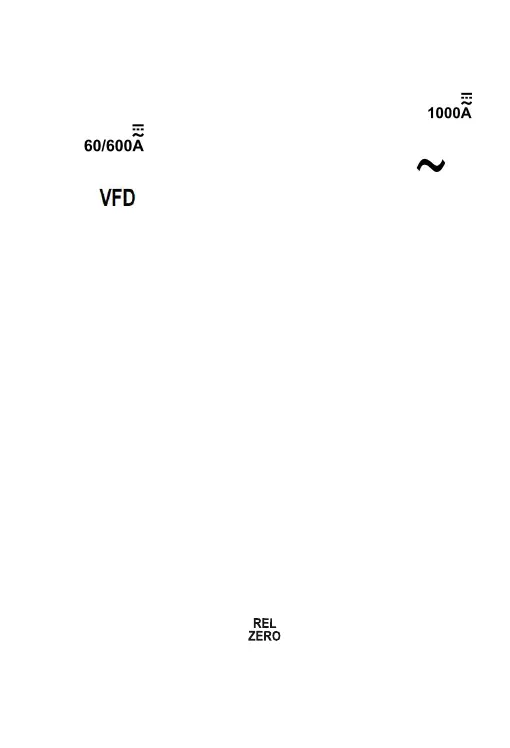
Then set the rotary switch to desired current range position ( "
" or " " position ).
2. Press the Function Selector Button until both the symbols "
"
and "
" are present on the meter screen.
3. Press the trigger and clamp the jaws around one conductor to be
tested. Make sure that the jaws are perfectly closed.
Note:
Only one conductor should be clamped. Measuring two or more
conductors at the same time will produce wrong reading.
The conductor should be positioned at the center of the jaws;
otherwise there will be an additional measurement error, which is
typically not more than about 2% of reading.
4. Read the current reading on
the primary display. The secondary
display shows the frequency of the current being measured.
Note:
1. In the VFD current measurement function, the low pass filter in the
internal circuit of the meter is turned on, and all high frequency noises
received from the circuit under test will be eliminated. To avoid possible
electric shock or personal injury, never use the VFD current
measurement function to verify the presence of hazardous currents.
Currents greater than what i
s indicated may be present.
2. A
3. Before measurement, press the " " button to zerothe display if the
display does not read zero.
fter you turn on the meter, wait about 5 to 10 minutes to allow the meter
to warm up before you start current measurement. This is necessary for
accurate measurements.
4. Don't use the meter to measure a circuit's current if the circuit contains
a voltage > 1000V.


 To Next Page
 Loading...