MOBILE PHONE APP CHARGING OPERATION INSTRUCTIONS
3.0 APP download and binding use
a. To download the smart APP, enter the following address in the mobile
browser:
https://developer.tuya.com/cn/docs/iot/tuya-smart-app-smart-life-app-
advantages? id=K989rqa49rluq
Click the website and follow the prompts to install.
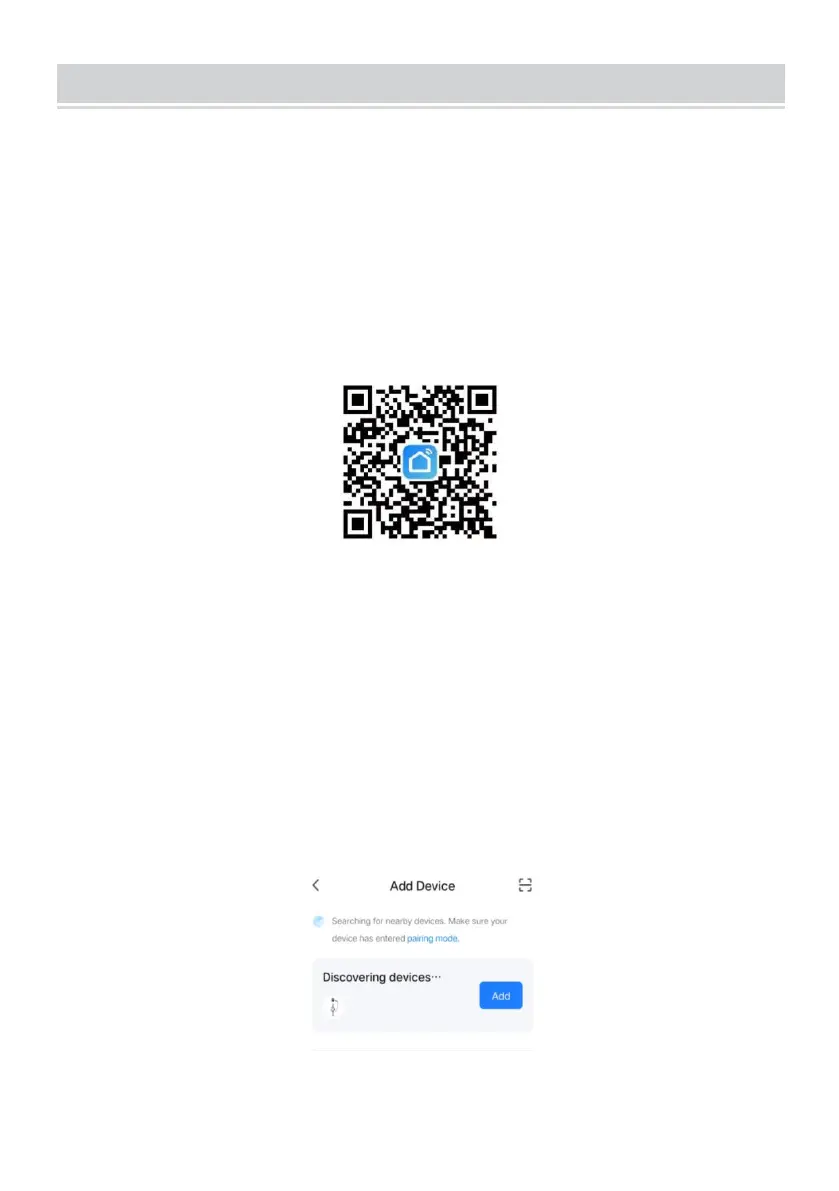
b. Qr code download:
Open the mobile browser or other social software, scan the QR code, and
follow the APP according to the prompts.
3.1 Binding and Using Devices
a. Open the installed APP, click Agree privacy Statement, you can register
with your mobile phone number, social software binding registration, and
log in to the APP after a successful registration.
b. Open the Location, Bluetooth, and Wifi of the mobile phone. If the
charging device is in standby state, the APP will automatically search for
the charging device and the device name will be displayed.


 To Next Page