Press briefly to decrease the setting temperature by 1
degree. Press continuously to decrease temperature fast.
The maximum setting can be 10℃, and the minimum
setting can be - 20℃(The default value for the initial
startup is 0 ℃/32 ℉).
Press simultaneously for 3 seconds to change
temperature unit between℉ and ℃. Please make sure no
symbol is flashing when you use this function.
Function Introduction
Battery Protection Setting (The factory default voltage isH1)
1.Battery Protection Levels: H (High)>L (Low) >M (Medium)
2.Press the key for 3s to enter the battery protection setting. Press the key again to
switch H>L>M levels in turns.
3.If no operations were detected, the set level will flash for 3s, then exit and save
the current setting.
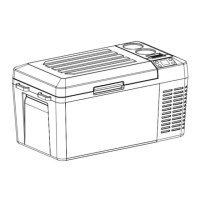
Power-off Memory Function
There is a power-off memory function for car refrigerators. When the power is lost,
the working state (On/Off status, working mode, etc.) before power-off can be
automatically recovered at the next startup; no need to set it again.
ECO: Energy-saving cooling MAX: Powerful cooling.
Model Parameter Table:
AC100~240V
(50/60Hz)
DC 12V/24V


 To Next Page