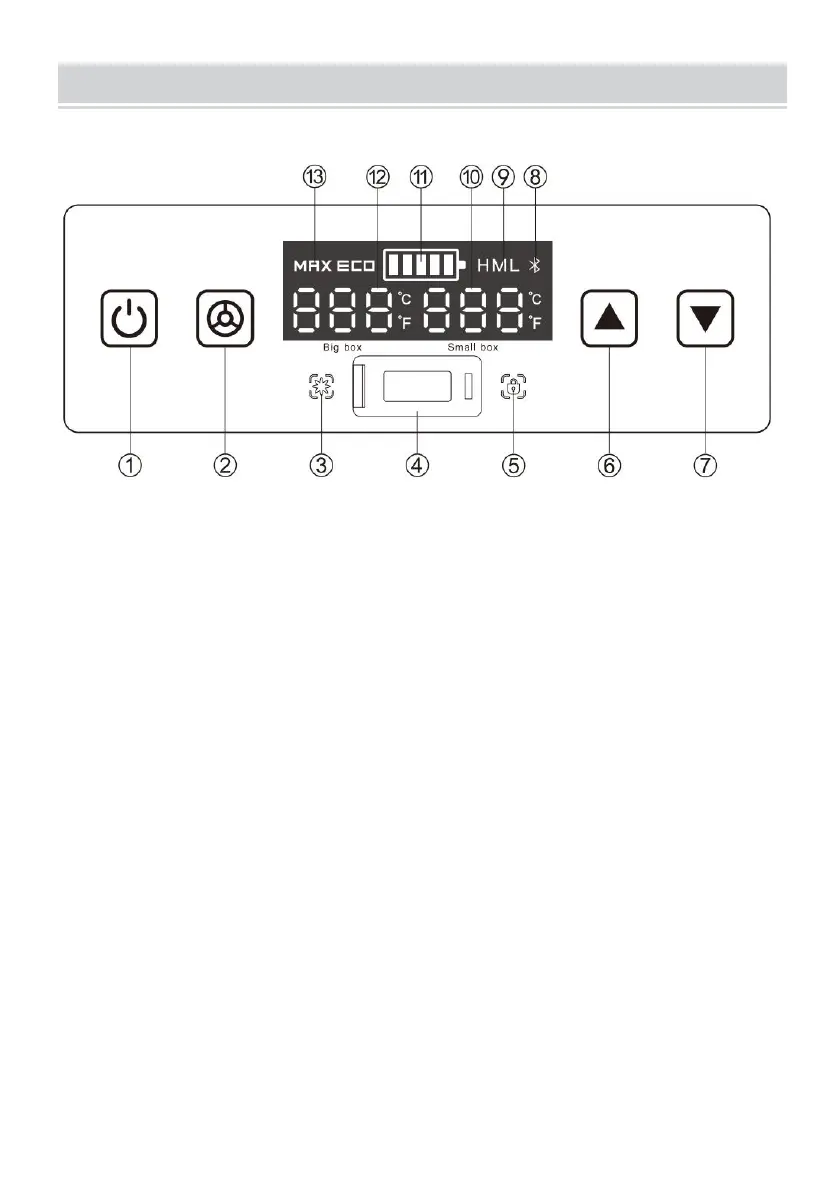
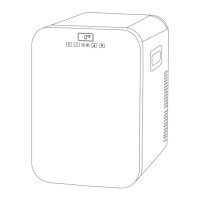
△Description of key panel and display contents
①ON/OFF button ②Setting button ③Cooling indicator ④USB charge port
⑤ Lock indicator ⑥Temperature UP button ⑦Temperature Down button
⑧ Blue tooth symbol (Optional) ⑨Car battery protect level ⑩Temperature
indicator of right compartment ⑪Power level Indicator of battery
⑫Temperature indicator of left compartment ⑬Running mode
△Function introduction
After power-on, the digital display screen will be fully lit for 1 second and
displayed normally. The default is the last memory function. The display screen
temperature figure will be permanently lit in the middle in standby mode.
1. Open and Close
After the power is turned on, the refrigerator will be in standby mode.
Now, press the ON/OFF button to open the refrigerator. After the refrigerator is
opened, the display will show the current temperature of the storage room. It will
start running.
Warning: The displayed temperature is only the temperature around the sensor.
The temperature of different points in the storage room is different.


 To Next Page