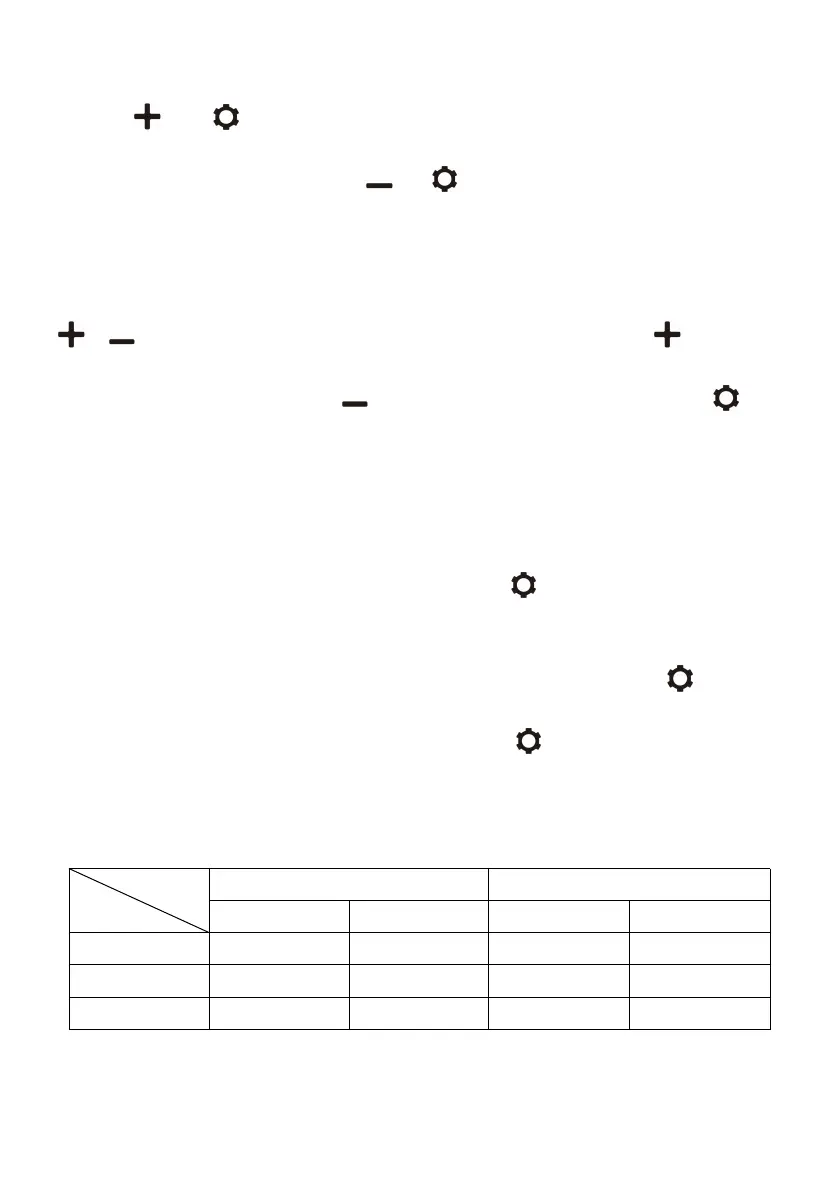
·Temperature Setting(only for NLS series): under the running state,long
press and at the same time for three seconds to switch ON/OFF
the left compartment,long press and at the same time for three
seconds to switch ON/OFF the right compartment,two compartments
cannot be switched OFF at the same time.
When both left and right compartments are set in running state,press
or to enter left compartment temperature setting,press to
increase temperature,press to decrease temperature,and press to
switch left/right compartment.The setting will be saved after stop operating
for 3 seconds.Note:the temperature displayed is the current temperature of
the compartments,it'll take a while to reach the set
temperature.Temperature setting range:-20~20℃(-4~68℉).
·Cooling Mode: under the running state,press to switch MAX(fast
cooling mode)and Eco(energy saving mode).(*Factory setting is MAX.)
·Battery Protection Mode: under the running state,long press for 3
seconds until the left screen flashes,then press again to switch
High(H),Medium(M) and Low(L) (“Factory setting is High).
Voltage Reference:
*the voltage is theoretical value,there may be a deviation in different


 To Next Page