sceneries.
*Due to the different output voltages between vehicles,H should be set
when the product s connected to car power,and M or L should be set when
it is connected to a portable battery or other back-up battery.
·Temperature Unit Setting: switch OFF the fridge,long press for three
seconds until E1 displays,then switch to E5 by pressing again.Under E5
mode,press or to select Celsius or Fahrenheit.
·Reset: switch OFF the fridge,long press for three seconds until E1
displays,under E1 mode,long press at the same time for three
seconds to reset it.
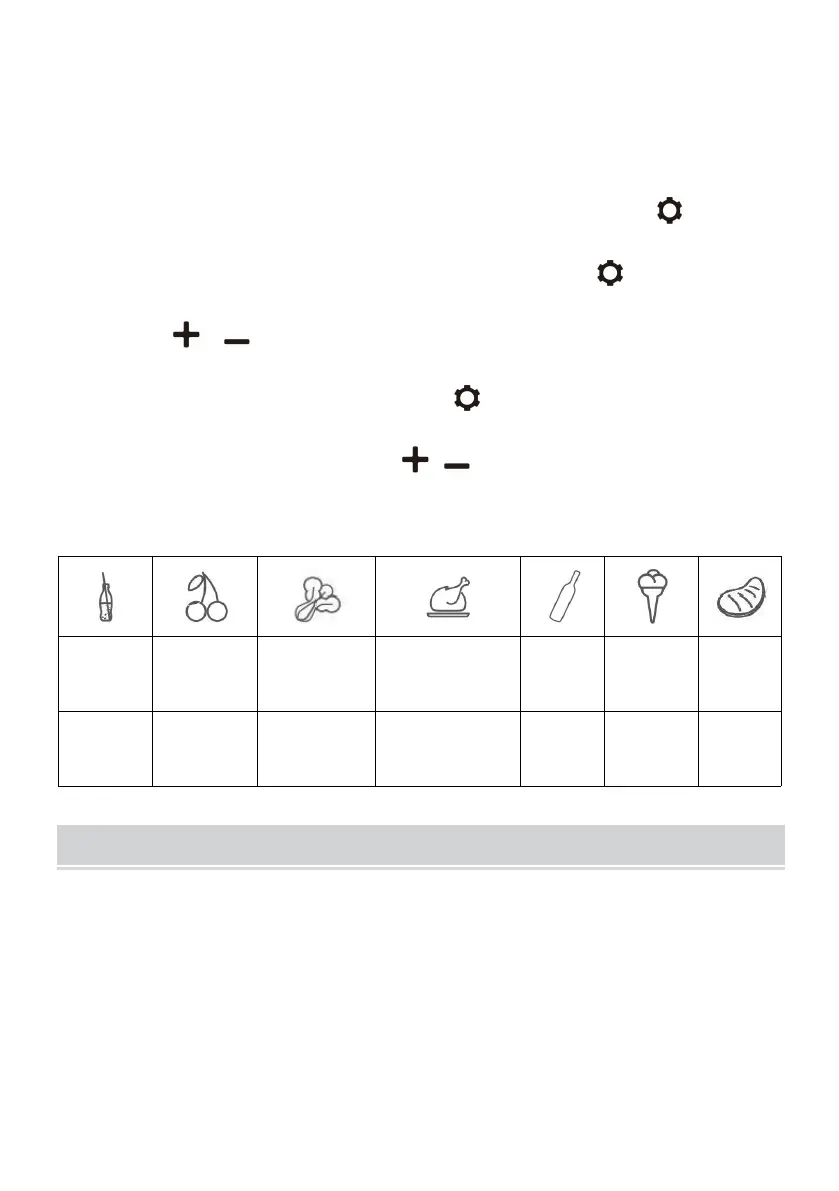
Recommended temperature for common food:
Cleaning:
·Switch off and unplug the device first to avoid electric shock.
·Use wet cloth to clean the device and dry it.
·Do not soak the fridge in water and do not wash it directly.
·Do not use abrasive cleaning agents during cleaning as these can
damage the device.
Storage:


 To Next Page