Need help?
Do you have a question about the VEVOR SY-1200-V1 and is the answer not in the manual?
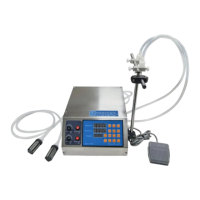
This document describes the VEVOR Paste Liquid Filling Machine, a device designed for accurately dispensing various free-flowing pastes and liquids without particles. The machine is available in several models, including the SY-1200 series (SY-1200-V1, SY-1200-V2, SY-1200-V3) and the SY-M90 series (SY-M90-V1, SY-M90-V2, SY-M90-V3), each with slightly different specifications tailored to various filling needs.
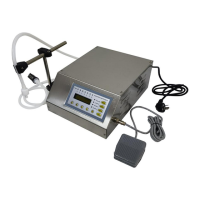
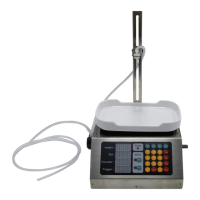
The VEVOR Paste Liquid Filling Machine is designed for precise and efficient filling of liquids and pastes. It operates in both manual and automatic modes, allowing for flexibility in different production environments. The machine features a control panel with a digital display to show weight, set values, counter, and trigger values, enabling users to monitor and adjust filling parameters. It utilizes a peristaltic pump system to draw liquid from an inlet hose with a filter and dispense it through an outlet hose with a filling nozzle. The machine can store up to four groups of filling weights for quick recall and use. It also includes an automatic peeling function to tare the weight of empty bottles, ensuring accurate net filling. The flow rate is adjustable, allowing users to control the speed of filling from 1 to 100, with the value displayed digitally. Additionally, the machine can be set to a time-based filling method, providing precision down to 0.01 seconds.
The technical specifications vary slightly between the SY-1200 and SY-M90 series:
Suitable Liquid: Both series are suitable for all free-flowing pastes and liquids without particles, such as soy sauce, beverages, white wine, vinegar, milk, and alcohol (less than 75%).
Filling Range:
Max Flow Rate:
Control Mode: Both series operate in Automatic control mode.
Rating(s):
Power (Max.):
Components: Both series include a power cord, bracket, sponge strip (black), and two filling nozzles.
Assembly and Setup:
Control Panel and Button Functions:
Weight: Displays the actual weight of the item being weighed.Set: User-defined weight to be filled.Counter: Number of bottles filled.Trigger: Weight value that triggers auto-start.Man: Enter manual mode.Auto: Enter automatic mode.Tare: Peel and set to zero.Set: Set the filling weight.Trig: Set the trigger value.Run: Manually start the filling function (click again to pause).Save: Store 4 groups of commonly used filling data.M1-M4: Call the stored filling weight data.0: Clear counter value.Run button and foot switch have the same function as the Run button on the keyboard.Operating Instructions:
Set, enter the value (e.g., set 100g, enter 1 0), then press Set again.Trig, enter the value (e.g., set 35g, enter 35), then press Trig again. The trigger value is set to empty bottle weight. In automatic mode, filling starts when the weight of the empty bottle exceeds the trigger value.Man (the manual light turns on).
Tare to remove the empty bottle weight.Run to start filling. The filling stops when the poured liquid reaches the set filling weight.Auto (the automatic light turns on).
Tare to reset.Save (filling weights flash), input the value, then press M1 (or M2, M3, M4) to store. To use a stored value, press the corresponding M button.Auto, then hold 3 until an alarm sounds. Repeat to re-enable.Auto, set flow rate (e.g., 80), long-press the flow knob until a "Beep" is heard. This causes the machine to slow down to medium speed at a certain percentage of the set amount.Trig, Save. This determines how many grams before the end the machine automatically slows down.Auto, then hold 5 until an alarm sounds. The machine will revert to factory settings.Flow Rate Regulation:
Time-Based Filling Method:
Auto, long-press 2 to switch to time-based filling (can be restored to weight-based filling the same way).Settings, input filling time, then press Settings again to set.Trigger, input interval time, then press Trigger again to set the interval time for automatic filling.Set, Start, load the required amount, then press Start, Set.Troubleshooting:
Environmental Compliance: This product complies with European Directive 2012/19/EC. The crossed-out wheelie bin symbol indicates that the product and its accessories should not be discarded with normal domestic waste but must be taken to a collection point for recycling electrical and electronic devices.

 To Next Page
 General