Testing the detector in the DISCRIMINATION mode
Make sure that the ALL METALS/DISC knob is in the "ALL METALS" position, then
turn the knob clockwise until it clicks. Now the detector is already in the
DISCRIMINATION mode. In this mode, you can use the ALL METALS/DISC knob
to search for specific metals by having it ignore other kinds of metals. At the
present knob position, where the knob just clicked, the detector will respond to
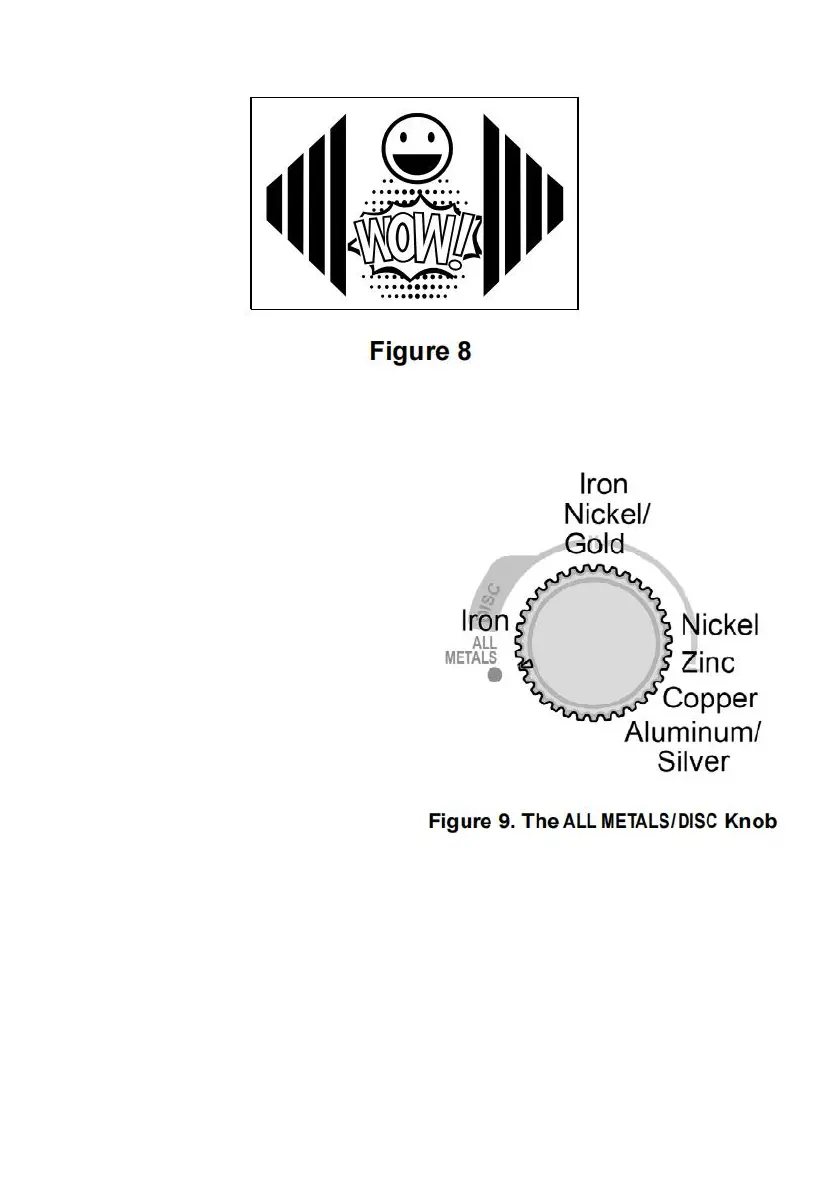
ANY metal object and the monitor screen will show the display shown in Figure 8
when the detector beeps.
Note:
The Figure 9 on the right
shows the knob positions
for some often encountered
metals. If the ALL METALS/DISC
knob is in one of these
positions, the corresponding
metal will be ignored during
scanning. The specifications
or descriptions on the figure
are not accurate and are for
non-critical reference only.


 To Next Page