EasyManua.ls Logo

VEVOR YT60231 - User Manual

VEVOR YT60231
36 pages
Print Icon
To Next Page IconTo Next Page
Loading...
Technical Support and E-Warranty Certificate www.vevor.com/support
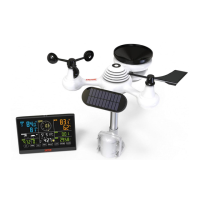
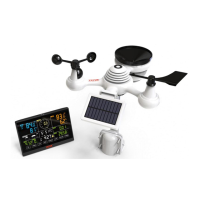
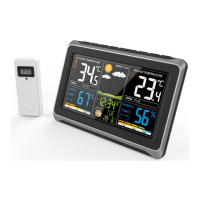
METEOROLOGICAL STATION
MODEL:YT60231
We continue to be committed to provide you tools with competitive price.
"Save Half", "Half Price" or any other similar expressions used by us only represents an
estimate of savings you might benefit from buying certain tools with us compared to the major
top brands and doses not necessarily mean to cover all categories of tools offered by us. You
are kindly reminded to verify carefully when you are placing an order with us if you are
actually saving half in comparison with the top major brands.
Question and Answer IconNeed help?

Do you have a question about the VEVOR YT60231 and is the answer not in the manual?

Summary

Product Features

Package Contents

Product Overview

Weather Station Display

Setting Up the Wireless Outdoor Sensor

Installing Mounting Pole and Bracket

Steps to install the mounting pole and bracket for the wireless sensor.

Installing Wind Speed Cups and Direction Vane

Setting Up Rain Collector

Installing the Batteries

Mounting the Wireless Outdoor Sensor

Optional Sensor Orientation for Southern Hemisphere

Adjusting Sensor Level

Setting Up the Weather Station

Powering Up the Weather Station

Connecting the power adapter and installing backup batteries for operation.

Pairing the Wireless Sensor

Process of the weather station connecting automatically to the wireless sensors.

Re-pairing the Sensor

Atomic Clock Reception

Manual Atomic Clock Reception

Setting the Clock

Moon Phase Display

Setting the Alarm

Deactivating and Activating Alarm

Snooze Function

Temperature and Humidity Trends

Indoor Comfort Index

Interpreting indoor comfort levels based on temperature and humidity.

Barometer Pressure Display

Pressure Trend

Understanding pressure trend indicators.

Wind Display and Selection

Wind Display Overview

Overview of wind speed and direction indicators on the display.

Selecting Wind Display Mode

How to cycle through average wind speed, gust wind speed, and wind direction.

Rainfall Display

Rainfall Display Overview

Information on displaying rainfall and rain rate.

Selecting Rainfall Display Mode

How to switch between Rain Rate, Event, Hourly, Daily, Weekly, Monthly, and Total.

Resetting Rainfall Records

Weather Index and Forecast

Weather Index Modes

Explanation of Feels Like, Heat Index, and Wind Chill weather index modes.

Weather Forecast

How the barometer predicts weather conditions using icons.

Ice Alert Indicator

MAX;MIN Value Display

Viewing Accumulated MAX;MIN Values

Clearing MAX;MIN Data Records

Hi;Lo Alert Setting

Viewing Alert Settings

How to switch between Hi alert and Low alert setting values.

Setting Hi;Lo Alerts

Steps to enter alert setting mode and configure high/low alerts.

Silencing Hi;Lo Alerts

Backlight Control

Low Battery Indicator

Factory Restart

Care and Maintenance

General Specifications

Barometer Specifications

Temperature Specifications

Humidity Specifications

Wind Speed and Direction Specifications

Rainfall Specifications

UV Index Specifications

Light Intensity Specifications

Weather Index Specifications

Wireless Outdoor Sensor Specifications

Summary

Product Features

Package Contents

Product Overview

Weather Station Display

Setting Up the Wireless Outdoor Sensor

Installing Mounting Pole and Bracket

Steps to install the mounting pole and bracket for the wireless sensor.

Installing Wind Speed Cups and Direction Vane

Setting Up Rain Collector

Installing the Batteries

Mounting the Wireless Outdoor Sensor

Optional Sensor Orientation for Southern Hemisphere

Adjusting Sensor Level

Setting Up the Weather Station

Powering Up the Weather Station

Connecting the power adapter and installing backup batteries for operation.

Pairing the Wireless Sensor

Process of the weather station connecting automatically to the wireless sensors.

Re-pairing the Sensor

Atomic Clock Reception

Manual Atomic Clock Reception

Setting the Clock

Moon Phase Display

Setting the Alarm

Deactivating and Activating Alarm

Snooze Function

Temperature and Humidity Trends

Indoor Comfort Index

Interpreting indoor comfort levels based on temperature and humidity.

Barometer Pressure Display

Pressure Trend

Understanding pressure trend indicators.

Wind Display and Selection

Wind Display Overview

Overview of wind speed and direction indicators on the display.

Selecting Wind Display Mode

How to cycle through average wind speed, gust wind speed, and wind direction.

Rainfall Display

Rainfall Display Overview

Information on displaying rainfall and rain rate.

Selecting Rainfall Display Mode

How to switch between Rain Rate, Event, Hourly, Daily, Weekly, Monthly, and Total.

Resetting Rainfall Records

Weather Index and Forecast

Weather Index Modes

Explanation of Feels Like, Heat Index, and Wind Chill weather index modes.

Weather Forecast

How the barometer predicts weather conditions using icons.

Ice Alert Indicator

MAX;MIN Value Display

Viewing Accumulated MAX;MIN Values

Clearing MAX;MIN Data Records

Hi;Lo Alert Setting

Viewing Alert Settings

How to switch between Hi alert and Low alert setting values.

Setting Hi;Lo Alerts

Steps to enter alert setting mode and configure high/low alerts.

Silencing Hi;Lo Alerts

Backlight Control

Low Battery Indicator

Factory Restart

Care and Maintenance

General Specifications

Barometer Specifications

Temperature Specifications

Humidity Specifications

Wind Speed and Direction Specifications

Rainfall Specifications

UV Index Specifications

Light Intensity Specifications

Weather Index Specifications

Wireless Outdoor Sensor Specifications

VEVOR YT60231 Specifications

General IconGeneral
BrandVEVOR
ModelYT60231
CategoryWeather Station
LanguageEnglish

Related product manuals