EasyManua.ls Logo

VEVOR YT6077 - User Manual

VEVOR YT6077
28 pages
Print Icon
To Next Page IconTo Next Page
Loading...
Technical Support and E-Warranty Certificate www.vevor.com/support
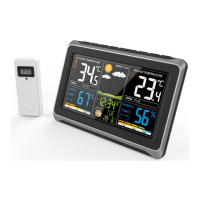
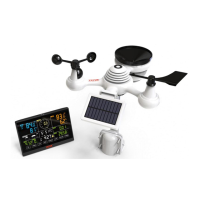
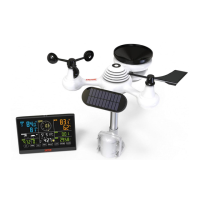
METEOROLOGICAL STATION
MODEL:YT6077
We continue to be committed to provide you tools with competitive price.
"Save Half", "Half Price" or any other similar expressions used by us only represents an
estimate of savings you might benefit from buying certain tools with us compared to the major
top brands and doses not necessarily mean to cover all categories of tools offered by us. You
are kindly reminded to verify carefully when you are placing an order with us if you are
actually saving half in comparison with the top major brands.
Question and Answer IconNeed help?

Do you have a question about the VEVOR YT6077 and is the answer not in the manual?

Summary

First Time to Use

Pair the Outdoor Remote Sensor

Pairs the outdoor sensor with the weather station for data transmission.

Atomic Clock Reception

Manual RCC Reception

Manually receives the atomic clock signal to update time and date.

Time Setting

Setting Order

Defines the order of setting parameters: RCC On/Off, Time Zone, Language, Year, Month, Date, Hour Format, Hour, Minute.

Set Alarm Time

Check Alarm Time

Switches to display the alarm time in alarm time mode.

Setting the Daily Alarms

Enters alarm setting mode by pressing and holding the ALARM button.

Deactivate;Activate Alarm

Selects the Alarm on or off from the Alarm time display.

Switching Off the Alarm Signal

Stops the alarm signal by pressing any button except Snooze/Dimmer.

Snooze Function

Pauses the alarm by pressing the Snooze/Dimmer button.

Heat Index and Dew Point

Temperature and Humidity Trend

Temperature Trend

Temperature trend indicators update every 15 minutes and track the past hour.

Humidity Trend

Humidity trend indicators update every 15 minutes and track the past hour.

Temperature and Humidity Max;Min Record

Displays maximum and minimum indoor/outdoor temperature and humidity values.

Humidity Comfort Indicator

Displays humidity level using a comfort indicator based on defined ranges.

Alert Function

Check Alert Value

Displays the high or low alert values for indoor and outdoor temperature and humidity.

Setting the Alert

Enters alert setting mode by pressing and holding the ALERT button.

Setting Order

Lists the order of setting parameters for alerts: Outdoor temp/humidity upper/lower limits, Indoor temp/humidity upper/lower limits.

Alarm

Describes behavior when temperature or humidity alert is activated, including flashing icons and auto turn-off.

Deactivate the Alarm

Stops the alarm by pressing any button; alert indicator icon keeps flashing.

Switch Reading Display for the Outdoor Temperature;Humidity Sensors

Comfort Indication

Weather Forecasting Function

Search for Outdoor Sensor

Switch Temperature Unit

Backlight

Low Battery Indication

Factory Restart

Factory Restart Procedure

Restores the station to its original condition by removing power and re-pairing the sensor.

Important Placement Guidelines

Optimal Placement Tips

Guidance on mounting, location, and interference prevention for accurate readings and strong signals.

Care and Maintenance

Battery Care Guidelines

Instructions for proper battery usage, replacement, and maintenance to ensure optimal performance.

Specifications

Summary

First Time to Use

Pair the Outdoor Remote Sensor

Pairs the outdoor sensor with the weather station for data transmission.

Atomic Clock Reception

Manual RCC Reception

Manually receives the atomic clock signal to update time and date.

Time Setting

Setting Order

Defines the order of setting parameters: RCC On/Off, Time Zone, Language, Year, Month, Date, Hour Format, Hour, Minute.

Set Alarm Time

Check Alarm Time

Switches to display the alarm time in alarm time mode.

Setting the Daily Alarms

Enters alarm setting mode by pressing and holding the ALARM button.

Deactivate;Activate Alarm

Selects the Alarm on or off from the Alarm time display.

Switching Off the Alarm Signal

Stops the alarm signal by pressing any button except Snooze/Dimmer.

Snooze Function

Pauses the alarm by pressing the Snooze/Dimmer button.

Heat Index and Dew Point

Temperature and Humidity Trend

Temperature Trend

Temperature trend indicators update every 15 minutes and track the past hour.

Humidity Trend

Humidity trend indicators update every 15 minutes and track the past hour.

Temperature and Humidity Max;Min Record

Displays maximum and minimum indoor/outdoor temperature and humidity values.

Humidity Comfort Indicator

Displays humidity level using a comfort indicator based on defined ranges.

Alert Function

Check Alert Value

Displays the high or low alert values for indoor and outdoor temperature and humidity.

Setting the Alert

Enters alert setting mode by pressing and holding the ALERT button.

Setting Order

Lists the order of setting parameters for alerts: Outdoor temp/humidity upper/lower limits, Indoor temp/humidity upper/lower limits.

Alarm

Describes behavior when temperature or humidity alert is activated, including flashing icons and auto turn-off.

Deactivate the Alarm

Stops the alarm by pressing any button; alert indicator icon keeps flashing.

Switch Reading Display for the Outdoor Temperature;Humidity Sensors

Comfort Indication

Weather Forecasting Function

Search for Outdoor Sensor

Switch Temperature Unit

Backlight

Low Battery Indication

Factory Restart

Factory Restart Procedure

Restores the station to its original condition by removing power and re-pairing the sensor.

Important Placement Guidelines

Optimal Placement Tips

Guidance on mounting, location, and interference prevention for accurate readings and strong signals.

Care and Maintenance

Battery Care Guidelines

Instructions for proper battery usage, replacement, and maintenance to ensure optimal performance.

Specifications

VEVOR YT6077 Specifications

General IconGeneral
BrandVEVOR
ModelYT6077
CategoryWeather Station
LanguageEnglish

Related product manuals