The display will display the upward transming icon.
Aer releasing the PTT, the microphone will make a
"beep" sound tone.
6,Upgrade Steps
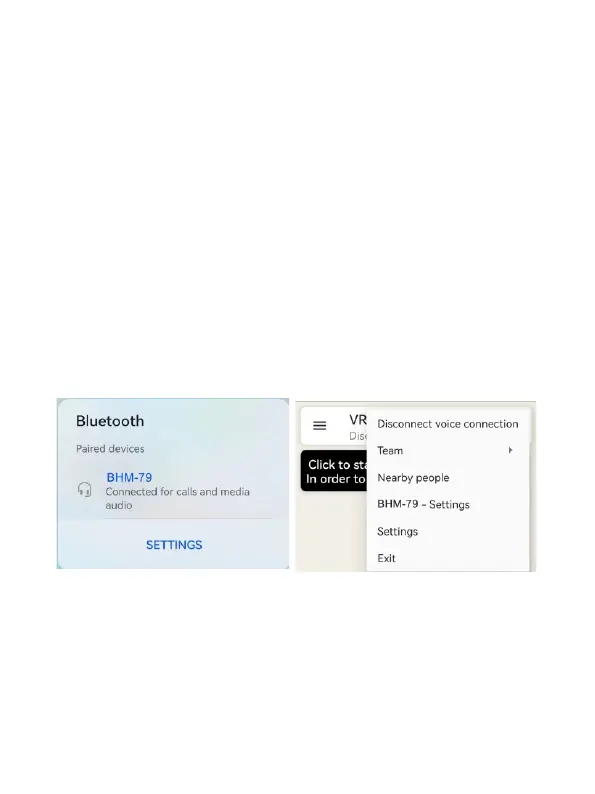
1,Open the Bluetooth page of the cell phone and
connect the speaker microphone BHM-79
(as shown in the figure 1 below)
2. Open the APP and press the PTT of BHM-79,Click the
three dots in the upper right corner to enter the
BHM-79 sengs page (Figure 2)
3. Pop up the upgrade menu to upgrade
Figure 1
Figure 2


 To Next Page