HARDWARE DESCRIPTION
A)
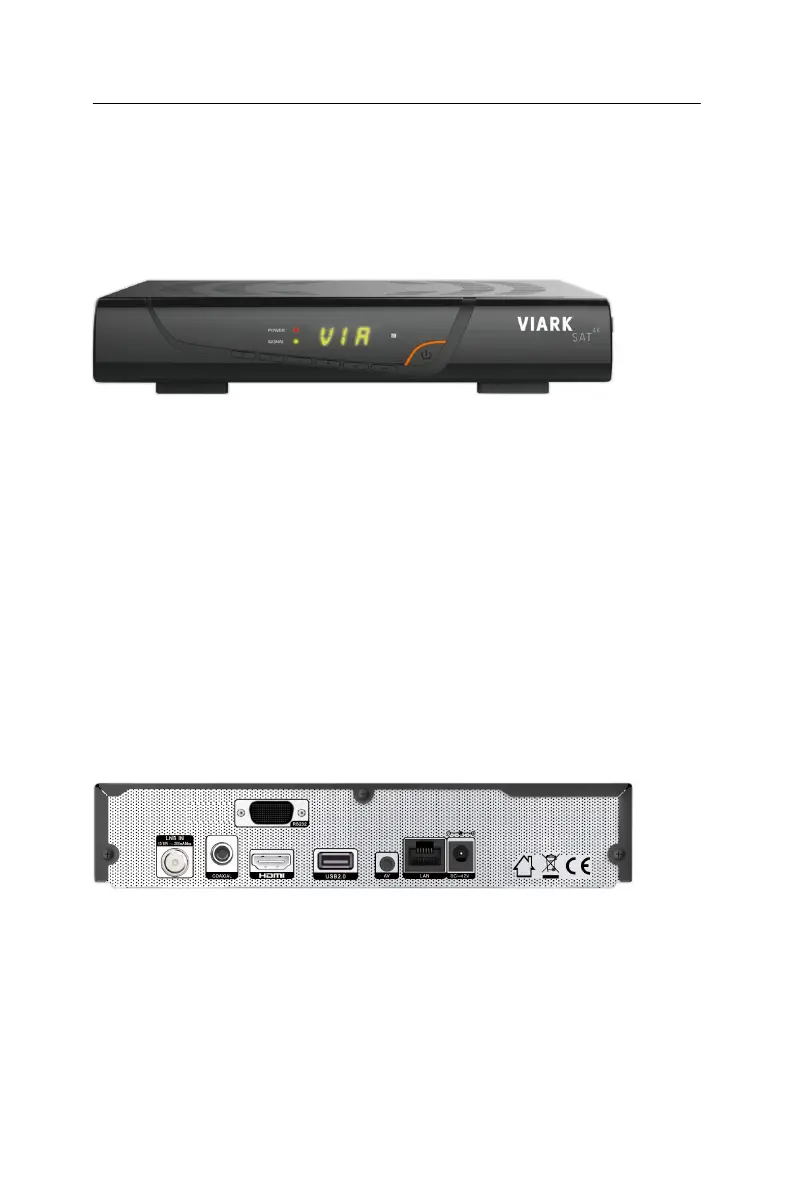
Front Panel
-
POWER: Switch between operation and standby
modes.
-
OK: Activate the highlighted sub menu in menu mode and activate the
channel list in viewing
mode.
-
Menu: Activate main menu or exit to live
channel.
-
▲/▼: Change channel in viewing mode and move the cursor up/down
in menu
mode.
-
◄/►: Decrease / increase the volume in viewing mode and change
setting in menu
mode.
-
DISPLAY: It displays channel number. In standby mode it displays
local
time.
-
CA: Insert CA card
here.
B)
Back Panel
-
LNB IN: Connect the satellite antenna cable
signal.
-
COAXIAL: Digital Audio
output.
-
HDMI: Connect to the TV using an HDMI
cable.
-
RS232: Connect to the computer using serial
line.
-
USB2.0: One USB 2.0 Host
Port.
-
AV:
Connect to the TV using a AV
cable.
-
LAN:
Connect to the internet using an Ethernet cable.
-
DC 12V: Connect to the power
adaptor.


 To Next Page