Quick Start Guide: FiberChek™ Sidewinder MPO Inspection Probe
Page 8 Document Num. 22122621, Rev. 100 December 2017
Chapter 2 Overview
Using the Menu
Many of Sidewinder’s features and settings can be found in the Menu. To access the menu, tap the touchscreen
when in the Live Inspection View. If the Sidewinder is displaying an analysis result or still image, return to the Live
Inspection View by pressing the Autofocus/Inspection Trigger once.
Using Tips and Adapters
Sidewinder uses the FCPT Series probe tips. These are purpose-built for Sidewinder, and must be installed
correctly ensure that the fibers in the array are properly enumerated.
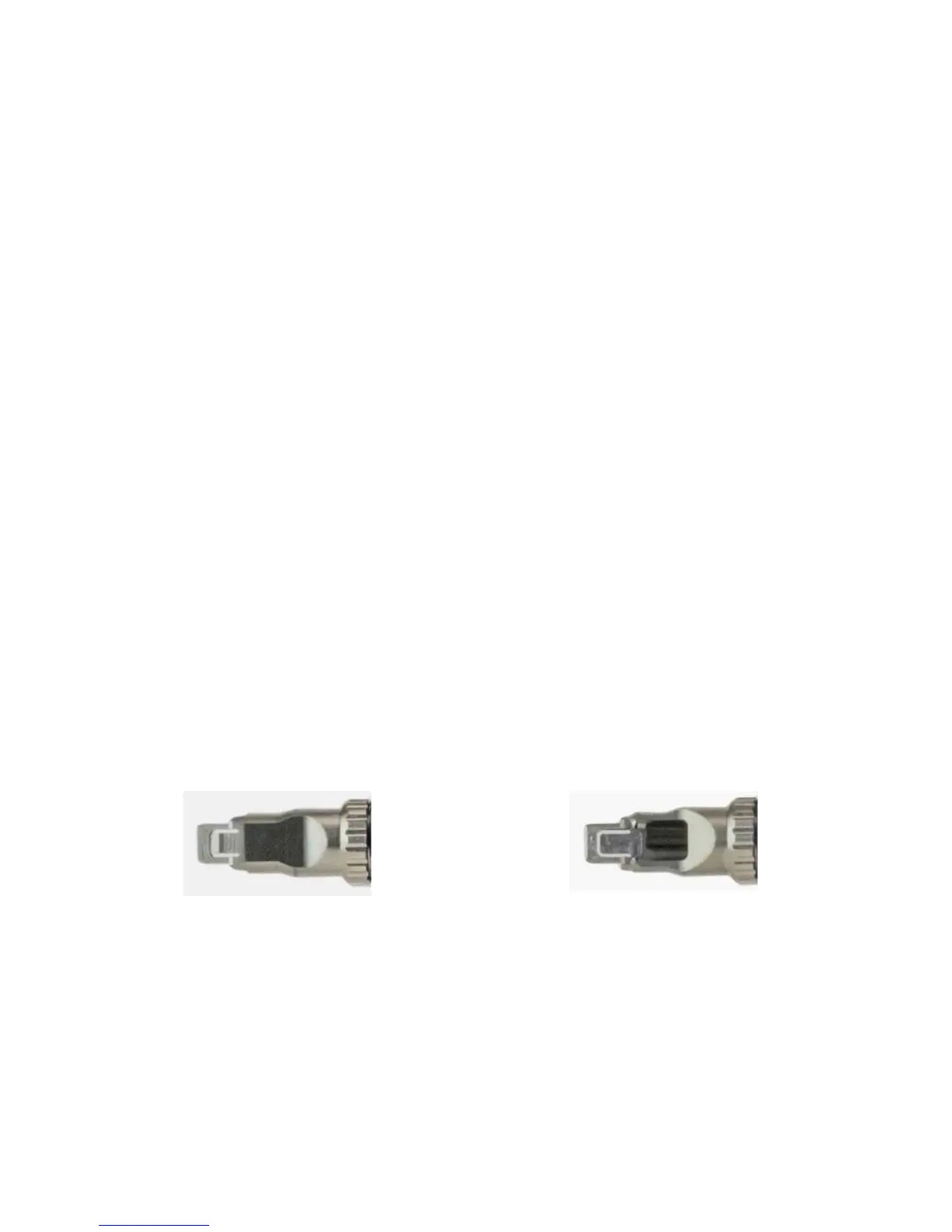
When looking at an FCPT tip, you will see that one side of the flat edge of the tip has a cutout and a key (Side
A). The other side has a tab cutout (Side B). To ensure proper fiber enumeration, set the tip with the Side A
facing up, so that when you hold the Sidewinder with the touchscreen-side up, the hollow/keyed side of the tip
is facing toward you.
Sidewinder is primarily designed to inspect and analyze multi-fiber connector end faces, such as MTP® and
MPO, but can also be configured to inspect and analyze simplex fibers.
Sidewinder ships with the FCPP-OLA-1 Optical Lens Assembly attached by default (see Figure 4). This is the
required optical assembly for all FCPT Series multi-fiber connector tips for Sidewinder.
Navigating the Menu
• Select an item using the Manual Focus/Navigation Control.
• Press the Action Button or tap the underlined menu item to confirm a selection or view additional
options.
• Press the Magnification/Return Button to return to the previous screen. Pressing the Magnification/
Return Button from Sidewinder’s top-level Menu will return to the Live Inspection View.
• Press the Autofocus/Inspection Trigger at any time to return to the Live Inspection View.
FCPT Tip Side A FCPT Tip Side B



 To Next Page