EasyManua.ls Logo

Viavi OneAdvisor-1000 - User Manual

Viavi OneAdvisor-1000
6 pages
Print Icon
To Next Page IconTo Next Page
Loading...
VIAVI//Public
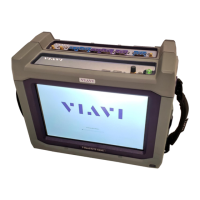
OneAdvisor-1000 Portable Network Tester
QUICK CARD
Use the VIAVI P5000i or FiberChek Probe
microscope to inspect both sides of every
connection being used (OCC Port, Launch
Cable, bulkhead connectors, patch cables, etc.)
Focus fiber on the screen. If dirty, clean the
end-face.
If it appears clean, run inspection test.
If it fails, clean the fiber and re-run inspection
test. Repeat until it passes.
Figure 2: Inspect Before You Connect
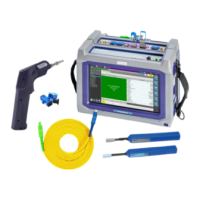
Figure 1: Equipment Requirements
4100-series Expert OTDR
This quick card explains how to connect to a fiber under test, configure EXPERT OTDR
test settings using Quick Setup, run tests, and analyze results on a VIAVI
ONA-1000 equipped with a 4100-series OTDR module.
ONA-1000 equipped with the following:
Fiber Optics Software Release V21.12 or
greater
4100 Series OTDR Module
Fiber optic cleaning and inspection tools
20-meter Fiber optic patch cable (Launch
Cable)
Optical Coupler to connect Launch Cable to
Fiber Under Test
Question and Answer IconNeed help?

Do you have a question about the Viavi OneAdvisor-1000 and is the answer not in the manual?

Overview

The VIAVI OneAdvisor-1000 is a portable network tester designed for fiber optic network installation, commissioning, and maintenance. It functions primarily as an Optical Time Domain Reflectometer (OTDR) and offers a range of features for inspecting, testing, and reporting on fiber optic infrastructure.

Function Description:

The OneAdvisor-1000's core function is to perform OTDR measurements, which involve sending light pulses into a fiber and analyzing the reflected light to characterize the fiber's length, attenuation, and identify events such as connectors, splices, and bends. It supports various acquisition modes, including Manual, Auto, and SmartAcq, allowing users to tailor the test to specific requirements or leverage automated settings for efficiency.

Beyond basic OTDR functionality, the device integrates several key capabilities:

  • Fiber Inspection: The OneAdvisor-1000 emphasizes the importance of inspecting all fibers and connectors before connection. It can be used with VIAVI P5000i or FiberChek Probe microscopes to inspect both sides of every connection. This feature is crucial for preventing contamination-related issues and ensuring reliable test results.
  • Connection Check: Before performing an acquisition, the OTDR conducts a connection check to ensure a "Good" connection. If the connection is "Bad," it prompts the user to disconnect, clean, and reconnect the launch cable and any other failing fibers.
  • SmartLink View: This feature provides an icon-based representation of the fiber under test, displaying events such as front connectors, launch cables, connectors, splices, and bends. It offers a summary of results for the entire span and allows users to tap on individual events for detailed information. Events are marked with green checks (pass) or red 'x' (fail) based on configured alarm settings.
  • Trace View: For more detailed analysis, the Trace View displays graphical results of dB versus distance, showing trace information in the upper display and a color-coded event table in the lower display. This view allows for in-depth examination of the fiber's characteristics.
  • Table View: This view presents a tabular summary of events, including distance, loss, and reflectance for each event, providing a structured overview of the fiber's performance.
  • Fast Report Generation: The device facilitates quick and easy report generation, allowing users to save test results in various formats (e.g., PDF, CSV). It supports entering details such as Cable ID, Fiber Number, Locations, and Direction, which are crucial for comprehensive documentation.

Important Technical Specifications (Derived from the manual, specific values may vary by model/configuration):

  • Wavelengths: Supports testing at 1310 nm and 1550 nm, with the option to select "All" for bend detection.
  • Distance Units: Configurable to meters, kilometers, kfeet, or miles.
  • Acquisition Modes: Manual, Auto, SmartAcq.
  • Acquisition Time: Realtime, Auto, or user-defined.
  • Launch Cable Length: Supports user-defined launch cable lengths, with a recommended 20 meters (66 feet) for VIAVI-supplied cables.
  • Alarm Thresholds: Configurable to Default, TIA-568.3, ISO/IEC standards, or User-defined for splice loss, connector loss, reflectance, and slope.
  • Storage: The device has internal storage (e.g., 23.1 GB free, 88% free as shown in one screenshot) for saving test results and reports.

Usage Features:

  • Intuitive User Interface: The device features a touchscreen interface with soft keys (e.g., Setup, Start, File, Exit) and icons (e.g., Tests, OTDR EXPERT) for easy navigation and operation.
  • Power Button: A dedicated power button on top of the device for turning it on.
  • Modular Design: The OneAdvisor-1000 appears to support different modules (e.g., 400G Module, Fiber Optics), suggesting a flexible and expandable platform.
  • Connectivity: The OTDR port is located on top of the test set for connecting launch cables. It can connect to the Fiber Under Test (FUT) directly, via an optical coupler, or an optical patch panel (OPP).
  • Configuration Flexibility: Users can configure various test parameters, including distance units, acquisition modes, acquisition time, launch cable length, and alarm thresholds, to suit different testing scenarios.
  • Visual Feedback: Clear visual indicators, such as "Good" or "Bad" connection status, and green checks/red 'x' for pass/fail events, provide immediate feedback to the user.
  • Report Customization: The Fast Report feature allows users to input specific details (Cable ID, Fiber Number, Locations, Direction) for comprehensive report generation.

Maintenance Features:

  • Fiber Cleaning Emphasis: The manual strongly emphasizes the importance of inspecting and cleaning all fibers and connectors prior to connection. This proactive approach is a key maintenance practice to ensure accurate results and prevent damage.
  • Troubleshooting Guidance: The connection check feature provides immediate feedback on connection quality and prompts the user to clean and reconnect fibers if a "Bad" connection is detected, acting as a first-line troubleshooting step.
  • Software Updates: The note regarding SmartAcq mode and older ONA-1000s suggests that software updates may be available to add new features or improve existing ones, indicating a commitment to ongoing product support and enhancement.
  • Robust Design: As a portable network tester, the OneAdvisor-1000 is designed for field use, implying a degree of ruggedness and durability to withstand various working environments.

Viavi OneAdvisor-1000 Specifications

General IconGeneral
BrandViavi
ModelOneAdvisor-1000
CategoryTest Equipment
LanguageEnglish

Related product manuals