OneExpert DSL User's Guide
22052280, Rev. 016May 2020
Chapter 3 Utilities
47
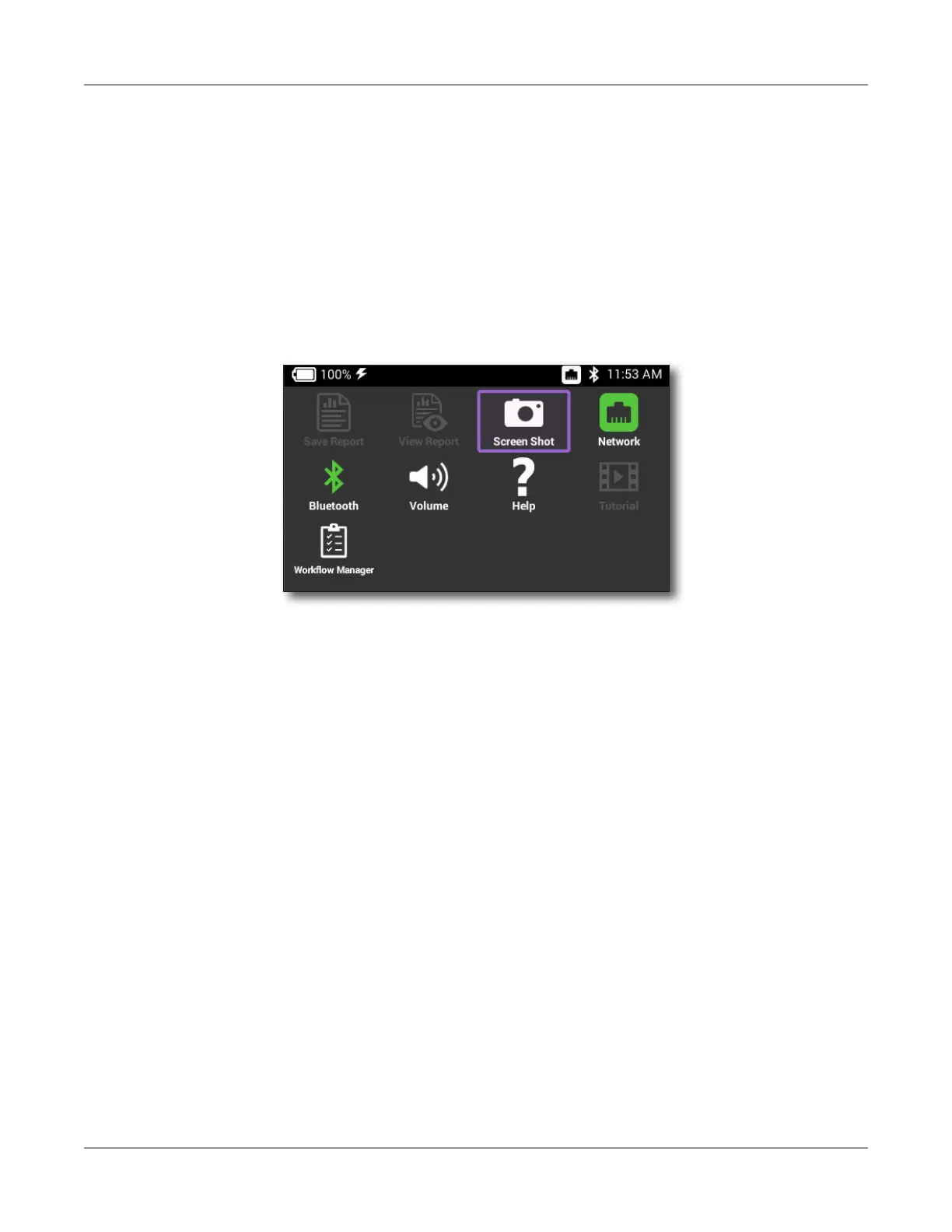
Displaying the Tray menu
Using the icons provided on the Tray menu, you can specify settings required for network,
WiFi, and Bluetooth® connectivity, control the volume on your instrument, and manage
reports. You can also take screenshots of the user interface and review a PDF of this guide
on your instrument.
To bring up the Tray menu, do either of the following:
y Press the Tray button
y Swipe downward from the top of the screen





 To Next Page