OneExpert DSL User's Guide
22052280, Rev. 016May 2020
Chapter 3 Utilities
79
Setting up the ONX for VNC
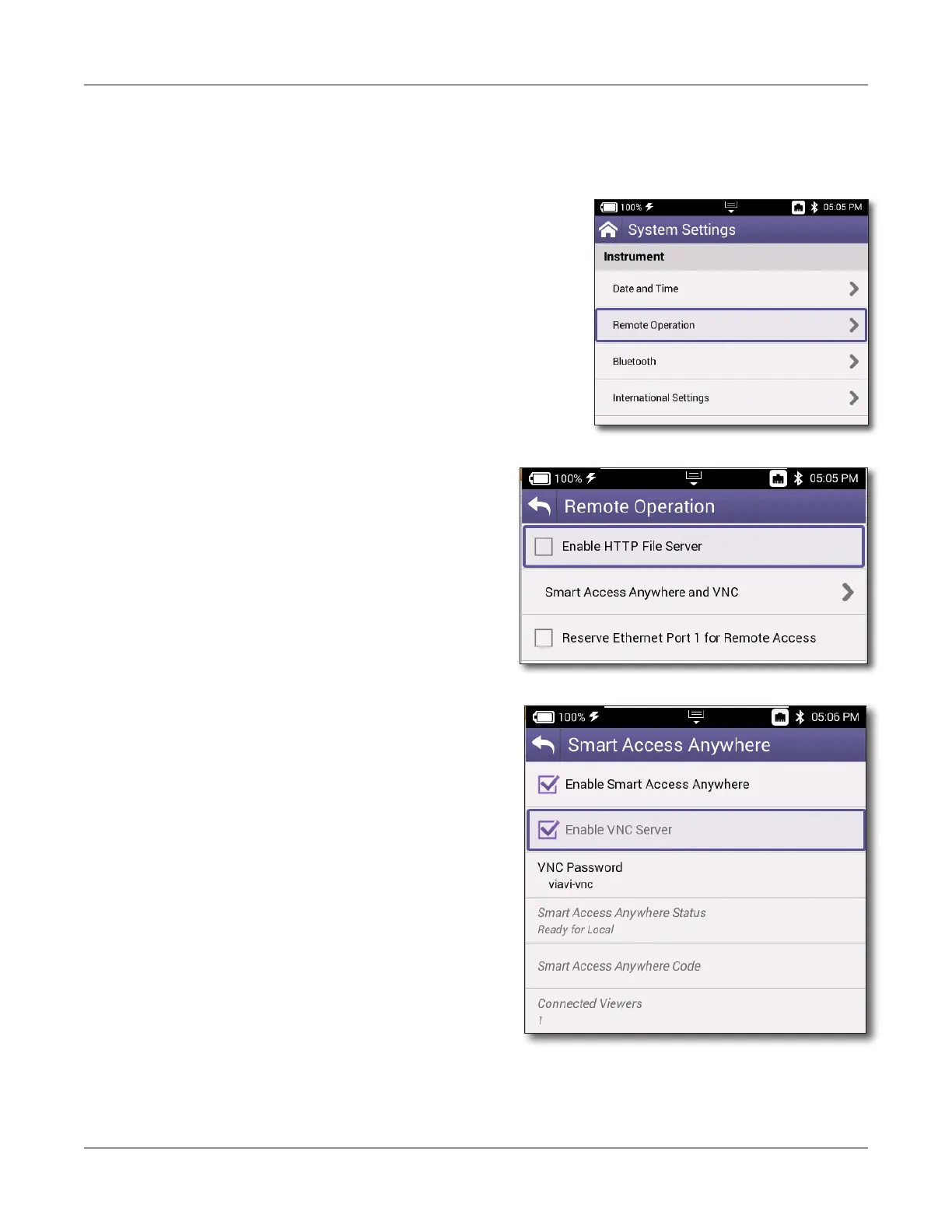
In order to use VNC Viewer with your ONX and connect to it remotely, you need to enable
VNC in System Settings.
1. Go to the System Settings menu, then select
Remote Operation. The Remote Operation
menu appears.
2. Select Smart Access Anywhere and
VNC. The Smart Access Anywhere menu
appears.
3. Select Enable VNC Server and note
the VNC password underneath: viavi-
vnc. You will need it to connect via VNC
Viewer.







 To Next Page