EasyManua.ls Logo

Vibradorm VFF/CDL-BF-11 - User Manual

Vibradorm VFF/CDL-BF-11
20 pages
Print Icon
To Next Page IconTo Next Page
Loading...
For adjustable beds with a
VIBRADORM dual drive
V-MAT-Basic with memory
function and LED night
light module.
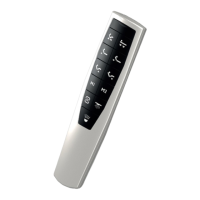
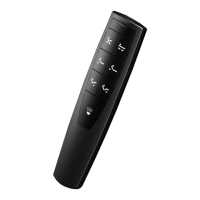
Radio remote control
VFF/CDL-BF-11
with Bluetooth-Technology
Operating Instructions
Question and Answer IconNeed help?

Do you have a question about the Vibradorm VFF/CDL-BF-11 and is the answer not in the manual?

Summary

General Information

Guide to Using Instructions

Explains how to use the manual, including the meaning of symbols.

About These Operating Instructions

Details the purpose, accuracy, and amendment policy of the operating instructions.

Safety Guidelines

Intended Use and Prohibited Use

Defines proper use and warns against misuse, potential accidents, and warranty voidance.

Specific Safety Precautions

Provides critical safety rules for operating environment and device handling.

Radio Operation and Environment

Information on transmission, range, interference, and environmental considerations.

Battery Safety and Handling

Crucial warnings for battery storage, usage, and handling of leaks.

Bed Manufacturers Safety Notes

Advises users to consult bed manufacturer instructions for additional safety information.

System Overview

Remote Control Components and Indicators

Identifies key parts of the remote, including LEDs, buttons, and battery compartment.

Remote Control Functions

Details the operation of bed adjustment, memory, light, and torch functions via buttons.

Dual Drive System Components

Describes the LED night light module and its connection socket on the drive unit.

Initial Setup

Battery Installation

Step-by-step guide for correctly inserting batteries into the remote control.

Pairing the Remote (Teach-in)

Procedure to establish communication between the remote control and the dual drive.

Using the Remote

LED Indicators and Illumination

Explains the Status LED behavior and automatic keypad background illumination.

Bed Position Adjustment

Instructions and safety advice for adjusting bed positions using the remote buttons.

Storing and Recalling Positions

How to save preferred bed positions using memory buttons and recall them later.

Night Light and Torch Features

Operation guide for the LED night light (dimmable) and the integrated torch.

Factory Reset

Resetting the Remote Control

Procedure to restore the remote control to its original factory default settings.

Resetting the Dual Drive Unit

Instructions for resetting the dual drive system to its factory default configuration.

Troubleshooting

Common Issues and Solutions

Guidance on diagnosing and resolving common malfunctions before contacting support.

Technical Specifications

Device Technical Data

Lists key technical details including voltage, frequency, range, and physical properties.

Maintenance and Cleaning

Cleaning and Care Instructions

Recommended methods for cleaning the remote control housing.

Product Disposal

Disposal of Electronic Equipment

Information on proper disposal of the product and batteries according to environmental regulations.

Advanced Operation

Smartphone and Tablet Control

Instructions for operating the bed system using a smartphone app via Bluetooth.

Summary

General Information

Guide to Using Instructions

Explains how to use the manual, including the meaning of symbols.

About These Operating Instructions

Details the purpose, accuracy, and amendment policy of the operating instructions.

Safety Guidelines

Intended Use and Prohibited Use

Defines proper use and warns against misuse, potential accidents, and warranty voidance.

Specific Safety Precautions

Provides critical safety rules for operating environment and device handling.

Radio Operation and Environment

Information on transmission, range, interference, and environmental considerations.

Battery Safety and Handling

Crucial warnings for battery storage, usage, and handling of leaks.

Bed Manufacturers Safety Notes

Advises users to consult bed manufacturer instructions for additional safety information.

System Overview

Remote Control Components and Indicators

Identifies key parts of the remote, including LEDs, buttons, and battery compartment.

Remote Control Functions

Details the operation of bed adjustment, memory, light, and torch functions via buttons.

Dual Drive System Components

Describes the LED night light module and its connection socket on the drive unit.

Initial Setup

Battery Installation

Step-by-step guide for correctly inserting batteries into the remote control.

Pairing the Remote (Teach-in)

Procedure to establish communication between the remote control and the dual drive.

Using the Remote

LED Indicators and Illumination

Explains the Status LED behavior and automatic keypad background illumination.

Bed Position Adjustment

Instructions and safety advice for adjusting bed positions using the remote buttons.

Storing and Recalling Positions

How to save preferred bed positions using memory buttons and recall them later.

Night Light and Torch Features

Operation guide for the LED night light (dimmable) and the integrated torch.

Factory Reset

Resetting the Remote Control

Procedure to restore the remote control to its original factory default settings.

Resetting the Dual Drive Unit

Instructions for resetting the dual drive system to its factory default configuration.

Troubleshooting

Common Issues and Solutions

Guidance on diagnosing and resolving common malfunctions before contacting support.

Technical Specifications

Device Technical Data

Lists key technical details including voltage, frequency, range, and physical properties.

Maintenance and Cleaning

Cleaning and Care Instructions

Recommended methods for cleaning the remote control housing.

Product Disposal

Disposal of Electronic Equipment

Information on proper disposal of the product and batteries according to environmental regulations.

Advanced Operation

Smartphone and Tablet Control

Instructions for operating the bed system using a smartphone app via Bluetooth.

Overview

The VIBRADORM VFF/CDL-BF-11 is a radio remote control designed for adjustable beds equipped with a VIBRADORM dual drive V-MAT-Basic, which includes memory function and an LED night light module. This device utilizes Bluetooth technology for communication.

Function Description

The remote control allows users to adjust various bed positions and control integrated lighting features. It facilitates the movement of both back and leg drives independently or simultaneously. Memory positions can be set and recalled, offering personalized comfort settings. Additionally, it incorporates a night light function and a torch function for convenience. The device communicates with the dual drive V-MAT-Basic via a teach-in process, ensuring proper synchronization. It can also be operated via a smartphone or tablet PC through a dedicated app, provided the mobile device supports Bluetooth 4.0 (Bluetooth Smart, BLE, Bluetooth Low Energy).

Important Technical Specifications

  • Operating Voltage: 3VDC via batteries.
  • Power Consumption:
    • Idle: typically 1µA
    • Operational: 2mA
  • Transmission/Receiving Frequency: 2.4GHz ISM band (Industrial, Scientific, and Medical band), specifically between 2.402 GHz and 2.480 GHz.
  • Transmission Range: 10 - 50m.
  • Housing Material: ABS.
  • Protection Grade: IP20.
  • Battery Type: 2 pcs. 1.5V AAA (LR03).
  • Weight (incl. batteries and packaging): Approximately 80g.
  • Standard Compliance: Designed and manufactured according to DIN EN 60335-1 (Safety of Household and similar Electrical Appliances) and carries the CE mark.

Usage Features

The remote control features a clear button layout for intuitive operation:

  • Status LED (S): Indicates when a button is pressed (lights up) or kept pressed (flashes).
  • Bed Adjustment Buttons (1-6):
    • 1: All drives up
    • 2: All drives down
    • 3: Back drive up
    • 4: Back drive down
    • 5: Leg drive up
    • 6: Leg drive down
    • These buttons control the respective drives as long as they are pressed.
  • Memory Position Buttons (7, 8):
    • 7: Memory position 1
    • 8: Memory position 2
    • Save Memory Positions (9): Pressing this button 3 times, followed by either 7 or 8, saves the current bed position to the corresponding memory button. Stored positions can be recalled by pressing and holding 7 or 8.
  • LED Night Light Bar (10):
    • Briefly press to switch the LED module on/off.
    • Press and hold to dim the LED module (lighter/darker). Releasing and pressing again reverses the dimming direction.
  • Torch LED (11, T):
    • Pressing 11 for approximately 3 seconds activates the torch LED (T). It switches off automatically after about 20 seconds.
    • Briefly pressing 11 again switches off the torch LED.
    • Keeping 11 pressed keeps the LED switched on; it turns off about 20 seconds after release.
  • Background Illumination: The keypad illuminates when the remote control is moved or any button is pressed, turning off after approximately 5 seconds of inactivity.
  • Teach-in Process (L): A teach-in button (L) on the dual drive is used to establish communication between the remote control and the V-MAT-Basic drive. This process is typically performed by the manufacturer.
  • Factory Reset: The remote control can be reset by simultaneously pressing and holding specific bed adjustment buttons (1, 3, 5 or 2, 4, 6) until the status LED flashes and then goes off. The dual drive can also be reset by pressing button L for approximately 10 seconds and then disconnecting and reconnecting the mains plug.

Maintenance Features

  • Battery Replacement: The remote control requires 2x 1.5V AAA (LR03) batteries, inserted into the battery compartment (B). Batteries should be replaced as soon as they are weak to prevent leakage.
  • Cleaning: The housing can be cleaned with a slightly damp cloth. Aggressive detergents or scouring agents should not be used.
  • General Maintenance: Apart from battery replacement, the radio remote control is maintenance-free.

Safety Instructions

  • Intended Use: For operating VIBRADORM dual drives within the home. Any other use is improper and voids warranty.
  • Improper Use Warnings: Not to be used with medical products, in flammable/explosive environments, damp environments, outdoors, in mechanical washing systems, or for lifting/lowering loads in industrial/craftsman areas.
  • Operating Environment: Keep away from direct contact with damp or water. Only suitable for dry indoor rooms. Allow time to adjust to ambient temperature when moving from cold to warm environments to prevent condensation damage. Avoid strong electromagnetic fields, direct sunlight, high temperatures, cold, damp, or wet conditions.
  • Device Integrity: Do not use if housing is damaged. Do not open the housing (except for battery change) or make unauthorized changes, as this voids the warranty.
  • Operation: Ensure proper commissioning. Do not allow children or vulnerable persons to use unsupervised. Radio signals can pass through walls/ceilings, but the remote control should only be used in the room where the adjustable bed is located.
  • Batteries: Keep out of reach of children. Do not throw into fire, short circuit, take apart, or charge (danger of explosion). Batteries contain harmful acids; replace weak batteries promptly. Do not mix old and new or different types of batteries.
  • Leaking Batteries: Wear chemically resistant protective gloves and goggles. Avoid direct skin contact. Wash hands thoroughly if contact occurs. Remove electrolyte residues with a damp cloth and wash contaminated clothes.
  • Night Light/Torch: Do not look directly into the night light LEDs or torch LED.

Manufacturer's Address

VIBRADORM GmbH Relystraße 38 64720 Michelstadt GERMANY Tel.: ++49 (0)6061 / 94 44 0 Fax: ++49 (0)6061 / 94 44 10 http://www.vibradorm.de E-Mail: info@vibradorm.de

Vibradorm VFF/CDL-BF-11 Specifications

General IconGeneral
BrandVibradorm
ModelVFF/CDL-BF-11
CategoryRemote Control
LanguageEnglish

Related product manuals