3
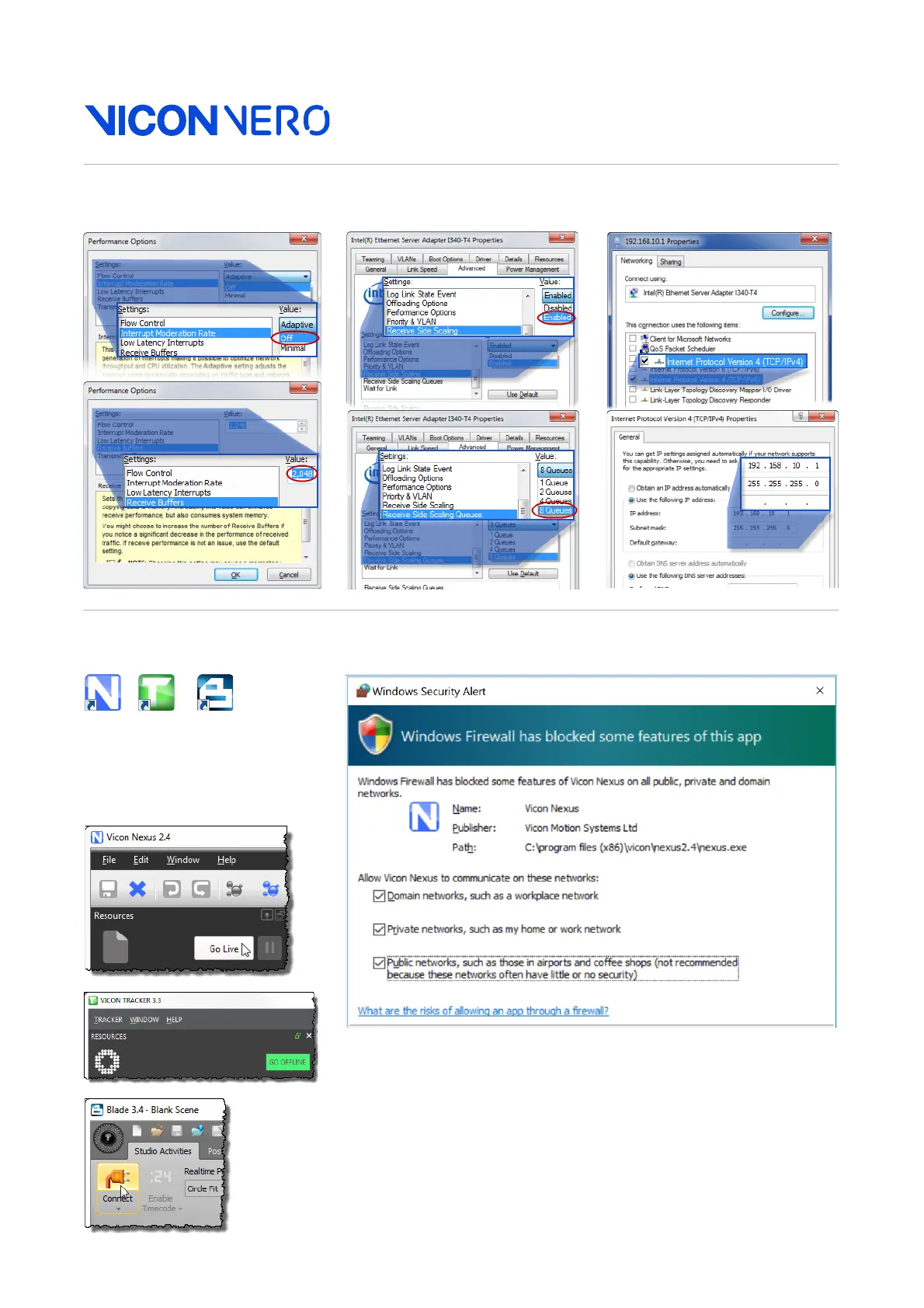
System (cont.): Administrator. IP address. Adapter settings.
Run: Start software. Unblock firewall. Connect.
➊ After you start your Vicon
software, ensure that it is not
blocked by a firewall and that
it shows the system is live.
➋
In the
System Resources
pane
(in Blade, the
Selection
editor), Shift+click to select all
the cameras. In the
Properties
pane (or
Attributes
editor),
change
Grayscale Mode
to
All
.
➌ In the System Resources
pane (or Selection editor),
select a camera. 2
➍ Change the View pane to
Camera view (or in Blade,
click the Camera Layout
button and ensure you are
looking at a Capture view). 3
You can now set the camera
focus and aperture.



 To Next Page