Contact Vicon
youtube.com/vicon100
facebook.com/vicon
twitter.com/vicon
instagram.com/viconmocap
linkedin.com/company/vicon
vicon.com/products/camera-
systems/vero
Denver, CO
T:303.799.8686
Los Angeles, CA
T:303.799.8686
support@vicon.com
Oxford, UK
T:+44.1865.261800
Singapore
T:+65 6400 3500
© Copyright 2016 Vicon Motion Systems Limited. All rights reserved.
Vicon® is a registered trademark of OMG plc. Vicon Vero™ is a trademark of OMG plc. Other product and company names herein may be the trademarks of their respective owners.
Vicon Motion Systems is an OMG plc company.
4
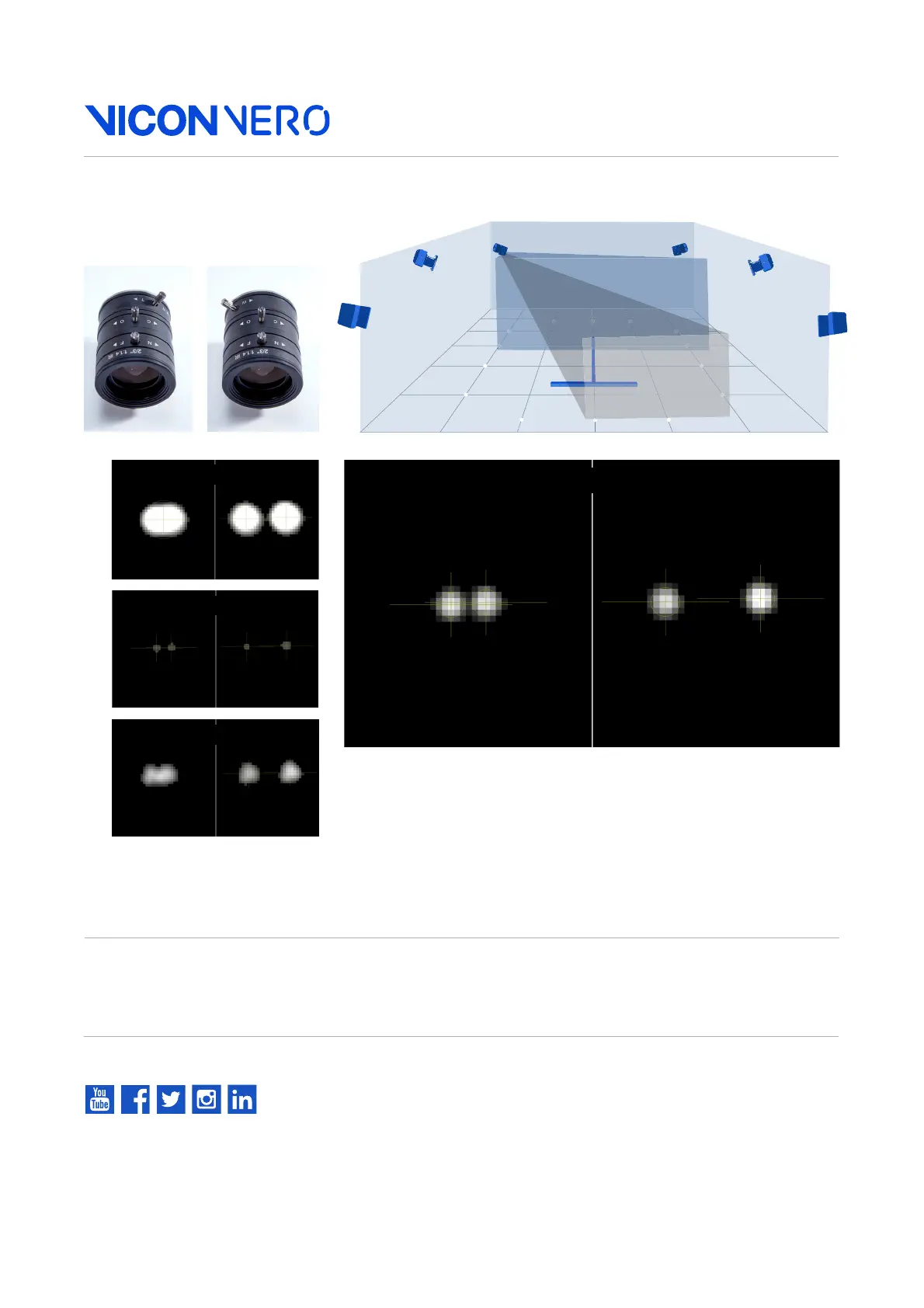
Adjust: Zoom. Grayscale. Focus.
✘
✘
✘
Aperture too open
Need more help?
Visit www.vicon.com/faqs.
Markers touching 10cm separation
✔ A correct marker image is shown above. The markers are
not too small, with centers just off-white (not fully saturated)
when viewed from the middle of the volume.
Important: Before you begin system calibration, select all
cameras and change Grayscale Mode back to Auto. For more
about calibration, see your Vicon software documentation.
Correct marker image
Focal length
W(ide)
Focal length
T(elephoto)



 To Next Page