EasyManua.ls Logo

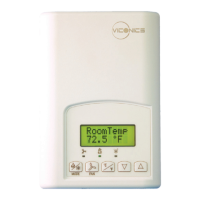
Viconics VT7600A - User Manual

Viconics VT7600A
36 pages
Print Icon
To Next Page IconTo Next Page
Loading...
1 | PIR Ready VT76x7 Series-Installation Guide
CONTENTS
Installation 2
Location 2
Installation 2
Theory of operation 3
Features overview 4
Model Chart 5
Network ready 6
Terminal, Identification and Function 6
Wiring 6
Screw terminal arrangement 7
Typical applications 8
Remote humidity sensor accessories 9
Configuring and Status Display Instructions 10
Status display 10
User Interface 12
User configuring instructions menu 12
Local keypad interface 13
Occupied setpoints adjustments 14
Dehumidification process 16
Installer Configuration Parameter Menu 21
Troubleshooting guide 32
Humidity Control 34
Humidity reset 34
High limit humidity sensor 34
Specifications 35
Drawing & Dimensions 36
PIR Ready VT76x7 Series
With & Without Local Schedule &
With Humidification & Dehumidification
Strategy Terminal Equipment Controllers
Installation Guide
For Commercial HVAC Applications
May 3
rd
, 2012 / 028-0229-R4
April 26, 2011 / 028-0190-R6
May 5, 2011 / 028-0228-R3

Questions and Answers

  • A
    angelicariceAug 10, 2025
    How to unlock the keyboard menu on a Viconics Thermostat?
    • A
      Alice BryantAug 10, 2025
      If the keyboard menu on your Viconics Thermostat does not access all functions, the keyboard might be locked. To unlock it and access all levels of the menu, change the configuration parameter LOCKOUT to a value of “0”.
  • C
    Cynthia MurilloAug 20, 2025
    How to fix no display on Viconics VT7600A Thermostat?
    • G
      Gloria JonesAug 20, 2025
      If there is no display on your Viconics Thermostat, it could be due to: * Absent or incorrect supply voltage. Check the power supply voltage between C & RC to ensure it's between 19-30 VAC. Also, check for any tripped fuses or circuit breakers. * An overloaded power transformer. Verify that the transformer is powerful enough to supply all controlled devices, including the Terminal Equipment Controller.
  • J
    James LopezAug 26, 2025
    Why do temperature settings on my Viconics Thermostat keep reverting?
    • C
      Charles ThompsonAug 26, 2025
      If the temperature setpoints on your Viconics Thermostat revert to the original value, it's likely because the temporary setpoint option is selected. To ensure the new setpoint is kept, the Terminal Equipment Controller needs to be in Permanent setpoint mode. Go to the Set temperature menu and set the setpoint type to Permanent.
  • C
    Cody AllenAug 30, 2025
    What to do if my Viconics Thermostat fan won't turn on?
    • P
      Patricia SmithAug 30, 2025
      If your Viconics Thermostat fan won't turn on, it might be due to the wrong mode being selected. Try forcing the fan ON. Also, put a jumper across terminals RC & G to see if the fan starts. If it doesn't, verify the wiring.
  • K
    Katherine NguyenSep 4, 2025
    Why is the digital display on my Viconics Thermostat showing missing digits?
    • C
      Christopher GarciaSep 4, 2025
      If the digital display on your Viconics Thermostat shows missing digits or erratic segments, it indicates a defective display. The suggested solution is to replace the Terminal Equipment Controller.
  • C
    Christine BushNov 14, 2025
    Why is my Viconics VT7600A not calling for cooling?
    • A
      Adam SchultzNov 14, 2025
      There are several potential reasons why your Viconics Thermostat isn't calling for cooling: * The mode might be set incorrectly; ensure cooling mode is selected. * The thermostat could be in Unoccupied mode. To resolve this, select Occupied Hold in Schedule hold or Override to force the Terminal Equipment Controller to the Occupied cooling setpoint. * The anti-cycle delay might be active. If so, wait for the anti-cycling period to end. * The cooling setpoint might already be satisfied; try lowering the cooling setpoint. * Cooling lockout might be enabled based on outside air temperature. To bypass this, change the configuration parameter C Lock to a value of -40 °F (-40 °C). * A wiring error could be present. Try forcing the fan ON and putting a jumper across terminals RC & Y1...

Viconics VT7600A Specifications

General IconGeneral
BrandViconics
ModelVT7600A
CategoryThermostat
LanguageEnglish

Related product manuals