This menu permits the adjustment of all permanent temperature setpoints (occupied and
unoccupied) as well as the desired temperature units (°F or °C). Permanent setpoints are
written to RAM and EEPROM.
Temporary setpoint changes
Temporary setpoints can be modified through the Up arrow key (▲) and the Down arrow
keys (▼).
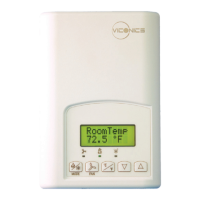
User will be prompted with the present mode (Heating or Cooling) of the Terminal
Equipment Controller and its setpoint.
The Up (▲) arrow key will increment the setpoint by 0.5 degree (F or C).
The Down (▼) arrow key will decrement the setpoint by 0.5 degree (F or C).
Press the Yes key to accept the new setpoint.
Local changes to the heating or cooling setpoints made by the user directly using the up
or down arrow are temporary.
They will remain effective for the duration specified by ToccTime.
Setpoints will revert back to their default value after internal timer ToccTime expires.
If a permanent change to the setpoints is required, use the Temperat set ? menu
D) Humidity setpoints
To prevent overlap, a minimum fixed deadband of 5% RH will always prevail between the
humidification and dehumidification setpoints. For example, if the humidification setpoint is


 To Next Page