65
028-0441-14_UI-VT8650_A4_EN www.viconics.com May 2020
VT8650 [ User Interface Guide ]
TEST OUTPUTS
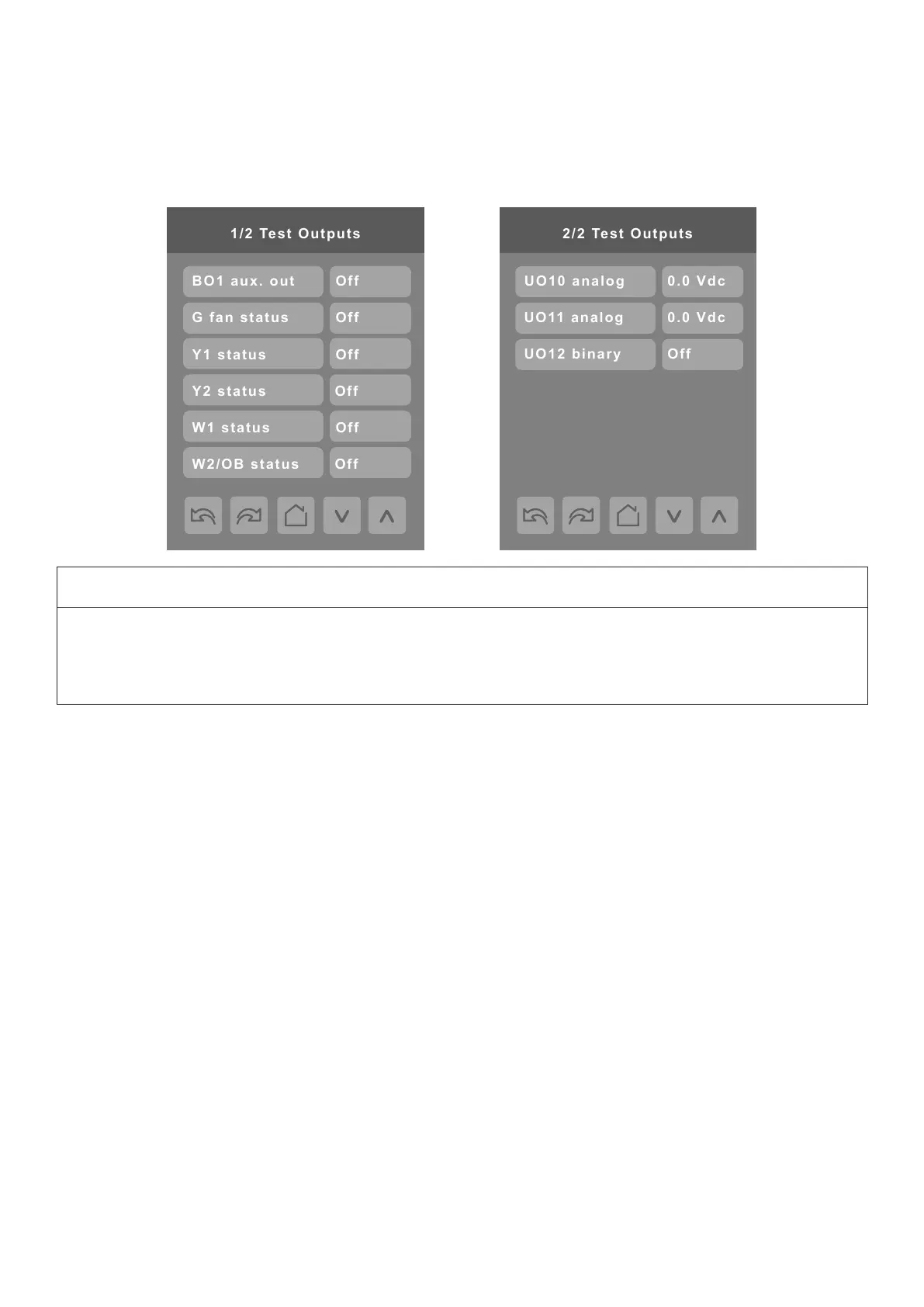
Test Outputs Screens
Note 1: The Test Outputs screen allows manual override of specied outputs. After any output state is overridden, the command
is cancelled after 1 minute of screen inactivity (auto exit to main screen) or when page is exited.
Note 2: These parameters can also be changed via BACnet and the changed parameter background will turn red to indicate the
parameter’s value had been overridden. The overridden value remains even if the user exits the main screen
Note 3: Test Outputs values are LIVE. Any output gets displayed immediately for any value change according to the following:
1. If any BACnet priority array (1 - 16) includes a value, the displayed state background shows in red.
2. When toggling a value on the screen, the output directly energizes according to the selected value.
3. After any output state gets modied, all overrides get cancelled after 1 minute of button inactivity, or if you scroll from one
screen to another screen.
Note 4: Test Outputs UO10 to UO12 are dependent on control type conguration. If mode is set to Floating or On/Off, binary
options show. If mode is set to Analog, analog options show.
NOTICE
SAFE OPERATION ENVIRONMENT
Use high caution when manually enabling outputs so as to not cause damage to equipment. It is the responsibility of the
Installer or Service Contractor to maintain a safe operation environment during usage.
Failure to follow these instructions can result in equipment damage.


 To Next Page