8
Need Help? Watch the video at www.victortech.com/High-Rise
Step 6: Adjust the Desk Surface Height
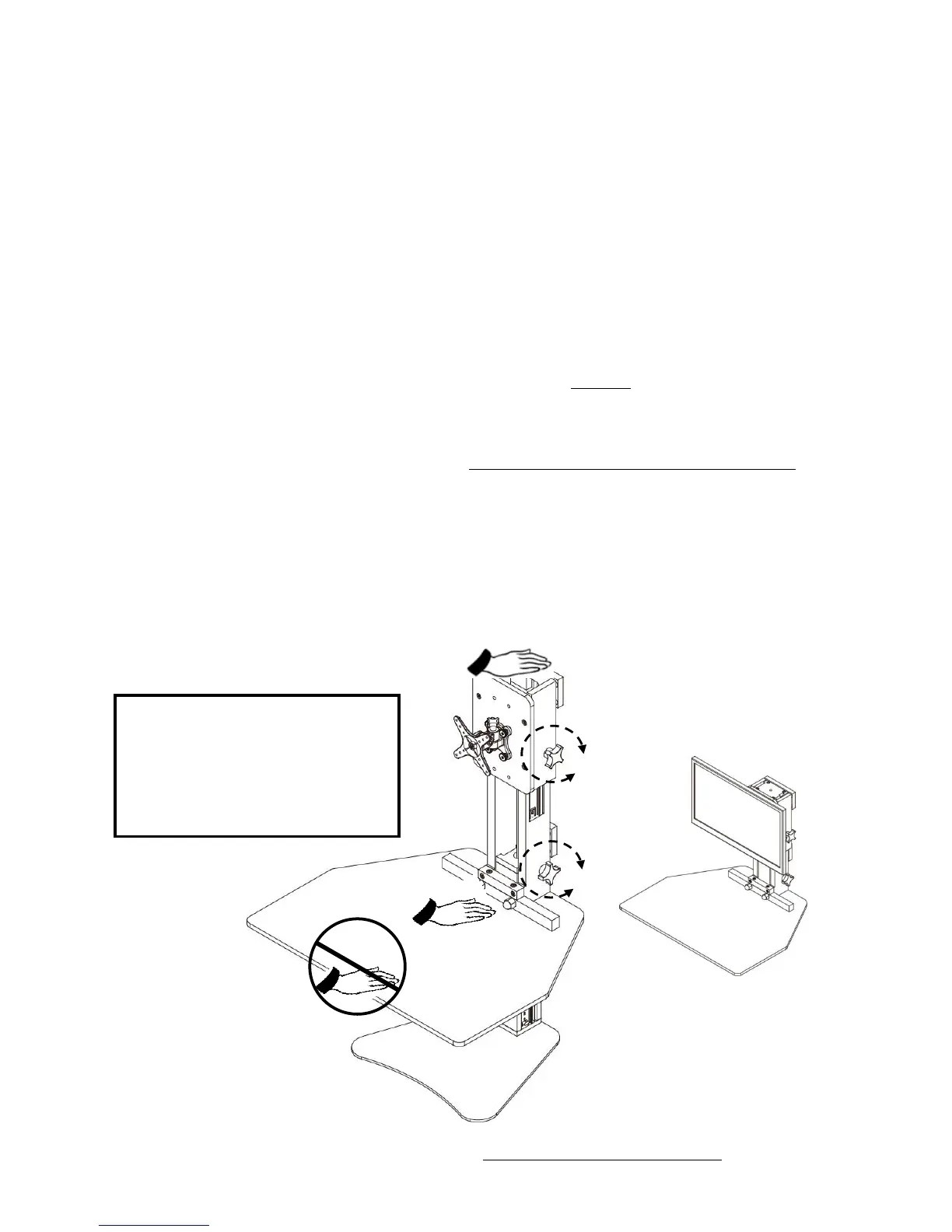
1. Turn the black knob located behind the Desk Surface counter-clockwise two or three
rotations to loosen. This will free the desk surface to be raised or lowered. Gently
pull up or down on the Desk Surface if it does not move. If the Desk Surface does
not move easily, loosen the knob another ½ rotation and try again.
TIP: The best location to hold the Desk when raising is both hands on the side,
towards the rear.
2. Set the Desk Surface at your desired height, by turning the knob clockwise until snug
and the Desk Surface no longer moves up or down. Do not over tighten! Too much
force can break the hardware. Tighten only as much as required to maintain a stable
Desk Surface height. Experiment to determine the minimal amount of tightening
required to hold the desk in place. This will extend the life of your product.
TIP: For optimal downward movement, place your hand in the rear center of the
Desk Surface and slowly push down. Do not push down on the front of the desk.
TIP: The desk will move down with less effort when weight from a monitor and desk
items has been added.
WARNING: Do not lean on the Desk Surface. Do not place heavy items on the Desk
Surface. The Desk is designed to hold the weight of a keyboard, mouse, telephone,
papers, and other light items. To ensure proper performance and product life, do not
exceed 20 pounds.
Use only when all fasteners are tight.
At least every six months, tighten all
fasteners. If parts are missing, broken,
or worn, stop use of the product until
repairs are made using Victor
authorized parts.


 To Next Page
 Loading...