EasyManua.ls Logo

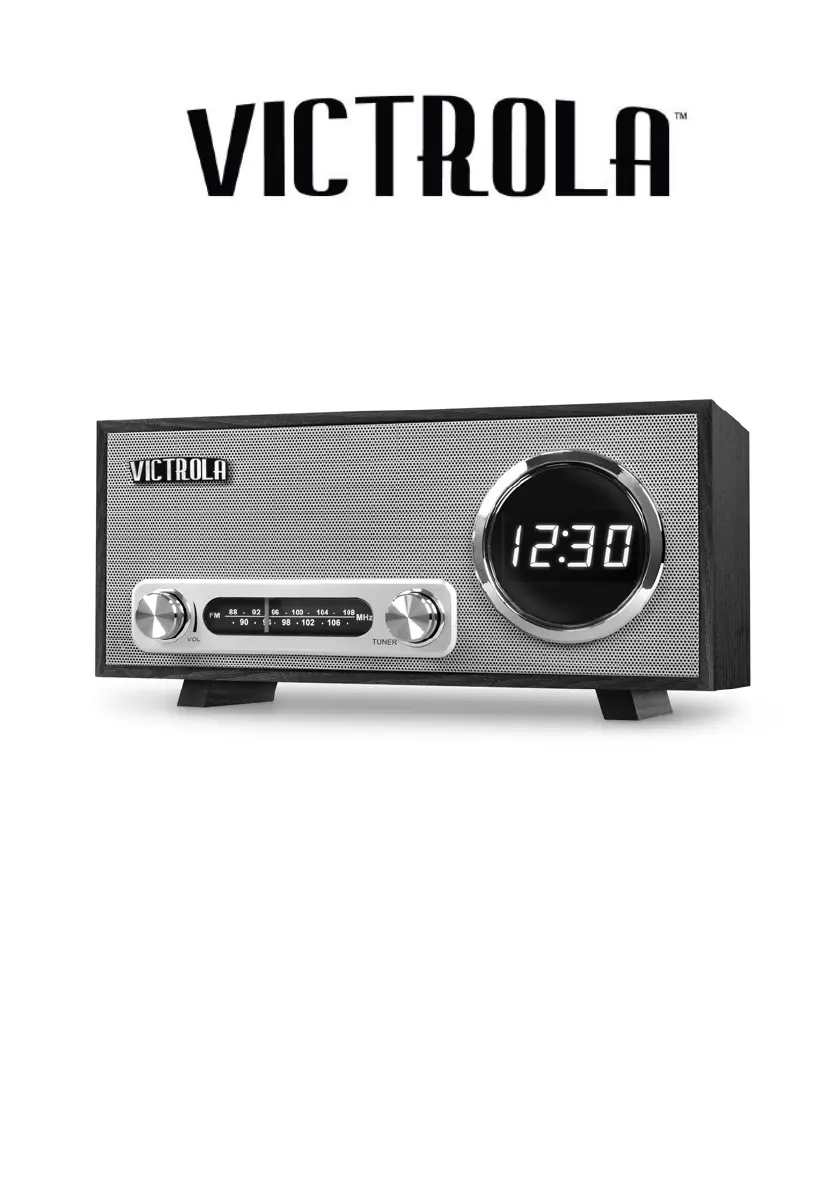
Victrola VC-100 - User Manual

Victrola VC-100
12 pages
Print Icon
To Next Page IconTo Next Page
Loading...
MODEL: VC-100
BLUETOOTH CLOCK RADIO

Questions and Answers

  • J
    Jennifer BrennanAug 1, 2025
    Why is there no sound coming from my Victrola Clock Radio?
    • M
      Meredith WoodAug 1, 2025
      If your Victrola Clock Radio has no sound, first ensure the unit is switched to Bluetooth (BT) mode if you're using a Bluetooth device. Then, check and increase the volume on both your portable device and the unit itself. If that doesn't work, your device might be too far from the unit, so move it closer. As an additional step, you can also try turning both your Bluetooth device and the unit off and then back on again.
  • S
    Scott HarrisAug 5, 2025
    What to do if there is no sound from Victrola Clock Radio speakers?
    • L
      Lisa StewartAug 5, 2025
      If there's no sound coming from the speakers of your Victrola Clock Radio, first check that the volume level isn't set too low and adjust it accordingly. Also, ensure that the input selector matches the source you're trying to play.
  • J
    Jose PetersonAug 9, 2025
    How to fix a Victrola Clock Radio that will not turn on?
    • M
      Mason RichardsonAug 9, 2025
      If your Victrola Clock Radio won't power on, make sure it's properly connected to the AC power supply.
  • J
    Joshua HallAug 13, 2025
    Why can't I get a good radio signal on my Victrola Clock Radio?
    • E
      Eric TaylorAug 13, 2025
      If you cannot listen to any station or the signal appears weak on your Victrola Clock Radio, make sure that you properly tune in to the desired station. Also, a nearby TV set might interfere with the radio reception, so try turning it off.
  • M
    Mercedes WilsonAug 18, 2025
    How to reduce noise in Victrola Clock Radio output?
    • A
      Alan MirandaAug 18, 2025
      If you're experiencing noise or distortion in the sound output of your Victrola Clock Radio, it might be too close to a TV set or another device causing interference. Try turning off the TV or other appliance and relocating the unit.
  • C
    Courtney LawrenceAug 22, 2025
    How to improve distorted sound on Victrola Clock Radio?
    • M
      myerskatieAug 22, 2025
      If the sound from your Victrola Clock Radio is distorted, try re-orienting the antenna until the reception improves.
  • K
    Krista DavisAug 27, 2025
    What to do if Victrola Clock Radio is unresponsive?
    • R
      rjohnsonAug 27, 2025
      If your Victrola Clock Radio fails to respond, it might be due to external factors like electrostatic discharge. Disconnect the power cord and any external audio devices. Then, plug the power cord back in after one minute.

Summary

IMPORTANT SAFETY INSTRUCTIONS

PRODUCT OVERVIEW

Front View Components

Identifies key controls and display elements on the front panel.

Top View Controls

Describes the snooze/dimmer button located on the top.

REAR VIEW FEATURES

SETUP AND BASIC OPERATION

Battery Operation and Precautions

Instructions for battery insertion and safety guidelines.

RADIO AND BLUETOOTH OPERATION

Listening to FM Radio

Steps for tuning into FM stations and adjusting volume.

Connecting via Bluetooth

Guide to pairing and playing audio from Bluetooth devices.

Getting Connected Using Bluetooth

Procedure for pairing and establishing a Bluetooth connection.

OPERATING PROCEDURES

Setting the Time

Procedure for adjusting the clock display.

Setting the Alarm

Instructions for configuring the alarm function.

Alarm Snooze and Dimmer Feature

How to use the snooze and adjust display brightness.

Charging an External Device

Steps for using the USB port to charge other devices.

TROUBLESHOOTING GUIDE

SPECIFICATIONS

REGULATORY COMPLIANCE

FCC Statement

Compliance information regarding FCC rules and potential interference.

IC Statement

Industry Canada compliance information and RF exposure limits.

CALIFORNIA PROP 65 WARNING

LIMITED WARRANTY INFORMATION

Victrola VC-100 Specifications

Power IconPower
power requirementsAC 230 V~ 50 Hz
backup battery2 AAA (LR03) Batteries
power consumption11 W
Amplifier IconAmplifier
output power5 W
frequency response60 to 20, 000 Hz
Speaker System IconSpeaker System
type1-way
impedance6 ohms
input power max10 W
FM Radio IconFM Radio
range88 to 108 MHz
Bluetooth IconBluetooth
bluetooth versionBluetooth V2.1+EDR
bluetooth profilesA2DP, AVRCP
bluetooth frequency range2.402 GHz - 2.480 GHz
operating distance33 feet / 10 meters
USB IconUSB
usb port for charging5 V 1 A
Weight and Dimensions IconWeight and Dimensions
dimensions330 x 140 x 152 mm
weight1.89 kg

Related product manuals