EN
11
Preparation and Installation
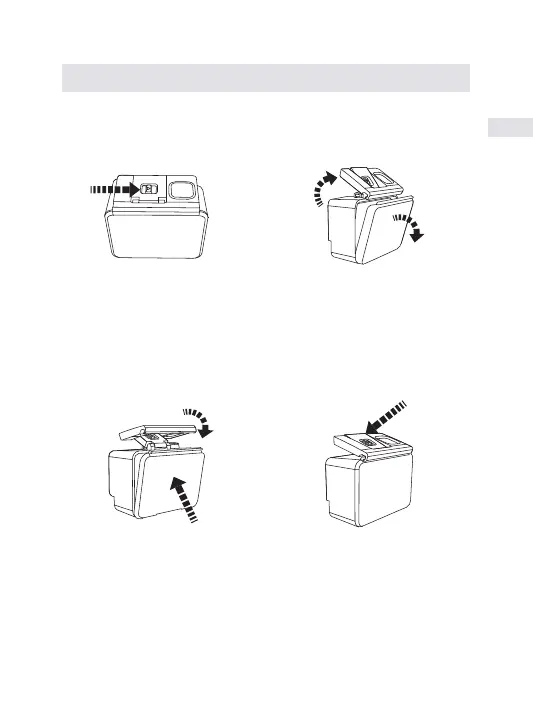
Push the switch to right as indicated by the arrow.
Pull up the buckle of waterproof case.
Open the back cover of the waterproof case.
Waterproof Case Open&Close
A. How to open the waterproof Case correctly
B. How to close the waterproof Case correctly
①
③
②
Compress the back cover of the waterproof case as arrow 1 shows;
Please pull down the buckle, and connect it to the back cover as arrow
2 shows.
Pull down the buckle of the waterproof case as arrow 3 shows.
·
·
·
③
②
①


 To Next Page