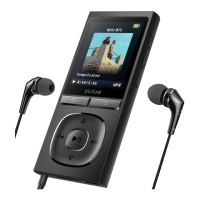
File transfer
1. Bluetooth
Bluetooth connection:
Step1: Turn on the bluetooth of your device
Step2: Choose Bluetooth in this MP3 player, short press the 「play/pause」 button to
enter into bluetooth operation interface
Step3: Press「menu」or「downward」to choose “BT On/Off”, select “BT on” then
back to sub-interface to choose “Search Device”
Step4: After searching your device successfully, choose your device name then press
「play/pause」button to confirm connection
2. Pedometer
Choose Pedometer in this MP3 player, short press the 「play/pause」button to enter
into pedometer operation interface which includes:Start step-counting, Personal
info, History, Clear history
Start step counting:short press the 「play/pause」button
S - steps;D - distance;C - calories;V - velocity;T - time
3. Music
Music play:Choose Music in this MP3 player, short press the 「play/pause」button
to enter into music operation interface → select “All songs”, press 「play/pause」
button to confirm → short press「menu」 or 「downward」 to choose music, press
「play/pause」 button to play
9


 To Next Page